Rows
VerifiedRows is a spreadsheet tool that connects to live data sources and uses AI to analyze, summarize, classify, and translate data directly inside the spreadsheet. It lets users extract data from PDFs and import business data from over 50 integrations without writing code, SQL, or formulas. It's aimed at teams and individuals who need to build reports, dashboards, and models from live data without stitching together multiple tools. Users can share interactive, embeddable reports and collaborate in real time, making it suited for marketing, analytics, finance, and operations work where spreadsheets meet automated data pulls and AI-driven analysis.
Rows at a glance
- What it is
- Rows is a spreadsheet tool that connects to live data sources and uses AI to analyze, summarize, classify, and translate data directly inside the spreadsheet.
- Who it's for
- A good fit for users working with Spreadsheet & Excel AI Assistants who want to cut the manual steps.
- Primary use case
- Rows is a familiar spreadsheet that pulls live data from APIs and lets an AI column summarise, classify or translate each row.
- CategorySpreadsheet & Excel AI Assistants, Data Analysis & BI Dashboards
- PricingFree Tier
- Starting priceFree (paid plans from $8/month per user)
- Credit cardNo credit card required
- Foundation modelMulti-model
- Bring your own keySupported
- RatingNo reviews yet. Be the first to rate.
Video Spot
Overview
Rows is a spreadsheet tool that connects to live data sources and uses AI to analyze, summarize, classify, and translate data directly inside the spreadsheet. It lets users extract data from PDFs and import business data from over 50 integrations without writing code, SQL, or formulas. It's aimed at teams and individuals who need to build reports, dashboards, and models from live data without stitching together multiple tools. Users can share interactive, embeddable reports and collaborate in real time, making it suited for marketing, analytics, finance, and operations work where spreadsheets meet automated data pulls and AI-driven analysis.
Rows is a familiar spreadsheet that pulls live data from APIs and lets an AI column summarise, classify or translate each row.
In detail
Rows is a spreadsheet application built around an AI Data Analyst that lets people extract data from PDFs, pull in business data from more than 50 sources, and analyze it using plain language instead of formulas, SQL, or BI dashboards. It functions like a familiar spreadsheet but adds an AI column and AI Analyst interface that can summarize, classify, translate, or generate content from your data on command.
The tool is designed for teams and individuals handling reporting, data analysis, and dashboard building, including marketers, analysts, and anyone who currently relies on manual spreadsheet work or stitching data from different platforms. Its templates (keyword clustering, social media dashboards, cash flow models) suggest particular use among marketing and SEO professionals, but the core spreadsheet and data tools apply broadly.
Rows works through Data Tables that import and refresh data automatically from integrations like social media platforms, data warehouses, advertising tools, and back-office systems, as well as a browser extension (RowsX) that can pull tables from websites. Cell enrichment lets AI or integration data populate individual cells or whole columns, which is commonly used to build formula columns, such as running sentiment analysis on imported social posts. Automation refresh frequency varies by plan, from manual imports on the Free plan up to per-minute refreshes on paid plans.
What differentiates Rows is the combination of a standard spreadsheet interface with built-in live integrations and an AI layer that avoids the need for traditional spreadsheet formulas or external BI tools. Reports and dashboards built in Rows can be shared, embedded on websites or in tools like Notion, and collaborated on in real time with teammates or guests. It also offers an API, and connectors to Zapier, Make, and Looker Studio for extending automation further.
Pricing is tiered from a free plan through Plus, Pro, and Enterprise, with limits on AI tasks, data refresh frequency, integration accounts, guest members, and file import size increasing at each tier. This makes Rows accessible to individuals starting for free while scaling features for teams with heavier data and collaboration needs.
Common uses
- Building marketing or SEO reports from live data sources like Google Search Console
- Creating dashboards for social media analytics such as Instagram or TikTok follower tracking
- Extracting and analyzing data from PDFs and business documents without manual entry
- Embedding live pricing calculators, charts, or dashboards into websites or documents
- Building financial models like cash flow projections or expense trackers
- Collaborating with a team in real time on shared data reports and spreadsheets
Pros
- Combines a familiar spreadsheet interface with live data integrations and AI analysis
- Free plan available with no credit card or trial required
- Supports a wide range of integrations (50+) without needing code
- Reports can be embedded and shared outside the spreadsheet itself
- API and connectors (Zapier, Make, Looker Studio) extend automation options
Cons
- Free plan limits AI tasks to 5 per month and requires manual data refresh
- Automated, frequent data refresh (daily or per-minute) requires a paid Plus or Pro plan
- Guest and integration account limits are restrictive on lower-tier plans
- Higher-volume features like custom API endpoints and SAML SSO are reserved for Enterprise
Generated from the listing's details and not yet checked by a Zoipi editor.
Key Features
- AI Data Analyst: ask AI in plain language to extract, analyze, and report on data without formulas or SQL
- PDF and document extraction: use AI Vision to pull data out of PDFs and images into the spreadsheet
- Built-in integrations: connect to over 50 sources including social media, analytics, advertising, and back-office tools
- Data Tables with automation: import data and set refresh schedules ranging from manual to per-minute, depending on plan
- Cell enrichment: load integration or AI data into individual cells or whole columns, useful for building formula columns
- RowsX extension: import tables from websites into a spreadsheet in one click
- Sharing and embedding: publish interactive reports and charts, embeddable in sites like Notion or blogs
- Rows API and connectors: programmatic access plus Zapier, Make, and Looker Studio integrations
Best For
- Solo builders and small teams handling spreadsheet & excel ai assistants in-house
- Anyone testing the space without an upfront budget
Pricing Model
Free Tier. Generous ongoing free tier you can start with, no credit card needed. Paid plans unlock higher limits.
Pricing Breakdown
Screenshots
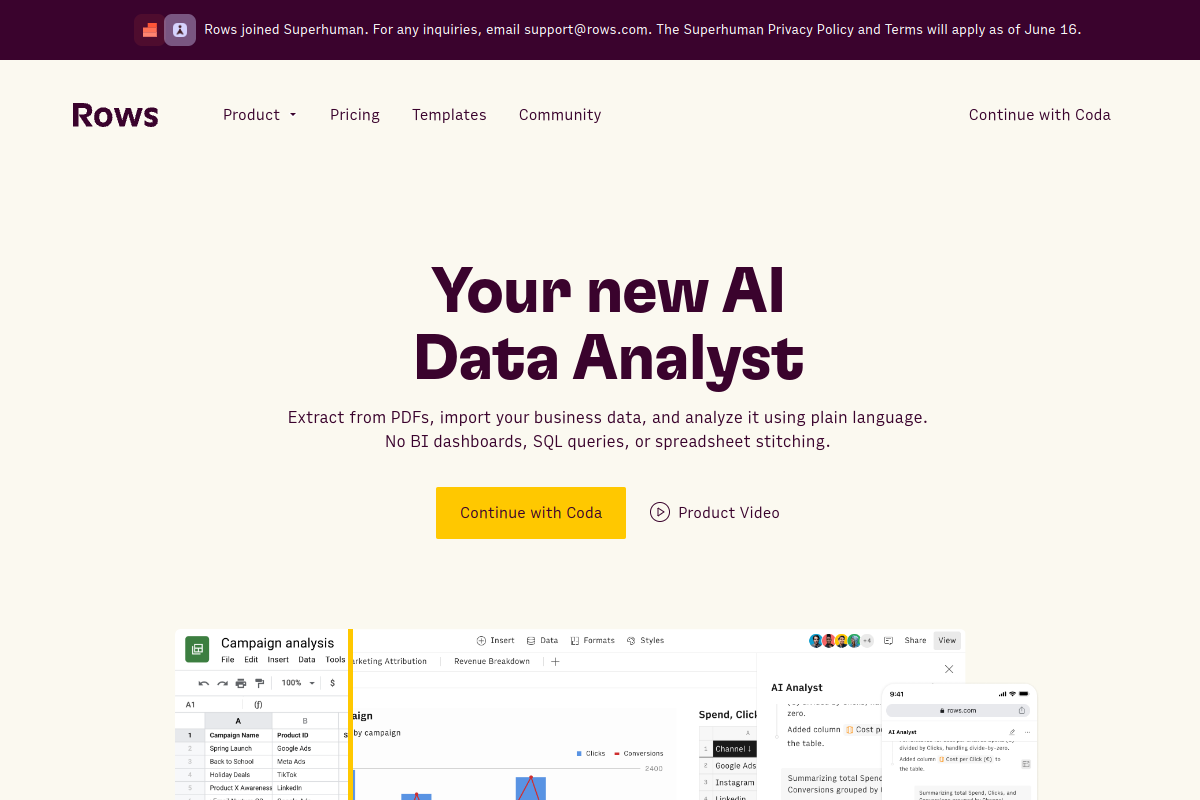
Live preview of Rows's website.
Frequently asked questions
Community Reviews & Discussion
0 reviews · replies are moderated before they appear.
- No reviews yet — be the first to review Rows.