LobbyClip
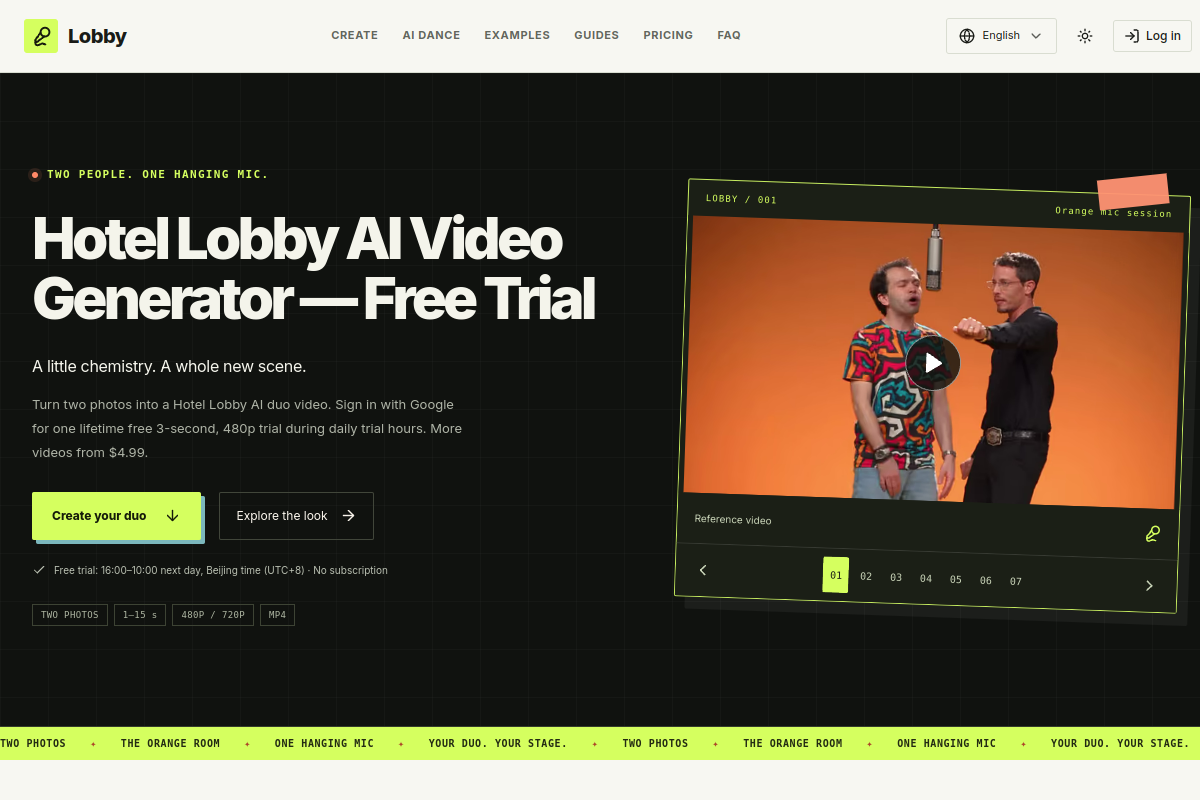
VerifiedLobbyClip is an AI video generator that turns two photos into a short 'Hotel Lobby' style duo video, featuring an orange studio backdrop, a hanging microphone and a two-person performance look. It is built for friends, couples, or pet owners who want a themed short clip of two subjects together. Users upload a separate photo for each performer, pick from scene templates, choose an aspect ratio (9:16, 16:9, or 1:1), resolution (480p or 720p), and a duration of 1–15 seconds. No sign-in is required to preview or generate, though Google sign-in unlocks one free 3-second 480p trial during limited daily hours. Additional videos are purchased with one-time, non-subscription credits.
LobbyClip at a glance
- What it is
- LobbyClip is an AI video generator that turns two photos into a short 'Hotel Lobby' style duo video, featuring an orange studio backdrop, a hanging microphone and a two-person performance look.
- Who it's for
- Most useful for anyone who needs results in the AI Video Generators area without a specialist on staff.
- Primary use case
- LobbyClip creates Hotel Lobby-style AI videos from two photos of friends, couples, or pets.
- CategoryAI Video Generators
- PricingFree Tier
- Starting price$4.99/video
- Credit cardNo credit card required
- Bring your own keyNot supported
- RatingNo reviews yet. Be the first to rate.
Video Spot
Overview
LobbyClip is an AI video generator that turns two photos into a short 'Hotel Lobby' style duo video, featuring an orange studio backdrop, a hanging microphone and a two-person performance look. It is built for friends, couples, or pet owners who want a themed short clip of two subjects together. Users upload a separate photo for each performer, pick from scene templates, choose an aspect ratio (9:16, 16:9, or 1:1), resolution (480p or 720p), and a duration of 1–15 seconds. No sign-in is required to preview or generate, though Google sign-in unlocks one free 3-second 480p trial during limited daily hours. Additional videos are purchased with one-time, non-subscription credits.
LobbyClip creates Hotel Lobby-style AI videos from two photos of friends, couples, or pets. Users can preview their photo layout for free and pay per video or choose a one-time package. Videos can be 1–15 seconds, in 480p or 720p, with three aspect ratios.
In detail
LobbyClip is a focused AI video generator that creates short 'Hotel Lobby' style duo videos from two separate photos. The signature look includes an orange studio set and a hanging microphone, with the subjects appearing to perform together as a duo. It offers seven scene templates split between people-focused scenes (for friends and couples) and animal-focused scenes (for cats and dogs), each with its own visual style, such as a teal marble 'after-hours check-in' or a neon 'side B' studio look.
The tool is aimed at individuals who want a quick, novelty-style video of two people or two pets together, rather than professional video editors or businesses. Users upload one photo per performer, choose a scene, set an aspect ratio (9:16, 16:9, or 1:1), pick a resolution (480p or 720p), and set a duration between 1 and 15 seconds, with 10 seconds as the default. No account is required to generate or pay for a video, though signing in with Google unlocks a one-time free trial: a 3-second, 480p clip available only during a set daily window (16:00–10:00 next day, Beijing time), subject to generation capacity.
Photo processing happens through a third-party provider, Kie.ai, and task records are kept for up to 14 days. Photos themselves stay in the browser until a video is generated. Paid videos are purchased per clip or in bundled packs of credits that never expire, with no subscription involved. 480p generations use 1 credit per video and 720p uses 2 credits, regardless of chosen duration.
What differentiates LobbyClip is its narrow, specific focus on a single stylized video format rather than being a general-purpose AI video tool. It emphasizes simplicity: no login needed to create and pay for a video, a fixed set of scene templates, and transparent one-time pricing. Some templates, like 'Orange mic session,' use a reference video's original soundtrack and motion cues to guide the generated performance, though lip sync and exact actions can vary from the source.
Common uses
- Creating a fun duo video of two friends for sharing on social media
- Making a couple-themed video with a stylized backdrop and soundtrack
- Generating a playful duo video of two pets, like a cat and dog or two cats
- Previewing a photo layout for free before committing to a paid video
- Producing short vertical, widescreen or square clips for different platforms
Pros
- No account needed to generate and pay for a video
- One-time credit pricing with no subscription required
- Multiple aspect ratios and adjustable duration from 1 to 15 seconds
- Free photo layout preview available at any time
- Purchased credits never expire
Cons
- Free trial is limited to 3 seconds, 480p, and only available during specific daily hours
- Only seven scene templates are offered, limiting creative variety
- Photos are sent to a third-party provider (Kie.ai) for processing
- Lip sync and exact actions may differ from the reference video even when original audio is used
Generated from the listing's details and not yet checked by a Zoipi editor.
Key Features
- Two-photo input: separate photo slots for left and right performers for clearer references
- Scene templates: seven preset scenes split between people (4) and animal (3) options
- Flexible output settings: choose aspect ratio (9:16, 16:9, 1:1), resolution (480p or 720p), and duration (1–15 seconds)
- No sign-in required: photo preview, video generation and payment can all happen without an account
- Google sign-in trial: one lifetime free 3-second, 480p video during a daily trial window
- Reference-guided audio: some scenes use a source video's original soundtrack and motion cues
- Credit-based payment: one-time purchases with credits that never expire, no subscription
Best For
- Anyone replacing a manual ai video generators process with something faster
- Anyone testing the space without an upfront budget
Pricing Model
Free Tier. Generous ongoing free tier you can start with, no credit card needed. Paid plans unlock higher limits.
Pricing Breakdown
Screenshots
Live preview of LobbyClip's website.
Frequently asked questions
Community Reviews & Discussion
0 reviews · replies are moderated before they appear.
- No reviews yet — be the first to review LobbyClip.