LiveFaceSwap AI
VerifiedLiveFaceSwap AI is a real-time face swap tool for webcam video, streams, and video calls. Users can try it free in a browser preview or install a Windows/Mac desktop app that outputs a virtual camera for OBS, Streamlabs, PRISM, and meeting apps. Beyond face swap, it offers live try-on (changing outfits) and live restyle (applying character or visual styles) to the camera feed. All processing runs in the cloud, so no local GPU is needed, with under 500ms latency. It's built for streamers, VTubers, and creators who want to appear as a chosen AI character on camera in real time, with credit-based monthly or quarterly subscriptions and one-time credit packs.
LiveFaceSwap AI at a glance
- What it is
- LiveFaceSwap AI is a real-time face swap tool for webcam video, streams, and video calls.
- Who it's for
- A good fit for users working with Face Swap & Deepfake Tools who want to cut the manual steps.
- Primary use case
- LiveFaceSwap AI replaces the face in your live webcam video with an AI look you pick, in real time.
- CategoryFace Swap & Deepfake Tools
- PricingFree Tier
- Starting price$15/month (Basic, or $12/month billed quarterly)
- Credit cardNo credit card required
- Bring your own keyNot supported
- RatingNo reviews yet. Be the first to rate.
Video Spot
Overview
LiveFaceSwap AI is a real-time face swap tool for webcam video, streams, and video calls. Users can try it free in a browser preview or install a Windows/Mac desktop app that outputs a virtual camera for OBS, Streamlabs, PRISM, and meeting apps. Beyond face swap, it offers live try-on (changing outfits) and live restyle (applying character or visual styles) to the camera feed. All processing runs in the cloud, so no local GPU is needed, with under 500ms latency. It's built for streamers, VTubers, and creators who want to appear as a chosen AI character on camera in real time, with credit-based monthly or quarterly subscriptions and one-time credit packs.
LiveFaceSwap AI replaces the face in your live webcam video with an AI look you pick, in real time. Test it in the browser preview, then use the Windows/Mac desktop app's virtual camera as a source in OBS Studio, Streamlabs, PRISM or any video-call app. It's meant for streamers, VTubers and creators who want to appear as a character on camera, and it also has an AI outfit try-on. New accounts get free credits; Basic is $15/month and Pro is $29/month.
In detail
LiveFaceSwap AI lets you replace your face in live webcam video with an AI-generated look in real time. You can start with a free browser preview, then move to a downloadable Windows or macOS desktop app that provides virtual-camera output for use in OBS, Streamlabs, PRISM, and video-call or meeting apps. Along with face swap, it includes live try-on for changing outfits and live restyle for applying character or visual styles to your camera feed, all updating as you move.
The tool is aimed at streamers, VTubers, and content creators who want to broadcast or video-call as a chosen character, as well as anyone curious about exploring real-time AI video transformation. Setup involves uploading or choosing a portrait reference, turning on the camera, selecting an AI model, and reviewing the live result, adjusting lighting, position, or reference image as needed.
Processing happens in the cloud rather than on the user's device, so no local GPU or downloaded AI models are required—only a camera and stable internet connection. The cloud-processed video is returned to the user's screen with under 500ms of latency, and the camera stream connects directly to the AI model provider over an encrypted connection during sessions.
What sets it apart is the dual online/desktop approach: the browser preview requires no installation and is for quick testing, while the desktop app adds virtual-camera output so the AI video feed can be used as a source in third-party streaming and meeting software. Pricing is credit-based, with Basic, Pro, and Max monthly or quarterly subscription tiers (with a 20% discount for quarterly billing) plus optional one-time credit top-ups and lifetime credit packs that never expire. Different AI models consume credits at different rates, and credits are only used once the AI-transformed video appears on screen, with usage tracked to the tenth of a second.
New accounts receive free credits to try the tool before subscribing. Subscriptions can be canceled anytime through account settings, remaining active until the end of the paid period, and unused subscription credits carry over to the following month.
Common uses
- Livestreaming as an AI character through OBS or similar streaming software
- Appearing as a transformed character in video calls and online meetings
- Testing different AI faces, outfits, and styles for creative exploration
- Quick browser-based experimentation before committing to the desktop app
- VTubing with a real-time AI-generated persona
Pros
- No GPU or local AI model installation needed since processing is cloud-based
- Low latency (under 500ms) for real-time use
- Works with existing streaming and video-call software via virtual camera
- Free credits for new accounts to try before subscribing
- Unused subscription credits carry over to the next month
Cons
- Browser preview does not support recording, downloading, or exporting the live output
- Requires a stable internet connection since processing happens in the cloud, not locally
- Credits are consumed per second of use, so costs scale with session length
- Desktop app currently limited to Windows 10/11 and macOS 13+ (Apple Silicon)
Generated from the listing's details and not yet checked by a Zoipi editor.
Key Features
- Real-time face swap: Replaces your face in live webcam video with a chosen AI character
- Live try-on: Changes outfits on your live camera feed in real time
- Live restyle: Applies character or visual styles to live video
- Browser preview: Test the effect online with no installation required
- Desktop virtual camera: Windows/Mac app outputs to OBS, Streamlabs, PRISM and video-call apps
- Cloud-based processing: No local GPU or downloaded AI models needed, under 500ms latency
- Credit top-ups and lifetime packs: Add credits without changing your subscription plan
Best For
- Solo builders and small teams handling face swap & deepfake tools in-house
- Anyone testing the space without an upfront budget
Pricing Model
Free Tier. Generous ongoing free tier you can start with, no credit card needed. Paid plans unlock higher limits.
Pricing Breakdown
Screenshots
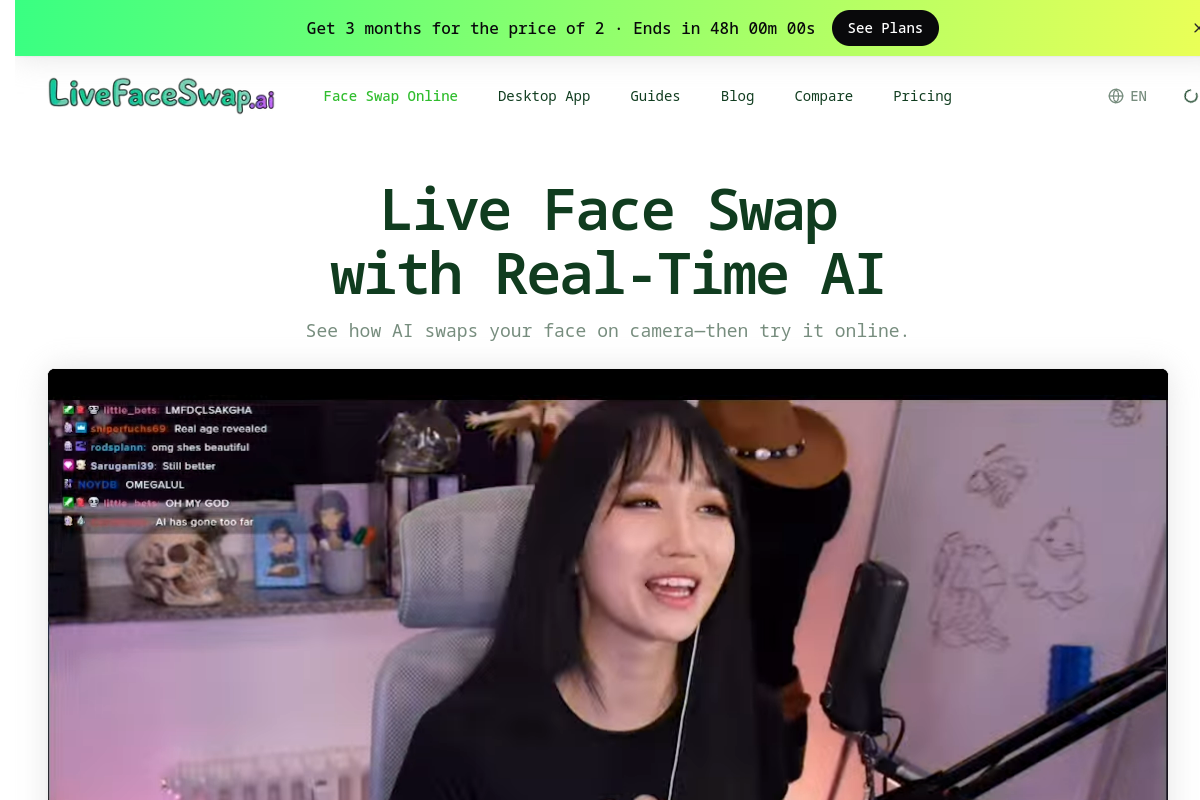
Live preview of LiveFaceSwap AI's website.
Frequently asked questions
Community Reviews & Discussion
0 reviews · replies are moderated before they appear.
- No reviews yet — be the first to review LiveFaceSwap AI.