GitHub Copilot
VerifiedThe original inline code completion assistant.
GitHub Copilot at a glance
- What it is
- The original inline code completion assistant.
- Who it's for
- Worth a look if projects involving IDE Assistants come up often in your week.
- Primary use case
- Copilot suggests completions, writes tests and answers questions inside every major editor, with chat and pull-request summaries on GitHub.
- CategoryAI Code Assistants
- PricingPaid Only
- Starting pricePaid plan required
- Credit cardCredit card required
- Foundation modelGPT-4o
- Bring your own keyNot supported
- RatingNo reviews yet. Be the first to rate.
Video Spot
Overview
The original inline code completion assistant.
Copilot suggests completions, writes tests and answers questions inside every major editor, with chat and pull-request summaries on GitHub.
In detail
GitHub Copilot is an AI coding agent from GitHub that works across the development lifecycle, from an open issue through code review to merging a pull request. It is available in editors like Visual Studio Code, in the terminal via a CLI, as a desktop app, and directly on github.com and GitHub Mobile, so developers can pick up and resume tasks wherever they work.
It is built for software developers and engineering teams, from individuals to enterprises, who use GitHub for repository hosting and collaboration. Copilot sessions can be started from an existing issue or pull request, keeping the task, discussion, and repository context connected. Teams can run multiple tasks in parallel, each in its own session, and track progress from a single view.
Copilot works by using repository content such as code, pull requests, issues, and search results as context for its suggestions, and lets users add custom coding standards and repeatable workflows through repository instructions and skills. It supports connecting to outside services through Copilot Connectors and can use MCP servers, skills, and plugins. For AI processing, users can let Copilot choose the best model for a task automatically, pick a specific model themselves, or connect their own cloud model provider with an API key, or run models locally with tools like Ollama and Foundry Local.
What differentiates Copilot is its integration across the whole GitHub platform rather than just the editor: it can review local changes and pull requests for code quality and security issues before and during merge, automate recurring work on demand, on a schedule, or from triggers, and hand off longer-running tasks to a cloud agent. It is offered as an add-on to GitHub plans, with GitHub Enterprise now including Copilot access, and a free tier offering a limited number of completions per month.
Overall, Copilot positions itself less as a single autocomplete tool and more as an agent that spans the full path from task to merged code, usable from the command line, editor, desktop, browser, or mobile.
Common uses
- Getting AI-generated code suggestions and completions while coding in an editor
- Reviewing local code changes or pull requests for quality and security issues before merging
- Automating recurring development tasks on a schedule or trigger
- Starting and continuing coding tasks from an open issue or pull request across devices
- Connecting external services and data via Copilot Connectors for richer coding context
Pros
- Works across many surfaces: editor, CLI, desktop, browser, and mobile
- Integrates directly with GitHub issues, pull requests, and repository context
- Allows flexibility in model choice, including local or self-provided cloud models
- Can automate recurring tasks rather than just suggesting code line by line
Cons
- Full Copilot access requires a paid GitHub Enterprise or similar paid plan; free tier is limited to a small number of completions per month
- Pricing for Copilot itself is not broken out separately from GitHub's overall plans on the pages reviewed
- Advanced features like agent delegation and connectors likely require more setup and understanding of GitHub's broader platform
Generated from the listing's details and not yet checked by a Zoipi editor.
Key Features
- Inline and chat code assistance: suggests completions and answers questions inside major editors
- Pull request and code review support: reviews local changes and pull requests for quality and security issues
- Session-based task handling: starts sessions from issues or pull requests with context attached
- Parallel task sessions: runs multiple tasks in separate sessions tracked from one view
- Model choice: lets Copilot auto-select a model or lets users pick a specific one, including connecting own cloud or local models
- Repository context and custom instructions: uses repo content and lets users define coding standards and skills
- Automation of recurring work: runs reusable agent tasks on demand, on a schedule, or via triggers
- Multi-surface availability: available in CLI, desktop app, VS Code, github.com, and GitHub Mobile
Best For
- People who want to spend less time on repetitive steps
- Creators exploring IDE Assistants
- Professionals who need production-grade output and support
- Buyers who want a highly rated, well-established option
Pricing Model
Paid Only. Paid product. Expect a subscription or one-time purchase to use it.
Pricing Breakdown
Screenshots
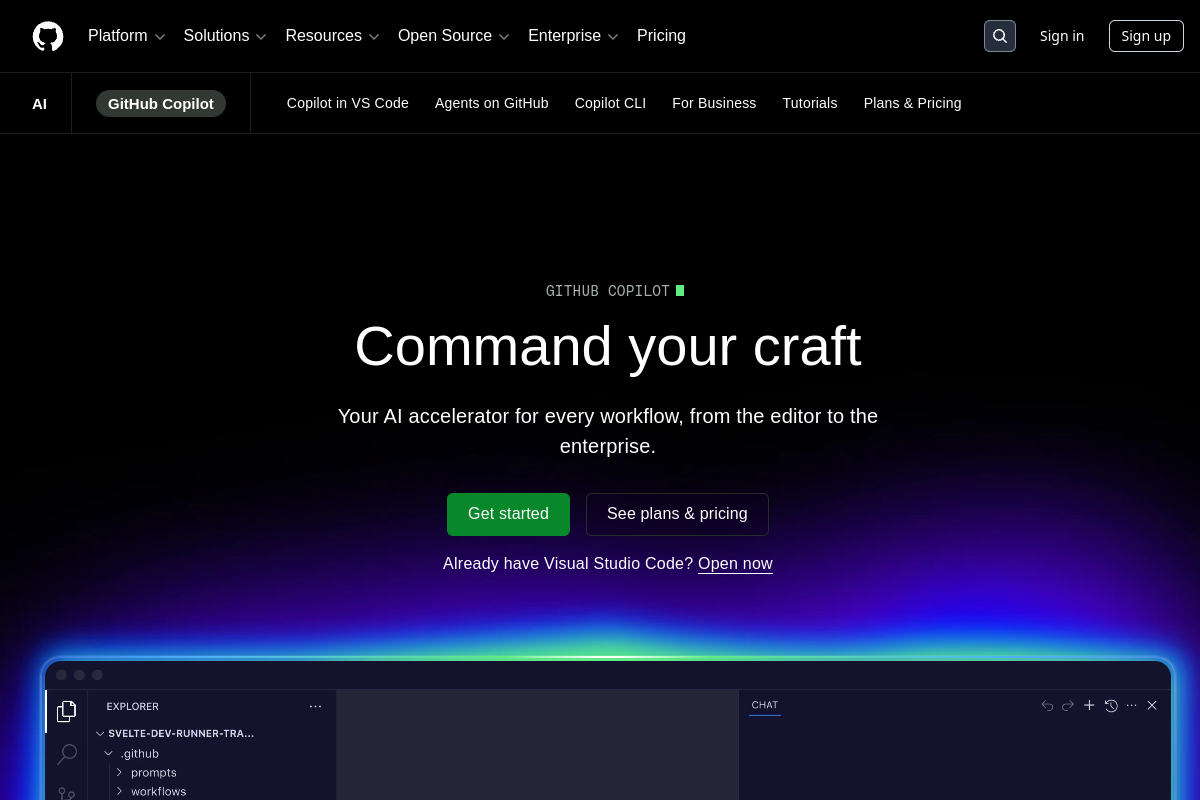
Live preview of GitHub Copilot's website.
Frequently asked questions
Community Reviews & Discussion
0 reviews · replies are moderated before they appear.
- No reviews yet — be the first to review GitHub Copilot.