Cursor
VerifiedCursor is an AI-first code editor built as a fork of VS Code, designed for developers who want AI assistance woven directly into their coding workflow. It understands an entire codebase, supports multi-file edits, and includes an agent mode that can plan tasks, write code, run terminal commands, and fix its own errors. Cursor works across desktop, CLI, web, and mobile, and integrates with tools like GitHub, Slack, and Linear so agents can be triggered from outside the editor. It supports multiple AI models, including options from OpenAI, Anthropic, Gemini, and others, letting developers choose the best model for a given task. It suits individual developers and teams building software who want to delegate implementation work while retaining oversight through planning and review steps.
Cursor at a glance
- What it is
- Cursor is an AI-first code editor built as a fork of VS Code, designed for developers who want AI assistance woven directly into their coding workflow.
- Who it's for
- Most useful for anyone who needs results in the IDE Assistants area without a specialist on staff.
- Primary use case
- Cursor is a VS Code fork built around AI: multi-file edits, codebase-wide chat, and an agent mode that runs commands and fixes its own errors.
- CategoryAI Code Editors & IDEs, Code & App Builders
- PricingFree Tier
- Starting priceFree, paid plans start at $8/month
- Credit cardNo credit card required
- Foundation modelClaude 3.5 Sonnet
- Bring your own keySupported
- RatingNo reviews yet. Be the first to rate.
Video Spot
Overview
Cursor is an AI-first code editor built as a fork of VS Code, designed for developers who want AI assistance woven directly into their coding workflow. It understands an entire codebase, supports multi-file edits, and includes an agent mode that can plan tasks, write code, run terminal commands, and fix its own errors. Cursor works across desktop, CLI, web, and mobile, and integrates with tools like GitHub, Slack, and Linear so agents can be triggered from outside the editor. It supports multiple AI models, including options from OpenAI, Anthropic, Gemini, and others, letting developers choose the best model for a given task. It suits individual developers and teams building software who want to delegate implementation work while retaining oversight through planning and review steps.
Cursor is a VS Code fork built around AI: multi-file edits, codebase-wide chat, and an agent mode that runs commands and fixes its own errors.
In detail
Cursor is an AI-first code editor built on a fork of VS Code. It is designed to help developers write, review, and maintain code faster by giving AI deep context across an entire codebase rather than just the current file. Instead of only offering autocomplete, Cursor includes an agent mode that can plan a task, write code across multiple files, run terminal commands, and attempt to fix errors it encounters during execution.
Cursor is aimed at individual developers, engineering teams, and larger organizations building software. It is used by people who want to hand off well-defined coding tasks to an AI agent while focusing their own attention on direction, review, and higher-level decisions. The tool spans the full development lifecycle, supporting planning, writing, debugging, and reviewing code.
In terms of how it works, Cursor indexes a codebase so its agents can search and understand context before making changes. It can run multiple subagents in parallel, each potentially using a different AI model suited to a specific subtask, such as editing files, writing tests, or building a specific component. Developers can add team rules so the agent follows project conventions and architectural preferences. Cursor also includes a fast search capability for navigating large codebases and a debug feature that uses real execution data, like console output and screenshots, to locate the source of bugs.
What differentiates Cursor is its availability across many surfaces: the desktop app, a command-line interface, a web and mobile experience, and integrations with services like GitHub, Slack, and JetBrains IDEs, so agents can be triggered and reviewed from wherever a developer works. It also offers choice between multiple AI models from different providers rather than locking users into one model, and supports running cloud agents that work on tasks independently over longer stretches of time.
Cursor offers a free plan with limited AI usage, along with several paid tiers offering progressively larger usage pools, cloud agents, code hosting, and AI code reviews. Team and enterprise options add centralized billing, security controls, and administration features for larger organizations.
Common uses
- Delegating multi-file feature implementation to an AI agent
- Reviewing and fixing bugs using execution data and screenshots
- Running AI agents from CLI, Slack, or GitHub to handle coding tasks outside the editor
- Searching and navigating large, unfamiliar codebases
- Running cloud agents in parallel on multiple tasks over longer periods
- Enforcing team coding conventions through configured rules
Pros
- Deep codebase-wide context rather than single-file assistance
- Works across many surfaces, including CLI, web, mobile, and chat tools
- Choice of multiple AI models from different providers
- Agent can run commands and attempt to fix its own errors
- Free plan available for getting started
Cons
- Full agent, cloud agent, and code review features require a paid plan
- Third-party model usage is billed separately from the subscription price
- Usage pools and limits mean heavy users may need to purchase top-offs
Generated from the listing's details and not yet checked by a Zoipi editor.
Key Features
- Codebase-wide context: Indexes an entire codebase so agents understand structure before editing
- Agent mode: Plans, writes, and executes multi-file code changes, including running terminal commands
- Multiple AI models: Supports models from providers like OpenAI, Anthropic, Gemini, and others, chosen per task
- Parallel subagents: Runs several subagents simultaneously, each potentially using a different model for a subtask
- Cross-surface availability: Works via desktop app, CLI, web, mobile, and integrations like GitHub, Slack, and JetBrains IDEs
- Debugging with execution data: Uses console output and screenshots to help locate the source of bugs
- Fast codebase search: Searches large codebases quickly to answer context questions
- Team rules: Lets teams define conventions and preferences the agent should follow
Best For
- Solo builders and small teams looking for a focused workflow
- Teams focused on IDE Assistants
- Anyone testing the space without an upfront budget
- Buyers who want a highly rated, well-established option
Pricing Model
Free Tier. Generous ongoing free tier you can start with, no credit card needed. Paid plans unlock higher limits.
Pricing Breakdown
Screenshots
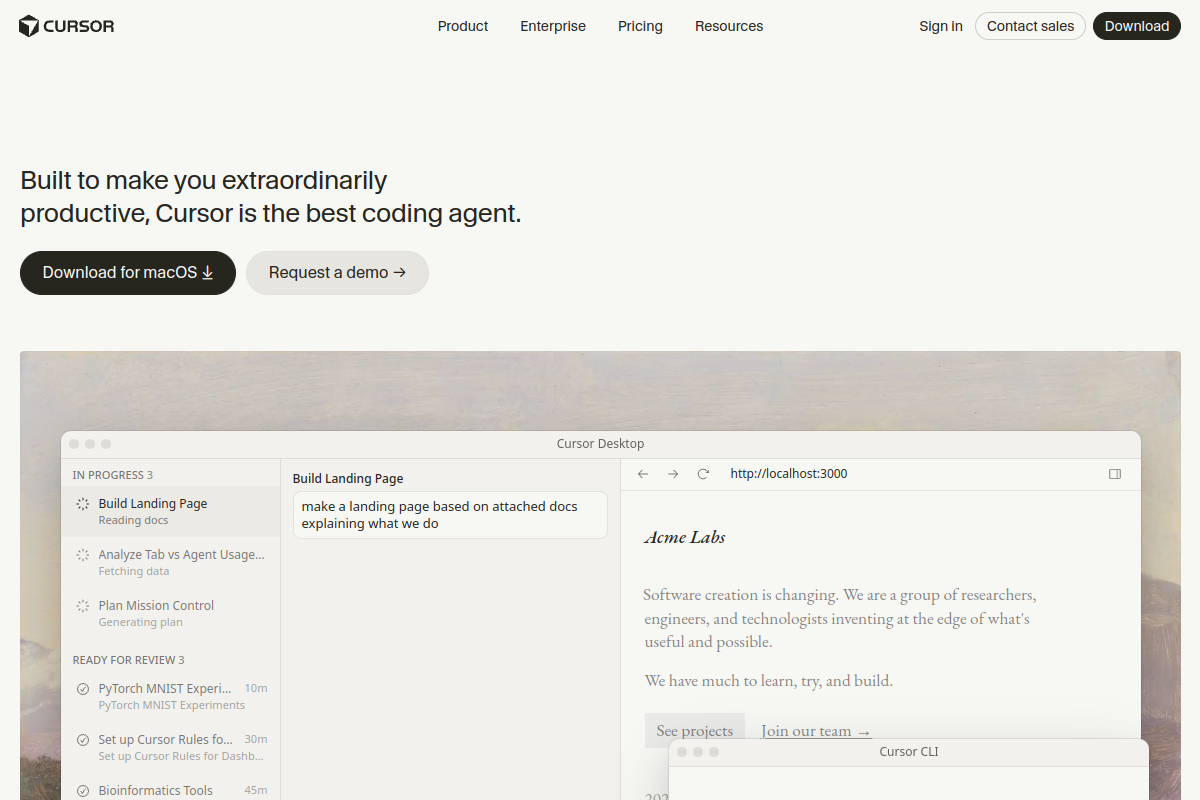
Live preview of Cursor's website.
Frequently asked questions
Community Reviews & Discussion
0 reviews · replies are moderated before they appear.
- No reviews yet — be the first to review Cursor.