Genjutsu AI
VerifiedGenjutsu AI is a video generator focused on motion transfer and object swap. Users pick a preset or upload a reference clip, add photos of people, pets, or products, and the tool recreates the scene with a new cast while preserving the original motion. It also supports image generation using the same credit balance. The tool works with models like Kling 2.6, Kling 3.0, Wan 2.2, and Seedance, each with different file and duration requirements. It suits creators who want to recast a performance, swap a product into a scene, or remix a trend with their own references, without building every setup from scratch. A free tier offers limited starting credits, with paid plans for larger credit allowances.
Genjutsu AI at a glance
- What it is
- Genjutsu AI is a video generator focused on motion transfer and object swap.
- Who it's for
- Most useful for anyone who needs results in the Video Editors area without a specialist on staff.
- Primary use case
- Genjutsu AI is a video generator for motion transfer and object swap.
- CategoryAI Video Generators
- PricingFree Tier
- Starting price$8.33/month
- Credit cardNo credit card required
- Bring your own keyNot supported
- RatingNo reviews yet. Be the first to rate.
Video Spot
Overview
Genjutsu AI is a video generator focused on motion transfer and object swap. Users pick a preset or upload a reference clip, add photos of people, pets, or products, and the tool recreates the scene with a new cast while preserving the original motion. It also supports image generation using the same credit balance. The tool works with models like Kling 2.6, Kling 3.0, Wan 2.2, and Seedance, each with different file and duration requirements. It suits creators who want to recast a performance, swap a product into a scene, or remix a trend with their own references, without building every setup from scratch. A free tier offers limited starting credits, with paid plans for larger credit allowances.
Genjutsu AI is a video generator for motion transfer and object swap. Start from a trend preset or upload a short clip, add your photos, and recast the scene while the original motion stays. It also includes image generation on the same credit balance. Freemium, with free credits at signup.
In detail
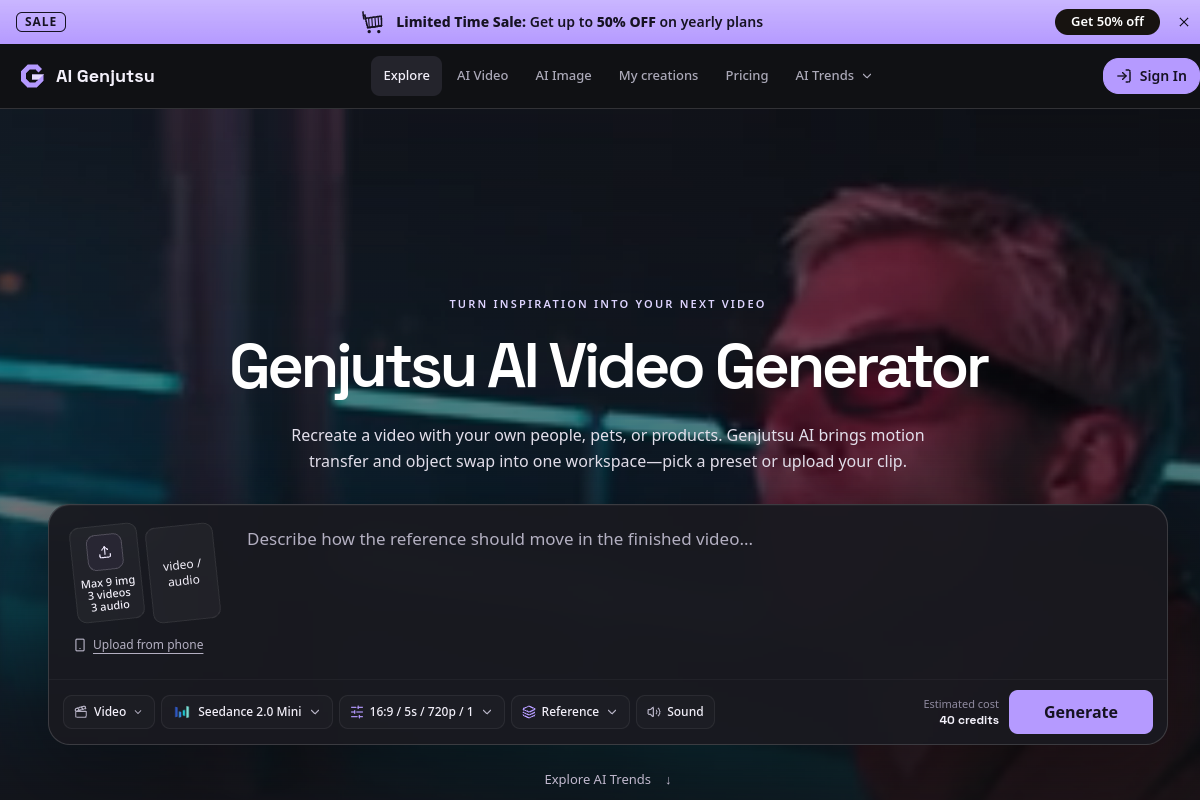
Genjutsu AI is a video generator built around two core actions: motion transfer, which recasts a performance with a new person, pet, or character while keeping the original movement, and object swap, which replaces a product, vehicle, or prop in an existing scene. Users start from one of many ready-made presets or upload their own reference clip, then add photos for each role the preset or upload requires. The tool also includes image generation, drawing from the same shared credit balance as video.
The workspace is built for people who want to recreate an existing video idea rather than build a scene from scratch: content creators exploring a trend, people wanting to put themselves or a pet into a popular clip, or anyone featuring a different product or outfit in a known setup. Presets cover duets, crowds, pets, and vehicle scenes, each defining the photo roles needed and loading a prepared setup that can be previewed before generating.
Under the hood, Genjutsu AI supports several underlying models, including Kling 2.6 Motion Control, Kling 3.0 Motion Control, Wan 2.2 Animate Move, and Wan 2.2 Animate Replace, plus Seedance 2.0 and 2.5 for reference-image-plus-video workflows. Each model has its own file format, resolution, and reference video length limits, and users can switch models to compare results using the same inputs. A Custom prompt option lets users view or edit the underlying prompt for more control, though models without prompt support hide this option. Results aren't guaranteed to exactly reproduce product shapes, labels, or background details, and users are advised to review the finished clip carefully before sharing.
What differentiates Genjutsu AI is its preset library of 162+ trends paired with clear guidance on how to choose and frame reference photos and clips, plus a shared credit system across image and video generation. New accounts get free starting credits, and paid plans scale up with monthly, yearly, and pay-once options at different credit tiers, each unlocking watermark-free downloads, higher resolution outputs, and access to more models.
Overall, the tool is aimed at people who already have a video idea or trend in mind and want to personalize it with their own cast or objects, rather than generate original video content from a blank prompt.
Common uses
- Recasting a dance or performance video with yourself or another character
- Giving a pet a starring role in a trending video format
- Swapping a featured product, outfit, or vehicle into an existing video scene
- Exploring a new setting or visual style for an existing clip
- Creating a personalized remix of a trend using your own photos and a reference clip
- Generating still images using the same credit system as video
Pros
- Combines motion transfer and object swap in one workspace with a shared credit system
- Large preset library (162+ trends) reduces setup effort
- Access to multiple underlying models (Kling, Wan, Seedance) with different strengths
- Free starting credits and weekly credit rewards let users try the tool before paying
- Detailed guidance on choosing suitable reference photos and clips
Cons
- Free tier is limited to a small number of starting credits, covering only short, low-resolution jobs
- Watermark-free downloads require a paid plan
- Exact reproduction of product shapes, labels, or backgrounds is not guaranteed
- Subscription credits expire each period, while only one-time purchased credits carry over
Generated from the listing's details and not yet checked by a Zoipi editor.
Key Features
- Motion transfer: recasts a performance or dance with a new person, pet, or character while preserving the original movement
- Object swap: replaces a product, vehicle, or prop in an existing scene using reference photos
- Preset library: over 162 ready-made trend templates covering duets, crowds, pets, and vehicle scenes
- Shared credit balance: one credit pool covers both image and video generation
- Multiple underlying models: supports Kling 2.6, Kling 3.0, Wan 2.2, and Seedance 2.0/2.5 with different resolution and reference options
- Custom prompt editing: view, edit, or replace the built-in prompt for more control over the result
- Generation history: past creations are saved and reviewable in My creations before downloading
Best For
- People who want to spend less time on repetitive steps
- Creators exploring Video Editors
- Anyone testing the space without an upfront budget
Pricing Model
Free Tier. Generous ongoing free tier you can start with, no credit card needed. Paid plans unlock higher limits.
Pricing Breakdown
Screenshots
Live preview of Genjutsu AI's website.
Frequently asked questions
Community Reviews & Discussion
0 reviews · replies are moderated before they appear.
- No reviews yet — be the first to review Genjutsu AI.