ClipJoy
VerifiedTurn inspiration into your next creation.
ClipJoy at a glance
- What it is
- Turn inspiration into your next creation.
- Who it's for
- Worth a look if projects involving Text-to-Video come up often in your week.
- Primary use case
- ClipJoy is an AI creative studio that turns inspiration into finished work.
- CategoryAI Video Generators
- PricingFree Tier
- Starting priceFree, paid plans available
- Credit cardNo credit card required
- Bring your own keyNot supported
- RatingNo reviews yet. Be the first to rate.
Video Spot
Overview
Turn inspiration into your next creation.
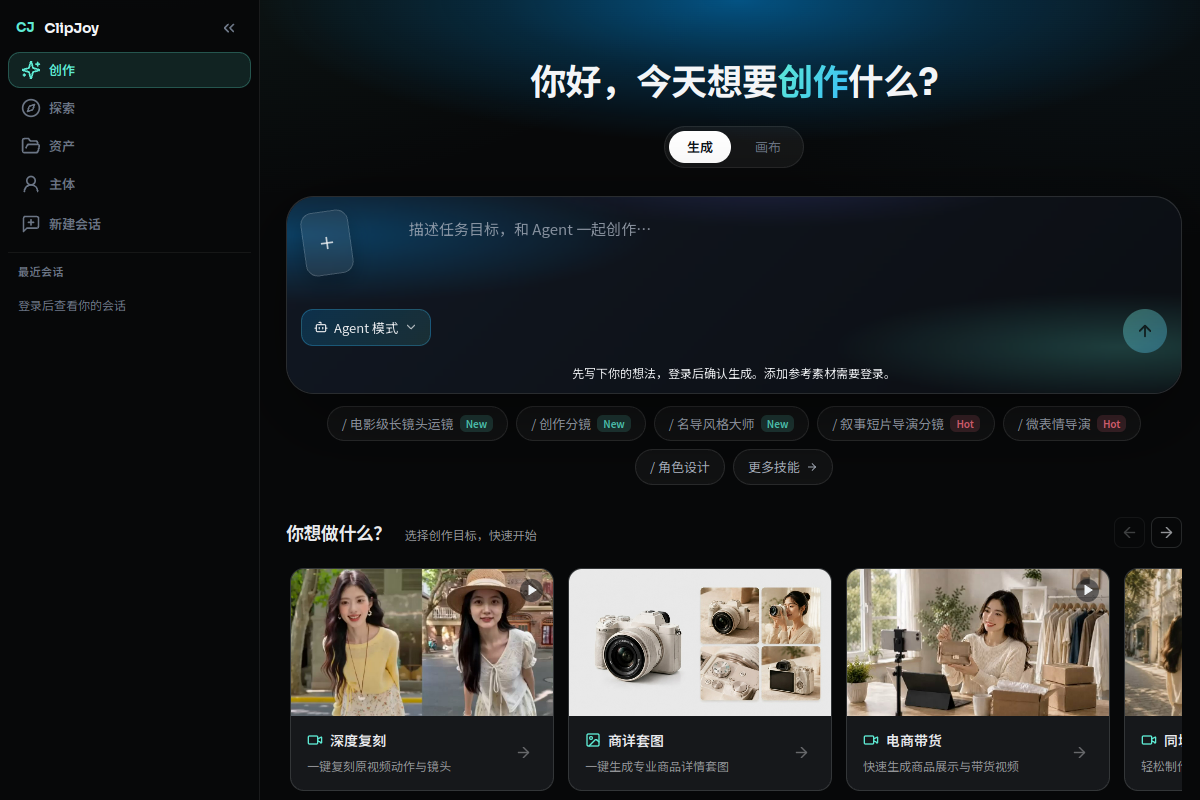
ClipJoy is an AI creative studio that turns inspiration into finished work. Use Agent, Canvas, Tools and Model together to make product ads, movie posters, reference-video remixes, MVs, animation, UGC, short dramas, explainers and anime. Bring image, video or audio references and confirm key steps before generating.
In detail
ClipJoy is an AI creative studio built to help users turn inspiration into finished creative work, primarily video and visual content. It is aimed at marketers, content creators and video editors who want to produce things like product ads, movie posters, music videos, animation, UGC-style clips, short dramas, explainers and anime without traditional production workflows.
It works through a combination of an Agent, a Canvas workspace, Tools and underlying Models, allowing users to bring in image, video or audio references and confirm key steps before the system generates the final output. This step-by-step confirmation process is presented as a way to keep users in control of the creative direction rather than relying on a single one-shot generation. The listing describes it as freemium, though specific pricing details are not available.
Common uses
- Creating product ads
- Designing movie posters
- Remixing reference videos
- Producing music videos
- Making animation and anime-style content
- Generating short dramas and explainer or UGC-style videos
Pros
- Combines multiple creative tools (Agent, Canvas, Tools, Model) in one studio
- Supports several reference input types including image, video and audio
- Covers a wide range of content formats from ads to anime
- Allows step-by-step confirmation for more control over output
Cons
- No pricing details available beyond being listed as freemium
- Specific plan limits, integrations or output quality are not stated
- Website content could not be verified beyond the listing description
Generated from the listing's details and not yet checked by a Zoipi editor.
Key Features
- Agent: guides the creative process and helps turn ideas into output
- Canvas: a workspace for building and arranging creative projects
- Tools: a set of utilities to support the creation workflow
- Model: underlying generation engine powering the outputs
- Reference input: accepts image, video or audio references to guide generation
- Step confirmation: lets users confirm key steps before final generation
Best For
- Solo builders and small teams looking for a focused workflow
- Creators exploring Text-to-Video
- Anyone testing the space without an upfront budget
Pricing Model
Free Tier. Generous ongoing free tier you can start with, no credit card needed. Paid plans unlock higher limits.
Pricing Breakdown
Screenshots
Live preview of ClipJoy's website.
Frequently asked questions
Community Reviews & Discussion
0 reviews · replies are moderated before they appear.
- No reviews yet — be the first to review ClipJoy.