Burning Bridges AI
VerifiedTurn your photo into a Burning Bridges party video with AI
Burning Bridges AI at a glance
- What it is
- Turn your photo into a Burning Bridges party video with AI.
- Who it's for
- A good fit for users working with Text-to-Video who want to cut the manual steps.
- Primary use case
- Burning Bridges AI is an AI video generator for making the viral Burning Bridges party-moment clip.
- CategoryAI Video & Animation
- PricingFree Tier
- Starting priceFree, paid plans available
- Credit cardNo credit card required
- Bring your own keyNot supported
- RatingNo reviews yet. Be the first to rate.
Video Spot
Overview
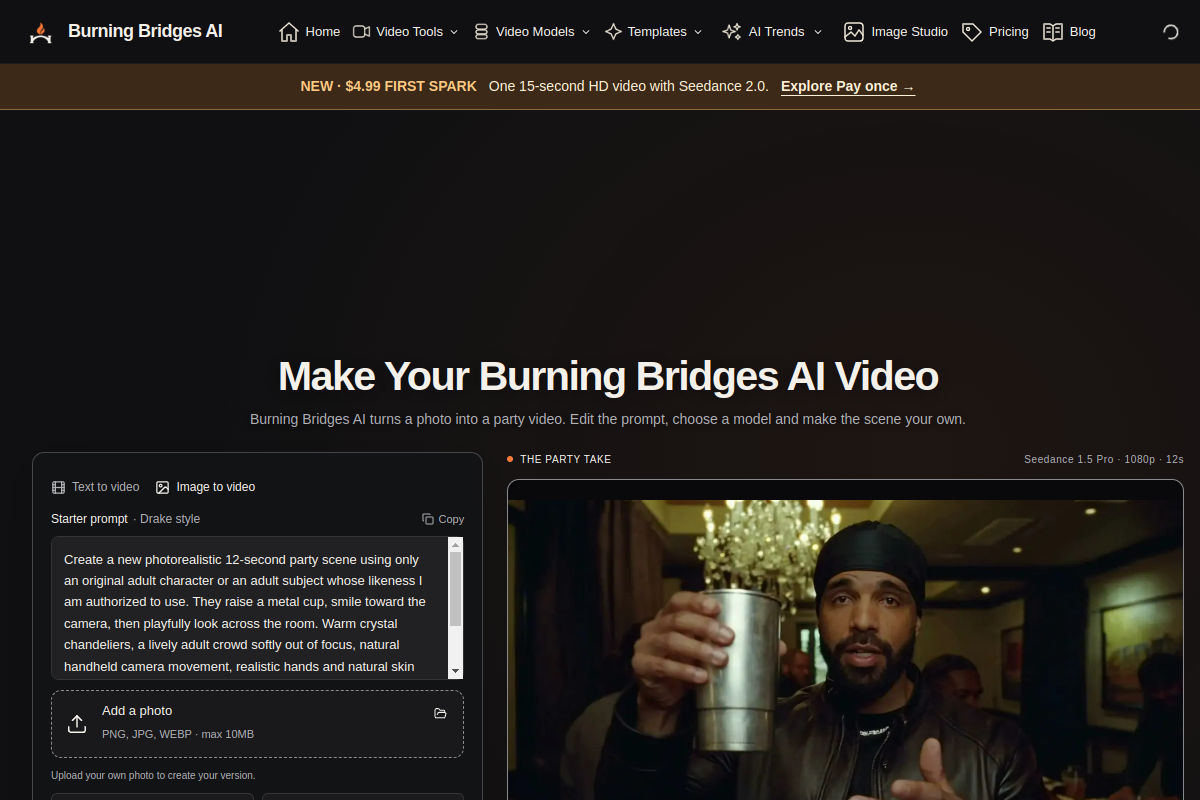
Burning Bridges AI is an AI video generator for making the viral Burning Bridges party-moment clip. Upload a photo, pick a scene, edit one of four ready-made party prompt recipes, compare model settings and preview 1080p demo videos in three styles. A four-step flow takes you from photo to finished video.
Pros
- Actively developed and widely used
Cons
- Feature set changes quickly
In detail
Burning Bridges AI turns a photo into a Burning Bridges party video using AI. It offers a focused photo-to-video concept for people who want to transform a still image into themed video content rather than start an animation from scratch.
The tool is aimed at casual creators and social media users interested in a playful party-themed clip. Its description centers on this specific transformation; it does not specify editing controls, output formats, or how much users can customize the resulting video.
Common uses
- Turn a personal photo into a themed party video
- Create a playful clip to share with friends
- Make party-themed content for social posts
- Experiment with AI photo-to-video transformation
Pros
- Clear, focused photo-to-video purpose
- Uses a photo as the starting point
- Distinctive party-themed video concept
Cons
- Narrow focus may not suit broader video projects
- Customization and editing options are not specified
- Output formats and quality are not described
Generated from the listing's details and not yet checked by a Zoipi editor.
Key Features
- Upload a photo and make a party video
- Four ready-made party prompt recipes
- Compare model settings and preview 1080p
- Three styles of demo videos
Best For
- People who want to spend less time on repetitive steps
- Creators exploring Text-to-Video
- Anyone testing the space without an upfront budget
Pricing Model
Free Tier. Generous ongoing free tier you can start with, no credit card needed. Paid plans unlock higher limits.
Pricing Breakdown
Screenshots
Live preview of Burning Bridges AI's website.
Frequently asked questions
Community Reviews & Discussion
0 reviews · replies are moderated before they appear.
- No reviews yet — be the first to review Burning Bridges AI.