Video2X
Video2X is a free browser-based AI video and image upscaler that runs entirely on your device using WebGPU. It doubles resolution, for example turning 720p footage into 1440p, by reconstructing detail with a neural network rather than simply stretching pixels. There is nothing to install, no Python, FFmpeg or CUDA setup, and no account is required. Because processing happens locally on your GPU through the browser, video files are never uploaded to a server. It works on Mac, Windows and Linux in modern browsers like Chrome, Safari, Firefox and Edge, and supports common formats including MP4, MOV, AVI, MKV, WebM, TS, MTS and M2TS. It suits anyone who wants quick, private video enhancement without technical setup.
Zoipi note
Video2X is an independent website. It uses the Video2X name but is not made by or affiliated with the open-source Video2X project.
Video2X at a glance
- What it is
- Video2X is a free browser-based AI video and image upscaler that runs entirely on your device using WebGPU.
- Who it's for
- A good fit for users working with Visual Effects (VFX) & Upscaling who want to cut the manual steps.
- Primary use case
- Video2X is a free, privacy-first AI video and image upscaler that runs entirely in your browser using WebGPU.
- CategoryVisual Effects (VFX) & Upscaling
- PricingFree Tier
- Starting priceFree, paid plans available
- Credit cardNo credit card required
- Bring your own keyNot supported
- RatingNo reviews yet. Be the first to rate.
Video Spot
Overview
Video2X is a free browser-based AI video and image upscaler that runs entirely on your device using WebGPU. It doubles resolution, for example turning 720p footage into 1440p, by reconstructing detail with a neural network rather than simply stretching pixels. There is nothing to install, no Python, FFmpeg or CUDA setup, and no account is required. Because processing happens locally on your GPU through the browser, video files are never uploaded to a server. It works on Mac, Windows and Linux in modern browsers like Chrome, Safari, Firefox and Edge, and supports common formats including MP4, MOV, AVI, MKV, WebM, TS, MTS and M2TS. It suits anyone who wants quick, private video enhancement without technical setup.
Video2X is a free, privacy-first AI video and image upscaler that runs entirely in your browser using WebGPU. It doubles video resolution (e.g., 720p to 1440p) with neural network super-resolution on Mac, Windows, and Linux—without uploading files to any server, installing Python/FFmpeg, or creating an account.
In detail
Video2X is a free, browser-based AI video and image upscaler built to remove the technical barriers usually associated with AI upscaling tools. Instead of requiring a desktop install with Python, FFmpeg, CUDA and GPU drivers, it runs directly in the browser using WebGPU, letting users upscale video in just a few clicks.
The tool is aimed at anyone who wants to improve the resolution of blurry or low-quality video without technical setup or server uploads. Because all processing happens locally on the user's own GPU, video files never leave the device, which makes it a privacy-friendly option for people who don't want to upload personal footage to a cloud service.
Using Video2X involves three steps: dropping in a supported video file (MP4, MOV, AVI, MKV, WebM, TS, MTS or M2TS), choosing one of three AI models (Fast, Balanced or Quality) depending on the desired speed and quality tradeoff, and then downloading the finished file once processing completes. The AI reconstructs detail at the sub-pixel level to double resolution, for example turning a 1280x720 source into a 2560x1440 output, rather than applying a simple upscale filter. Audio is left untouched and passes through without re-encoding, and output uses the browser's built-in hardware encoder to avoid extra recompression.
What differentiates Video2X from the original desktop version is accessibility: it works on macOS, Windows and Linux inside modern browsers like Chrome, Safari, Firefox and Edge, with no installation, drivers, or command-line setup needed. It processes video frame by frame in a memory-efficient pipeline so longer videos do not overwhelm the browser tab.
Overall, Video2X is a no-cost, no-signup way to enhance video resolution directly in a browser, aimed at casual and technical users alike who want fast, private upscaling without dealing with desktop dependency setup.
Common uses
- Upscaling old or low-resolution home videos for clearer viewing
- Improving blurry footage before sharing or posting online
- Enhancing video resolution without installing desktop software
- Upscaling video privately without uploading files to a server
- Quick resolution boost on a Mac, where the desktop version isn't supported
Pros
- Completely free with no signup required
- No installation, drivers, or command-line setup needed
- Processes files locally, so videos are never uploaded to a server
- Works across Mac, Windows, and Linux in standard browsers
- Multiple AI model options for balancing speed and quality
Cons
- Only doubles resolution (2x), not variable or higher multipliers
- Limited to formats the user's browser can play
- Browser-based processing may be slower than desktop GPU pipelines
- No mention of batch processing for multiple files at once
Generated from the listing's details and not yet checked by a Zoipi editor.
Key Features
- Browser-based WebGPU processing: runs the AI model locally on your GPU without any server upload
- True 2x super-resolution: reconstructs missing detail rather than just stretching pixels
- Selectable AI models: Fast, Balanced, and Quality options for different speed/quality tradeoffs
- Cross-platform support: works on Mac, Windows, and Linux through any modern browser
- Original audio preserved: the audio track passes through untouched without re-encoding
- Hardware video encoding: uses the browser's built-in encoder to avoid extra recompression
- Stream-based processing: handles video frame by frame so long files don't crash the browser tab
- Broad format support: MP4, MOV, AVI, MKV, WebM, TS, MTS, and M2TS
Best For
- Solo builders and small teams handling visual effects (vfx) & upscaling in-house
- Anyone testing the space without an upfront budget
Pricing Model
Free Tier. Generous ongoing free tier you can start with, no credit card needed. Paid plans unlock higher limits.
Pricing Breakdown
Screenshots
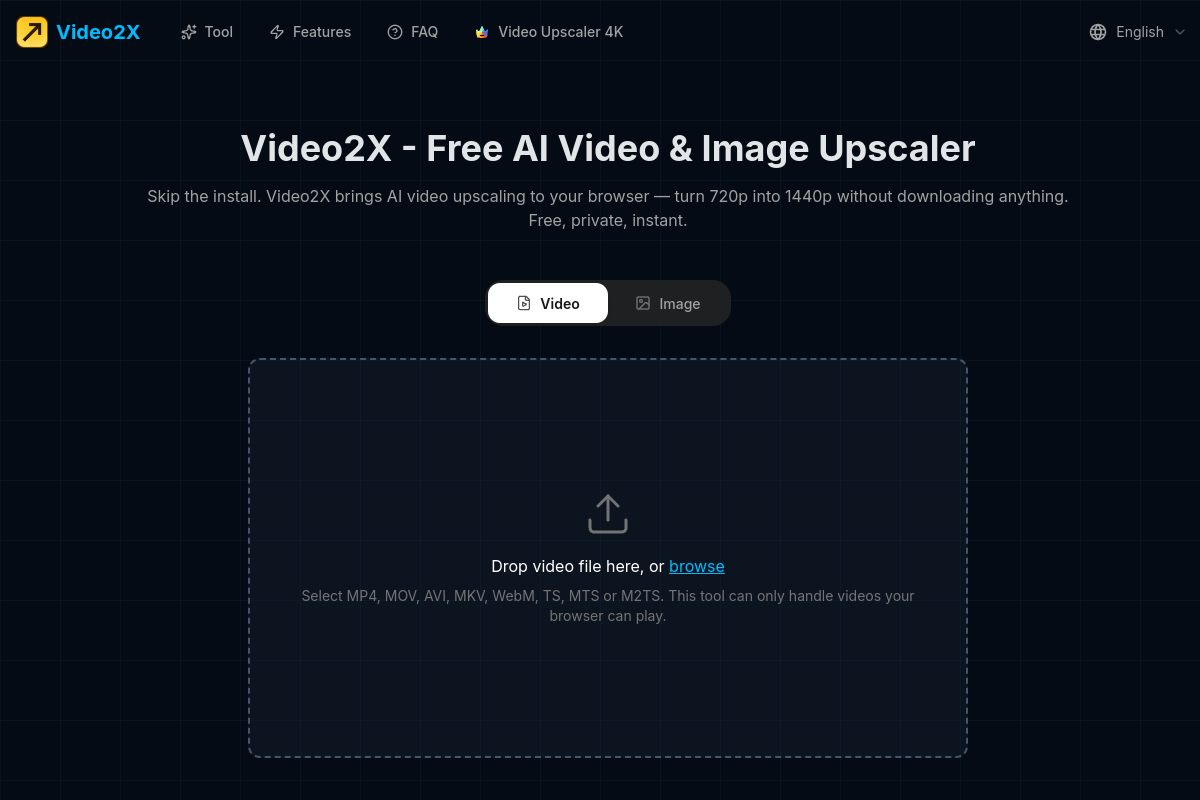
Live preview of Video2X's website.
Frequently asked questions
Community Reviews & Discussion
0 reviews · replies are moderated before they appear.
- No reviews yet — be the first to review Video2X.