
Video Size Reducer
VerifiedOnline video size reducer that deletes your source when the job finishes — download the smaller MP4 within 24 hours.
Video Size Reducer at a glance
- What it is
- Online video size reducer that deletes your source when the job finishes — download the smaller MP4 within 24 hours.
- Who it's for
- Most useful for anyone who needs results in the AI Video Editors area without a specialist on staff.
- Primary use case
- Video Size Reducer is an online tool that shrinks video files.
- CategoryAI Video Editors
- PricingFree Tier
- Starting priceFree, paid plans available
- Credit cardNo credit card required
- Bring your own keyNot supported
- RatingNo reviews yet. Be the first to rate.
Video Spot
Overview
Video Size Reducer is an online tool that shrinks video files. Upload MP4, MOV, WebM or MKV, pick recommended settings or set an exact target size, and get back a standard MP4 (H.264 or H.265) with AAC audio when the source has audio. Compression runs on the server. Source files are removed when the task finishes, and compressed results stay downloadable for 24 hours. Uploads resume after an interruption and task progress is visible while the job runs. Free to start, no watermark, no app to install. Useful when a file is too large for Discord, Gmail, Outlook or WhatsApp-style upload limits.
Pros
- Free to start, no watermark on any plan
- No app to install
- Results stay downloadable for 24 hours
- Visitor uploads up to 1 GiB
Cons
- Free uploads capped at 1 GiB
- Results only stay available for 24 hours
In detail
Video Size Reducer is an online tool for making video files smaller and providing the result as an MP4. It helps people who need a more manageable copy of a video for sharing, uploading, or storage, without requiring a full video-editing workflow.
The service deletes your source when the job finishes, and you must download the smaller MP4 within 24 hours. This makes it suited to one-off reduction tasks where you can collect the output promptly and keep your original file separately.
Common uses
- Reduce video file size before sharing.
- Prepare smaller MP4 files for uploads.
- Create more compact copies for storage.
- Make a smaller copy without a full editing workflow.
Pros
- Focused on a straightforward size-reduction task.
- Provides the smaller video as an MP4.
- Deletes the source when processing finishes.
- Online access for video size reduction.
Cons
- Requires downloading the result within 24 hours.
- Source deletion means it is not a backup service.
- Quality controls and file limits are not specified.
Generated from the listing's details and not yet checked by a Zoipi editor.
Key Features
- Set a target file size and get a smaller MP4
- Server-side processing; source deleted when done
- MP4, MOV, WebM, MKV input; MP4 output
- Resumable uploads with visible progress
Best For
- Anyone replacing a manual ai video editors process with something faster
- Anyone testing the space without an upfront budget
Pricing Model
Free Tier. Generous ongoing free tier you can start with, no credit card needed. Paid plans unlock higher limits.
Pricing Breakdown
Screenshots
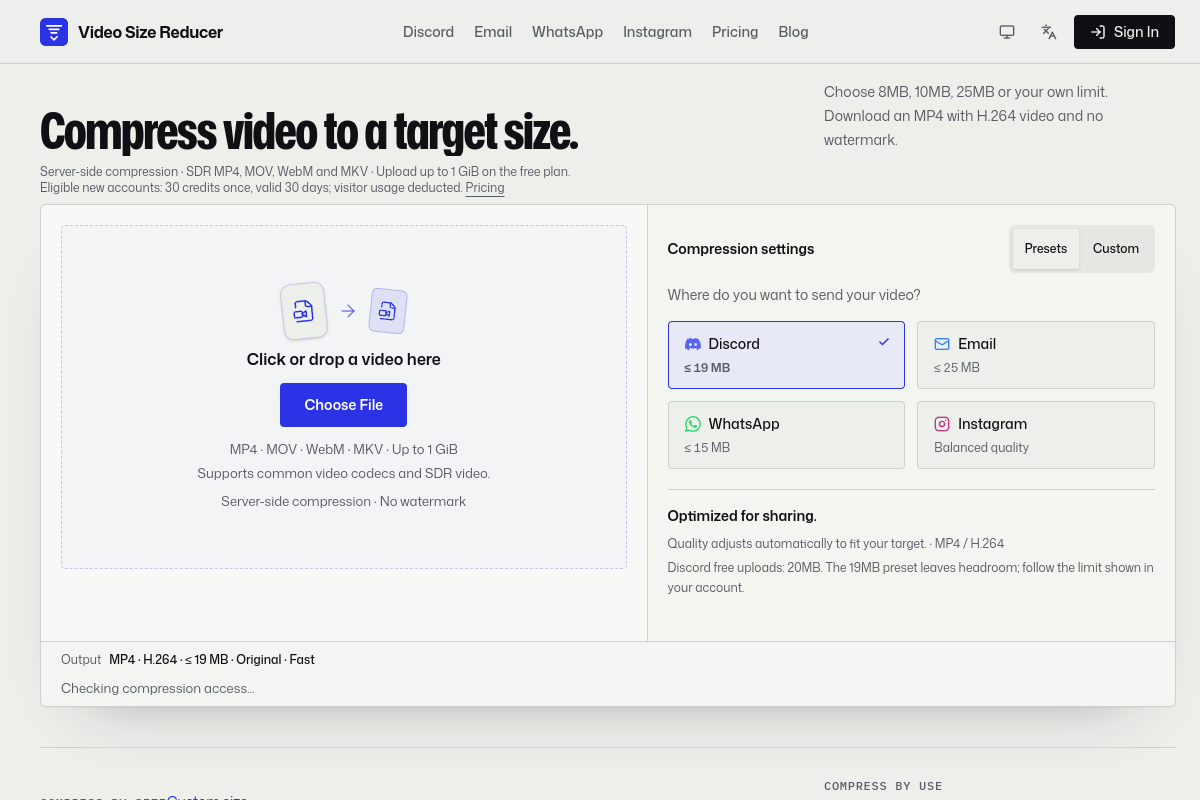
Live preview of Video Size Reducer's website.
Frequently asked questions
Community Reviews & Discussion
0 reviews · replies are moderated before they appear.
- No reviews yet — be the first to review Video Size Reducer.