Text to GIF
VerifiedText to GIF is an AI tool that turns written descriptions into animated GIFs, as well as SVGs, PNGs, WebPs, and JPGs. Users describe a scene, pick a style, and set frame count (2-16) and frame duration (20-2000ms) to control animation timing. It also includes an Image to GIF feature for animating uploaded pictures, plus related tools like Sticker Studio, Text to SVG, and a GIF Compressor on the same account. It suits creators who want reaction GIFs, animated stickers, icons, or looping visuals without manually drawing frames. Output options include five file formats, five quality levels, resolutions from 1K to 4K, and 15 aspect ratios. Pricing is credit-based with one-time packs, no subscription, and refunds for failed generations.
Text to GIF at a glance
- What it is
- Text to GIF is an AI tool that turns written descriptions into animated GIFs, as well as SVGs, PNGs, WebPs, and JPGs.
- Who it's for
- Worth a look if projects involving AI Image & Art come up often in your week.
- Primary use case
- Turn words into original animated GIFs with AI — choose frames, timing, and download GIF/SVG/PNG/WebP/JPG.
- CategoryAI Image & Art
- PricingFree Tier
- Starting price$10 one-time for 440 credits
- Credit cardNo credit card required
- Bring your own keyNot supported
- RatingNo reviews yet. Be the first to rate.
Video Spot
Overview
Text to GIF is an AI tool that turns written descriptions into animated GIFs, as well as SVGs, PNGs, WebPs, and JPGs. Users describe a scene, pick a style, and set frame count (2-16) and frame duration (20-2000ms) to control animation timing. It also includes an Image to GIF feature for animating uploaded pictures, plus related tools like Sticker Studio, Text to SVG, and a GIF Compressor on the same account. It suits creators who want reaction GIFs, animated stickers, icons, or looping visuals without manually drawing frames. Output options include five file formats, five quality levels, resolutions from 1K to 4K, and 15 aspect ratios. Pricing is credit-based with one-time packs, no subscription, and refunds for failed generations.
Turn words into original animated GIFs with AI — choose frames, timing, and download GIF/SVG/PNG/WebP/JPG.
In detail
Text to GIF is an AI-powered generator that creates original animated GIFs, SVGs, PNGs, WebPs, and JPGs from text prompts. Users type a description of a scene or idea, choose a visual style, and the tool generates the output in the selected format. For GIFs specifically, users can adjust the number of frames (2-16) and the duration of each frame (20-2000ms), which controls the pacing and smoothness of the loop.
The tool is aimed at creators who need reaction GIFs, animated stickers, looping visuals, or vector icons and logos without manual frame-by-frame drawing or illustration skills. Beyond the core text-to-GIF workspace, the same account gives access to an Image to GIF feature for animating uploaded pictures, a Sticker Studio for building sticker packs for platforms like WeChat, LINE, WhatsApp, and Telegram, a Text to SVG tool for vector icons and illustrations, and a GIF Compressor for shrinking file sizes in the browser.
The workflow follows three steps: describe the idea in a prompt, customize settings such as format, aspect ratio, quality, resolution, and (for GIFs) frame count and timing, then generate and download. Before generating, the exact credit cost is shown, so users know the price of each creation ahead of time. Output format options include GIF, SVG, PNG, WebP, and JPG, with quality levels from Draft to Maximum, resolutions from 1K to 4K, and 15 aspect ratios to choose from.
What differentiates Text to GIF is its combination of fine animation controls (frame count and per-frame duration) with multi-format output from a single prompt, plus a real vector SVG option for icons and logos rather than just raster animations. Pricing uses one-time credit packs rather than subscriptions, with credits that never expire and automatic refunds if a generation fails. The site notes that AI output can vary, so users are encouraged to refine prompts and review results before publishing, and to check commercial usage rights themselves.
Common uses
- Creating reaction GIFs for social media or messaging
- Generating animated stickers for platforms like WeChat, LINE, WhatsApp, or Telegram
- Producing vector icons and logos from a text description
- Animating an existing image without manual frame drawing
- Making looping visuals or short animated artwork for web use
- Compressing existing animated GIFs to reduce file size
Pros
- No subscription required, credits are bought once and never expire
- Failed generations are automatically refunded
- Supports five output formats from a single workspace
- Fine control over frame count and timing for GIF animations
- Includes related tools (Image to GIF, Sticker Studio, Text to SVG, GIF Compressor) on the same account
Cons
- Requires buying credits upfront rather than offering a fully free generation tier
- Generation cost varies with settings, making pricing less predictable per creation
- Users are responsible for checking commercial usage rights of AI-generated output
- Generation time can vary depending on quality, resolution, and provider demand
Generated from the listing's details and not yet checked by a Zoipi editor.
Key Features
- Text-to-GIF generation: create animated GIFs from written descriptions with adjustable style
- Frame and timing control: set 2-16 frames and 20-2000ms per-frame duration for custom loop pacing
- Five output formats: generate GIF, SVG, PNG, WebP, or JPG from the same workspace
- Resolution and quality options: choose 1K-4K resolution and five quality levels across 15 aspect ratios
- Image to GIF: upload a picture and animate it instead of starting from text
- Vector SVG output: generate real vector files for icons, logos, and flat illustrations
- Additional tools on one account: Sticker Studio for sticker packs and a GIF Compressor for shrinking file sizes
Best For
- Anyone replacing a manual ai image & art process with something faster
- Anyone testing the space without an upfront budget
Pricing Model
Free Tier. Generous ongoing free tier you can start with, no credit card needed. Paid plans unlock higher limits.
Pricing Breakdown
Screenshots
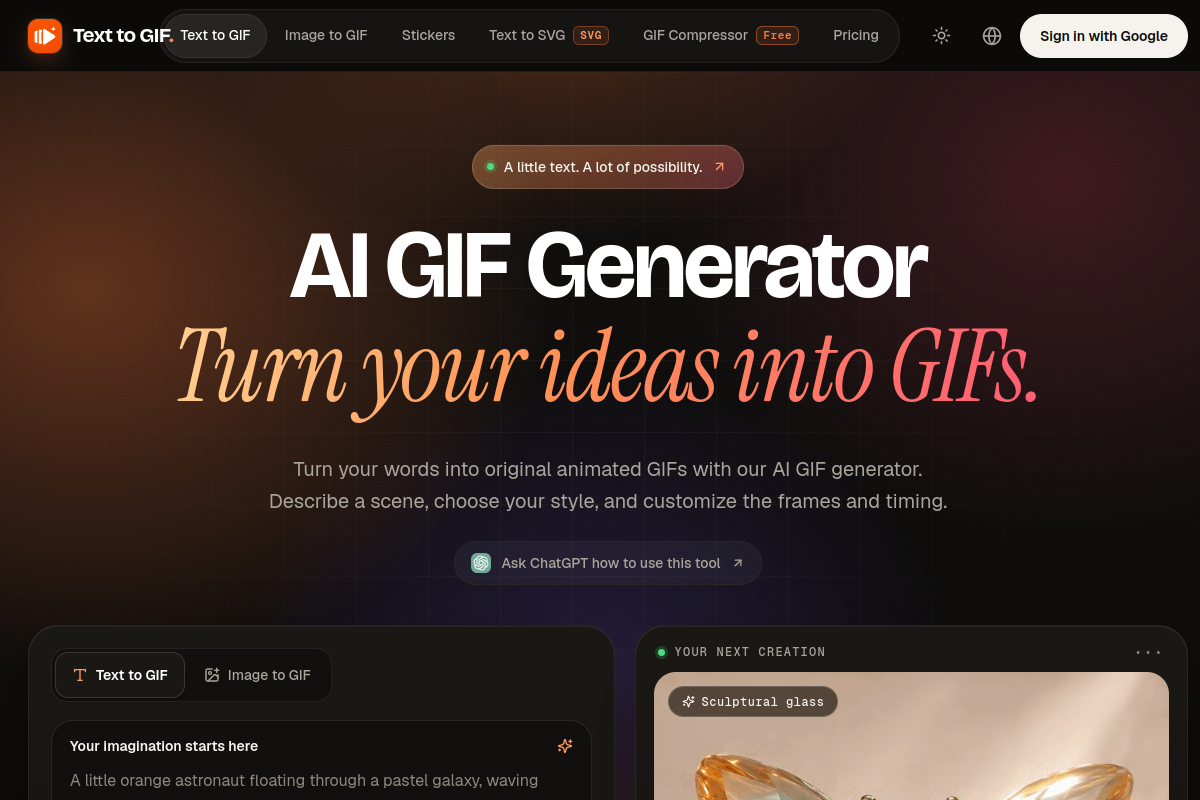
Live preview of Text to GIF's website.
Frequently asked questions
Community Reviews & Discussion
0 reviews · replies are moderated before they appear.
- No reviews yet — be the first to review Text to GIF.