ScormMaker
VerifiedScormMaker is a free, browser-based tool that converts PowerPoint (.pptx) files into SCORM 1.2 packages for upload into learning management systems such as Moodle, Canvas, and Blackboard. It is aimed at educators, trainers, and course creators who need to turn existing presentations into e-learning content without uploading files to a server or creating an account. The tool runs the entire conversion locally in the browser, supports common PowerPoint elements like text, images, shapes, tables, charts, SmartArt, and embedded MP4 video or audio, and lets users preview the converted slides before downloading the SCORM ZIP. It does not support animations, transitions, quizzes, speaker notes, or OLE objects, making it a focused conversion utility rather than a full course authoring platform.
ScormMaker at a glance
- What it is
- ScormMaker is a free, browser-based tool that converts PowerPoint (.
- Who it's for
- Most useful for anyone who needs results in the AI Education & Research area without a specialist on staff.
- Primary use case
- Convert PowerPoint (PPTX) to a SCORM 1.2 package for free.
- CategoryAI Education & Research
- PricingFree Tier
- Starting priceFree, paid plans available
- Credit cardNo credit card required
- Bring your own keyNot supported
- RatingNo reviews yet. Be the first to rate.
Video Spot
Overview
ScormMaker is a free, browser-based tool that converts PowerPoint (.pptx) files into SCORM 1.2 packages for upload into learning management systems such as Moodle, Canvas, and Blackboard. It is aimed at educators, trainers, and course creators who need to turn existing presentations into e-learning content without uploading files to a server or creating an account. The tool runs the entire conversion locally in the browser, supports common PowerPoint elements like text, images, shapes, tables, charts, SmartArt, and embedded MP4 video or audio, and lets users preview the converted slides before downloading the SCORM ZIP. It does not support animations, transitions, quizzes, speaker notes, or OLE objects, making it a focused conversion utility rather than a full course authoring platform.
Convert PowerPoint (PPTX) to a SCORM 1.2 package for free. Runs locally in your browser, no upload or sign-up. Preview, then import into Moodle, Canvas or Blackboard.
In detail
ScormMaker is a free online tool that converts PowerPoint (.pptx) presentations into SCORM 1.2 packages that can be imported into learning management systems like Moodle, Canvas, and Blackboard. It is built for educators, trainers, and course creators who already have presentation content and want to package it for an LMS without needing a dedicated authoring tool or server upload.
The tool works entirely in the user's browser: a PowerPoint file is selected from the device, converted locally, and a preview of the resulting course is generated so the user can check layout, text, images, and supported effects before downloading. Once satisfied, the user downloads a SCORM 1.2 ZIP file and uploads it to their LMS following platform-specific import steps. No file is uploaded to a server, no account is required, and there is no watermark on the output.
ScormMaker supports a wide range of common PowerPoint content, including formatted text, images, shapes, tables, charts, SmartArt, theme styling, and embedded MP4 video or common audio formats (MP3, WAV, M4A, OGG), which play with controls in the generated course. However, it does not preserve PowerPoint animations and transitions, which become static pages, nor does it support quizzes, speaker notes, equations, embedded Office objects, macros, or other OLE content. 3D effects and advanced visual effects like shadows, glow, or reflections may be simplified or look different from the original file.
What sets ScormMaker apart from typical online converters and full authoring tools is its local-only processing model: since the file never leaves the browser, there is no server upload step, which can matter for privacy or for avoiding slow uploads. It is positioned as a lightweight, single-purpose converter rather than a full authoring tool like iSpring, which would include course creation, quizzes, and interactive editing. The output is SCORM 1.2 only; SCORM 2004 is not mentioned as supported.
Because import behavior, playback, and tracking can vary by LMS version and configuration, ScormMaker recommends testing the generated package in a staging course before publishing it to learners. It provides guides for using the converter with Moodle, Canvas, and Blackboard specifically.
Common uses
- Converting a classroom or training PowerPoint into a SCORM package for Moodle, Canvas, or Blackboard
- Packaging existing slide decks into e-learning content without using a full authoring tool
- Quickly previewing how a presentation will appear as a course before importing it to an LMS
- Creating SCORM content without uploading sensitive files to a third-party server
- Producing SCORM packages for institutions needing quick, no-cost conversion of training materials
Pros
- Free to use with no account, subscription, or watermark required
- Local processing keeps files private since nothing is uploaded to a server
- Preview step allows review before committing to a download
- Supports a wide range of common PowerPoint content including charts, tables, and SmartArt
- Provides dedicated guides for popular LMS platforms like Moodle, Canvas, and Blackboard
Cons
- Does not support animations, transitions, or speaker notes, so these are lost in conversion
- No quiz or interactive content support, limiting its use for assessment-based courses
- Only generates SCORM 1.2 packages, not SCORM 2004
- Equations, embedded Office objects, macros, and other OLE content are not supported
Generated from the listing's details and not yet checked by a Zoipi editor.
Key Features
- Local browser-based conversion: files are processed entirely in the browser and never uploaded to a server
- SCORM 1.2 output: generates a downloadable SCORM 1.2 ZIP package for LMS import
- Preview before download: lets users review converted slides for layout, text, and images before exporting
- Broad content support: keeps text, images, shapes, tables, charts, SmartArt, and theme styling from the original PPTX
- Embedded media support: retains embedded MP4 (H.264) video and common audio formats like MP3, WAV, M4A, and OGG
- No account or watermark: usable without signing up and produces unwatermarked output
- LMS-specific guides: provides import instructions for Moodle, Canvas, and Blackboard
Best For
- Anyone replacing a manual ai education & research process with something faster
- Anyone testing the space without an upfront budget
Pricing Model
Free Tier. Generous ongoing free tier you can start with, no credit card needed. Paid plans unlock higher limits.
Pricing Breakdown
Screenshots
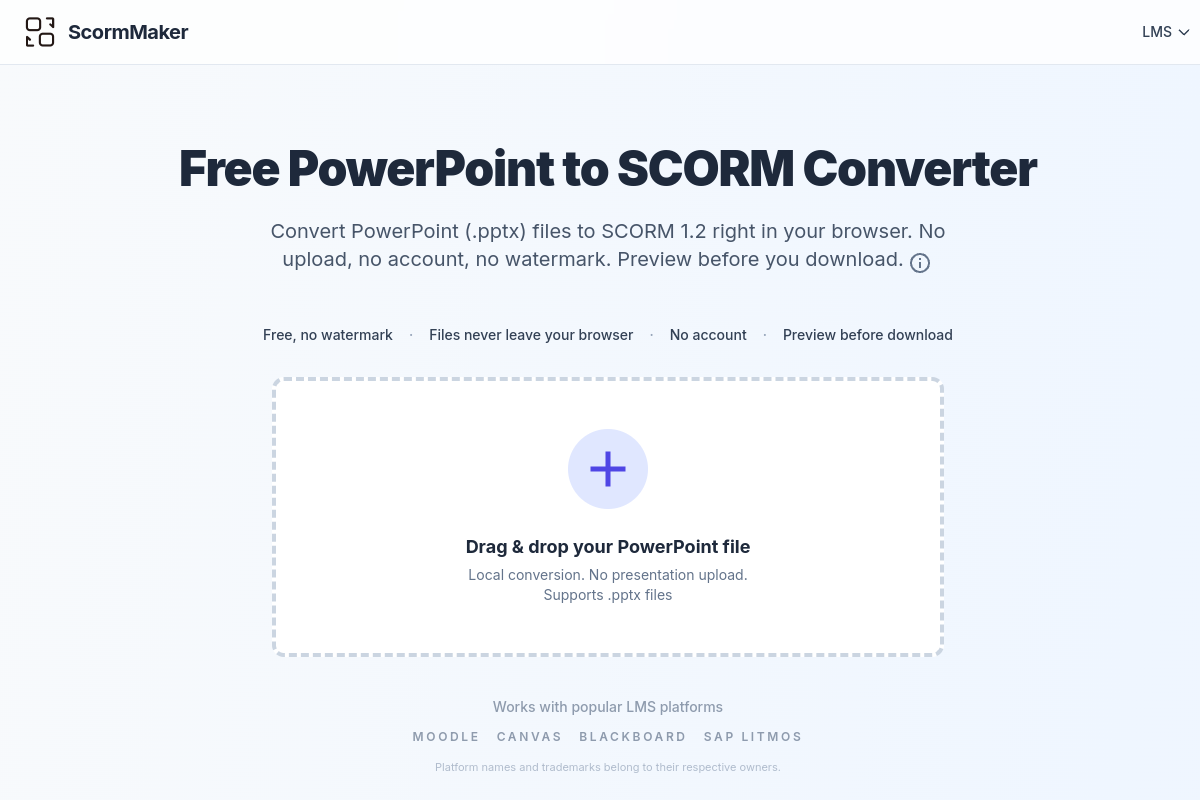
Live preview of ScormMaker's website.
Frequently asked questions
Community Reviews & Discussion
0 reviews · replies are moderated before they appear.
- No reviews yet — be the first to review ScormMaker.