
SceneFlare
VerifiedSceneFlare is an AI image and video creation workspace that brings together multiple third-party AI models, including GPT Image, Nano Banana, Seedream, FLUX, Kling, Seedance, and Veo, in one account. Users can start from a task like background removal or product photography, or pick a specific model directly, and see an estimated credit cost before generating. It includes editing tools such as upscaling and image-to-motion conversion, plus creative effects for images and video. It's built for independent creators, brand and growth teams, commerce teams, agencies, production studios, launch teams, and educators who want to generate and refine visual assets without juggling separate accounts across different AI model providers.
SceneFlare at a glance
- What it is
- SceneFlare is an AI image and video creation workspace that brings together multiple third-party AI models, including GPT Image, Nano Banana, Seedream, FLUX, Kling, Seedance, and Veo, in one account.
- Who it's for
- Most useful for anyone who needs results in the AI Image & Art area without a specialist on staff.
- Primary use case
- SceneFlare brings AI image and video models, reference workflows, creative effects, background removal, upscaling, and production-ready editing into one platform.
- CategoryAI Image & Art
- PricingFree Tier
- Starting price$16.66/month
- Credit cardNo credit card required
- Bring your own keyNot supported
- RatingNo reviews yet. Be the first to rate.
Video Spot
Overview
SceneFlare is an AI image and video creation workspace that brings together multiple third-party AI models, including GPT Image, Nano Banana, Seedream, FLUX, Kling, Seedance, and Veo, in one account. Users can start from a task like background removal or product photography, or pick a specific model directly, and see an estimated credit cost before generating. It includes editing tools such as upscaling and image-to-motion conversion, plus creative effects for images and video. It's built for independent creators, brand and growth teams, commerce teams, agencies, production studios, launch teams, and educators who want to generate and refine visual assets without juggling separate accounts across different AI model providers.
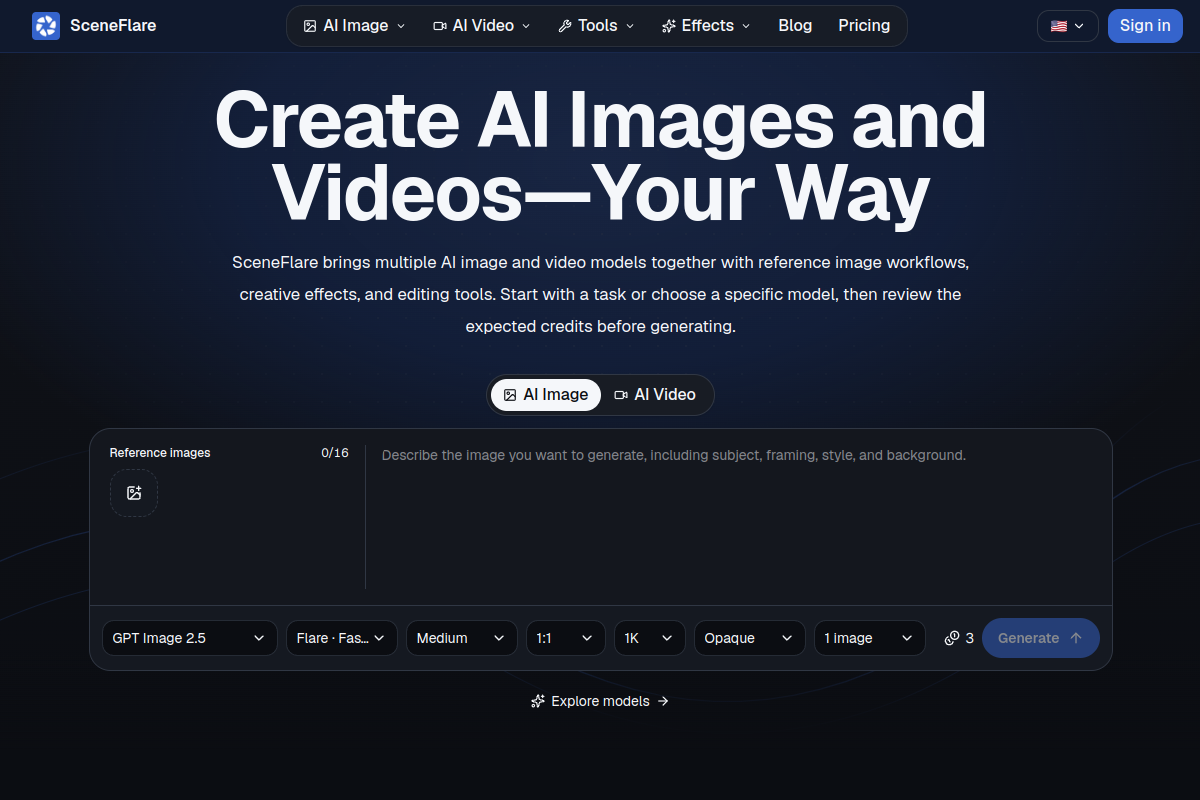
SceneFlare brings AI image and video models, reference workflows, creative effects, background removal, upscaling, and production-ready editing into one platform.
In detail
SceneFlare is a visual creation platform that aggregates several AI image and video models into a single workspace. Instead of managing separate accounts and balances with providers like GPT Image, Nano Banana, Seedream, FLUX, Kling, Seedance, and Veo, users work from one account with a unified credit balance and creation history.
The platform supports two entry points: starting from a task (such as an image effect, video effect, background removal, or product photography) when the user isn't sure which model fits best, or going directly to a specific model's page when its style, resolution, speed, or cost matters. Before generating, SceneFlare shows an estimated credit cost based on the chosen model and settings, so users can decide if the cost fits their needs before committing.
After a first draft is generated, users can continue refining within the same workspace: editing the image, removing the background, upscaling for more detail, or turning a still image into motion. Reference-image workflows help keep a subject or product consistent across multiple outputs, which is useful for product photography, ad variations, or campaign assets across different channels.
SceneFlare is aimed at a range of users: independent creators testing social images and short video ideas, brand and growth teams developing multiple ad directions, commerce teams generating product scene variants, agencies and production studios presenting early options to clients, launch teams turning product features into visuals, and educators translating lessons into images. What differentiates SceneFlare from using model providers directly is the unified account, credit system, and history, combined with built-in editing tools and effects, rather than any single model's exclusive capability.
The tool explicitly notes limitations around accuracy: generated product photos may alter logos, labels, proportions, or shapes, so results need to be compared against the original reference image rather than assumed accurate.
Common uses
- Turning an early creative brief into multiple image or video options for review
- Creating product photos in new studio or lifestyle settings from an existing product image
- Developing multiple ad directions and channel formats from one campaign idea
- Presenting early image and video concepts to clients before production
- Generating launch visuals and simple motion concepts from product features
- Testing social media images, covers, or short video ideas with creative effects
Pros
- Combines many AI image and video models in a single account instead of juggling separate provider logins
- Shows credit cost estimates before generating, avoiding surprise usage
- Offers post-generation editing tools like background removal and upscaling in the same workspace
- Supports reference-image workflows to help keep products or subjects consistent
- Serves a broad range of users, from solo creators to agencies and commerce teams
Cons
- Generated results, such as product photos, can alter logos, labels, proportions, or colors, so outputs require manual verification against the original
- Credits do not roll over between months on subscription plans, so unused credits are lost
- No single fixed cost across models, making budgeting less predictable
- Product photo tool processes one reference image at a time, not a batch workflow
Generated from the listing's details and not yet checked by a Zoipi editor.
Key Features
- Multiple AI models in one account: access image and video models like GPT Image, Nano Banana, Seedream, FLUX, Kling, Seedance, and Veo without separate provider accounts
- Credit cost preview: see the estimated credit cost for a generation before submitting it
- Task-first or model-first start: begin from an outcome like an effect or tool, or choose a specific model directly
- Editing and refinement tools: background removal, upscaling, and turning still images into motion
- Reference-image workflows: use an uploaded photo to guide generation and keep subjects consistent
- Creative effects library: preset image and video effects for styled outputs
- Unified history and balance: one creation history and credit balance across all models used
Best For
- Anyone replacing a manual ai image & art process with something faster
- Anyone testing the space without an upfront budget
Pricing Model
Free Tier. Generous ongoing free tier you can start with, no credit card needed. Paid plans unlock higher limits.
Pricing Breakdown
Screenshots
Live preview of SceneFlare's website.
Frequently asked questions
Community Reviews & Discussion
0 reviews · replies are moderated before they appear.
- No reviews yet — be the first to review SceneFlare.