RemoveHandwriting
VerifiedRemoveHandwriting is an AI tool that erases handwritten notes, answers, signatures, and annotations from photos, scanned documents, and PDFs while keeping printed text, tables, and layout intact. It's built for teachers, students, and anyone who needs clean, reusable copies of worksheets, forms, or exam papers for printing or practice. Users can clean a single image, run bulk batches, or process PDFs page by page, choosing from several processing modes depending on whether they need speed, color preservation, page straightening, or a full AI rebuild of the page. A separate expert retouching service handles difficult cases the automated modes can't fix. The tool is available through a browser, mobile apps, and an API for bulk processing.
RemoveHandwriting at a glance
- What it is
- RemoveHandwriting is an AI tool that erases handwritten notes, answers, signatures, and annotations from photos, scanned documents, and PDFs while keeping printed text, tables, and layout intact.
- Who it's for
- A good fit for users working with Photo Editing & Restoration who want to cut the manual steps.
- Primary use case
- AI tool that erases handwritten answers, notes and pen marks from photos, scans and PDFs while keeping printed text, tables and layout intact.
- CategoryPhoto Editing & Restoration
- PricingFree Tier
- Starting price$3.9/month
- Credit cardNo credit card required
- Bring your own keyNot supported
- RatingNo reviews yet. Be the first to rate.
Video Spot
Overview
RemoveHandwriting is an AI tool that erases handwritten notes, answers, signatures, and annotations from photos, scanned documents, and PDFs while keeping printed text, tables, and layout intact. It's built for teachers, students, and anyone who needs clean, reusable copies of worksheets, forms, or exam papers for printing or practice. Users can clean a single image, run bulk batches, or process PDFs page by page, choosing from several processing modes depending on whether they need speed, color preservation, page straightening, or a full AI rebuild of the page. A separate expert retouching service handles difficult cases the automated modes can't fix. The tool is available through a browser, mobile apps, and an API for bulk processing.
AI tool that erases handwritten answers, notes and pen marks from photos, scans and PDFs while keeping printed text, tables and layout intact. Ideal for teachers and students reusing worksheets.
In detail
RemoveHandwriting is an AI-powered document cleanup tool focused on one job: removing handwriting from images, scanned documents, and PDFs while preserving the printed content underneath. It targets teachers who want to reuse worksheets, students who want clean copies for practice, and anyone handling forms, exam papers, or marked-up documents who needs a blank or legible version back.
The tool works through four automatic processing modes: Standard for everyday cleanup, Color Fast for quick processing that preserves original colors, Color Scan which keeps colors while also cropping and straightening the page, and AI Rebuild, which recreates the entire page and is the only mode that supports selected-area removal (letting users choose exactly which handwriting to erase rather than processing the whole image). For documents the automatic modes can't handle well, such as damaged pages or dense overlapping marks, an Expert Cleanup service with human retouching is available, typically within about 12 hours.
Users can clean a single image in formats like JPG, PNG, WebP, HEIC, or HEIF, process a PDF up to 50MB and 50 pages with page selection, or run bulk batches of up to 20 images at once. Additional supporting features include auto-cropping to detect and trim paper edges, and automatic straightening of tilted or warped scans. The tool is accessible via browser, has an API for bulk document processing, and offers iOS and Android apps.
What differentiates RemoveHandwriting from general photo editing tools is its narrow focus: it is built specifically around handwriting removal rather than general image editing, with modes tailored to tradeoffs between speed, color accuracy, and layout changes. It is operated by Shenzhen Liwa Software Technology Co., Ltd. and has been running since its 2025 launch.
Pricing is credit-based, with subscription plans (Basic and Pro tiers, monthly, quarterly, or yearly) as well as one-time lifetime credit packs that never expire. Different processing modes consume different numbers of credits per image, with Standard costing the least and AI Rebuild (and selected-area removal) costing the most. A free trial is available without requiring a credit card.
Common uses
- Erasing handwritten answers and grading marks from worksheets so they can be reused for practice
- Removing handwritten annotations and margin notes from scanned handouts before sharing or rereading
- Turning filled-in forms into blank templates by removing handwritten entries while keeping printed fields
- Cleaning handwritten marks from exam papers and test sheets
- Removing handwritten signatures from images or PDFs
- Bulk cleanup of multiple scanned document photos at once
Pros
- Focused specifically on handwriting removal rather than general photo editing, with modes tuned for that task
- Offers selected-area removal for targeted cleanup instead of processing an entire page
- Supports images, PDFs, and bulk batches, plus an API for larger workflows
- Includes a human expert retouching option for difficult cases
- Free trial available without a credit card
Cons
- AI Rebuild mode, which is required for selected-area removal, may change text, formulas, or layout and needs review
- Batch size is capped at 20 images and PDFs are limited to 50MB and 50 pages per run
- Guest users without an account are limited to processing only 1 PDF page
- Higher-quality modes (Color Fast, Color Scan, AI Rebuild) cost more credits than the basic Standard mode
Generated from the listing's details and not yet checked by a Zoipi editor.
Key Features
- Selected-area removal: choose a specific region of an image to erase handwriting from, using the AI Rebuild model
- Multiple processing modes: Standard, Color Fast, Color Scan, and AI Rebuild, each trading off speed, color preservation, and layout changes
- Color-preserving processing: removes handwriting while keeping original paper tone and colors intact
- Batch and bulk processing: clean multiple images in one workflow, up to 20 images per batch
- PDF handwriting removal: select and clean pages from PDFs up to 50MB and 50 pages, with export back to PDF
- Auto-crop and straightening: detects paper edges and corrects tilted or warped scans
- Expert Cleanup service: human retouching for difficult images, usually completed within about 12 hours
- API and mobile apps: API access for bulk document processing, plus iOS and Android apps
Best For
- Specialists who want a dedicated photo editing & restoration tool rather than a general assistant
- Anyone testing the space without an upfront budget
Pricing Model
Free Tier. Generous ongoing free tier you can start with, no credit card needed. Paid plans unlock higher limits.
Pricing Breakdown
Screenshots
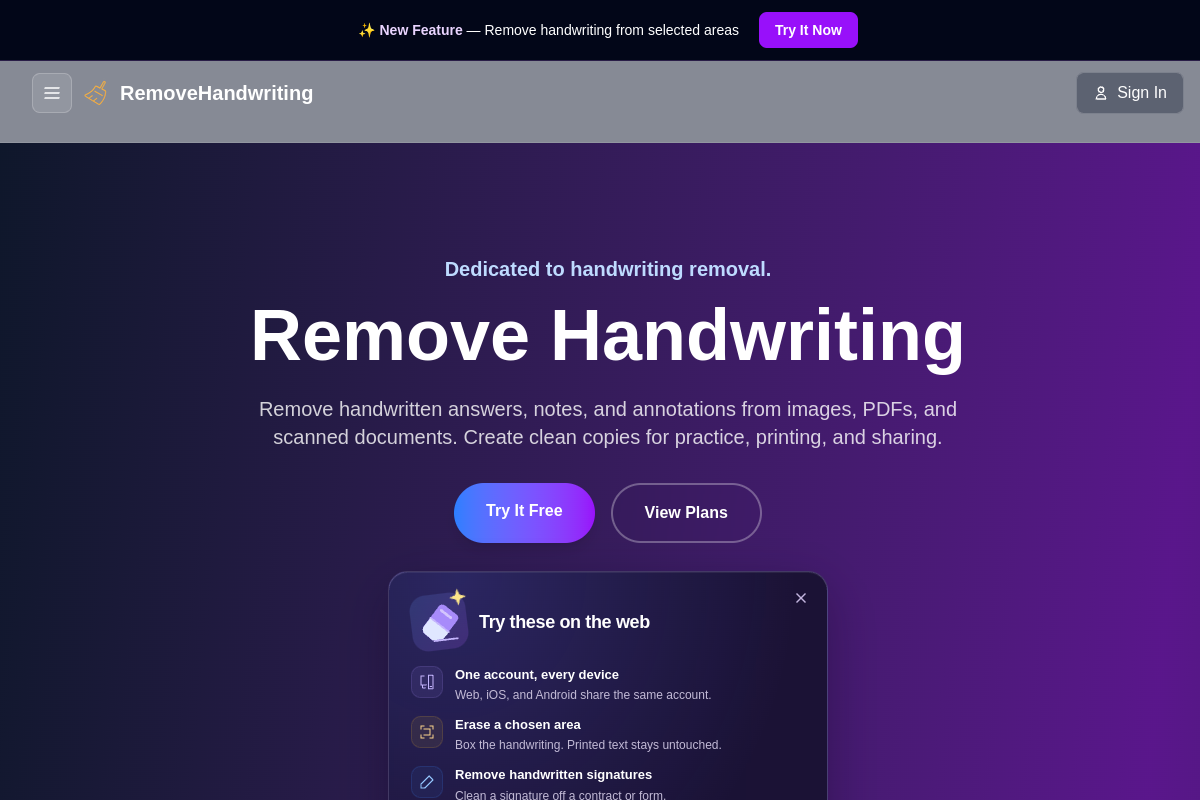
Live preview of RemoveHandwriting's website.
Frequently asked questions
Community Reviews & Discussion
0 reviews · replies are moderated before they appear.
- No reviews yet — be the first to review RemoveHandwriting.