ProRemover
VerifiedProRemover is a browser-based AI photo editing tool for removing unwanted objects, people, text, logos, watermarks, and stickers from images. It supports JPG, PNG, and WEBP files, and users upload an image, select the distraction, and let AI fill the area based on surrounding detail. A free preview is available before export, with HD export and instant processing requiring credits. The tool also offers bulk image processing, an AI editor for prompt-based edits, and shadow and background removal. It is aimed at real estate agents, ecommerce sellers, social media managers, content creators, and anyone cleaning up travel photos, product shots, memes, or screenshots.
ProRemover at a glance
- What it is
- ProRemover is a browser-based AI photo editing tool for removing unwanted objects, people, text, logos, watermarks, and stickers from images.
- Who it's for
- A good fit for users working with Photo Editing & Restoration who want to cut the manual steps.
- Primary use case
- If you have ever avoided sharing a good photo because of a photobomber or some clutter in the background, ProRemover is worth a look.
- CategoryPhoto Editing & Restoration
- PricingFree Tier
- Starting price$9.90/month
- Credit cardNo credit card required
- Bring your own keyNot supported
- RatingNo reviews yet. Be the first to rate.
Video Spot
Overview
ProRemover is a browser-based AI photo editing tool for removing unwanted objects, people, text, logos, watermarks, and stickers from images. It supports JPG, PNG, and WEBP files, and users upload an image, select the distraction, and let AI fill the area based on surrounding detail. A free preview is available before export, with HD export and instant processing requiring credits. The tool also offers bulk image processing, an AI editor for prompt-based edits, and shadow and background removal. It is aimed at real estate agents, ecommerce sellers, social media managers, content creators, and anyone cleaning up travel photos, product shots, memes, or screenshots.
If you have ever avoided sharing a good photo because of a photobomber or some clutter in the background, ProRemover is worth a look. It runs in the browser and removes objects, people and text with a few clicks. Memes, screenshots and reused graphics benefit as well, since captions, date stamps and pasted emojis can be removed cleanly. Real estate agents can take unwanted text and clutter out of listings. Keeps the rest of the photo natural after cleanup. A practical alternative to manual cloning.
In detail
ProRemover is an AI-powered photo cleanup tool that runs entirely in the browser, letting users remove unwanted objects, people, text, logos, watermarks, and sticker overlays from images. It works with JPG, PNG, and WEBP files and offers a free preview before any credits are spent on HD export or instant processing.
The tool is designed for a range of users: real estate agents cleaning up listing photos, ecommerce sellers preparing product images, social media managers producing cleaner posts and thumbnails, and everyday users fixing travel photos or memes. Common tasks include erasing crowds, signs, or clutter from travel shots, removing props and dust from product images, and cleaning captions, stickers, and old logos from graphics.
The workflow is simple: upload a photo, select the area to clean using tools like object marking, text selection, or emoji/sticker selection, and the AI fills the selected area based on surrounding image details. Users can review the AI-generated preview and adjust the selection before downloading the final result. A built-in AI editor also allows further prompt-based edits beyond basic removal.
What sets ProRemover apart is its focus on being a fully browser-based, no-install alternative to desktop editors like Photoshop, combined with features for high-volume users such as bulk image processing and a dedicated Bulk Pro plan for agencies and stores. It also includes shadow removal and background removal as part of its toolset, broadening its use beyond simple object erasing.
Pricing includes a Starter monthly plan, one-time non-expiring credit packages, and a Bulk Pro plan for high-volume processing, giving users flexibility depending on how often they need to clean up images.
Common uses
- Removing photobombers, signs, and clutter from travel and landscape photos
- Cleaning product images by removing props, dust, labels, and messy edges before publishing
- Removing captions, stickers, overlays, and old logos from memes and shareable graphics
- Preparing cleaner social media posts, thumbnails, and campaign visuals
- Removing unwanted text and clutter from real estate listing photos
- Batch processing large volumes of images for ecommerce stores or agencies
Pros
- Runs entirely in the browser with no desktop editor required
- Offers a free preview before spending credits
- Covers a wide range of removal tasks: objects, people, text, logos, watermarks, and stickers
- Includes bulk processing for high-volume users
- Credits from one-time purchases never expire
Cons
- HD export and instant processing require paid credits, limiting full free use
- Bulk image processing is only unlocked through the Bulk Pass or Bulk Pro plan
- No stated API for developers to integrate the tool
Generated from the listing's details and not yet checked by a Zoipi editor.
Key Features
- Object and people removal: select unwanted items or people in a photo and let AI fill the area based on surrounding detail
- Text, logo, and watermark removal: clean captions, timestamps, logos, and watermarks from images
- Sticker and overlay removal: remove emojis, stickers, arrows, and pasted graphics
- Bulk image processing: process images in batches for high-volume needs
- AI editor: make further prompt-based edits or transformations after initial cleanup
- Shadow and background removal: remove shadows and backgrounds from photos
- Free preview: preview the AI-filled result in the browser before spending credits on export
Best For
- Solo builders and small teams handling photo editing & restoration in-house
- Anyone testing the space without an upfront budget
Pricing Model
Free Tier. Generous ongoing free tier you can start with, no credit card needed. Paid plans unlock higher limits.
Pricing Breakdown
Screenshots
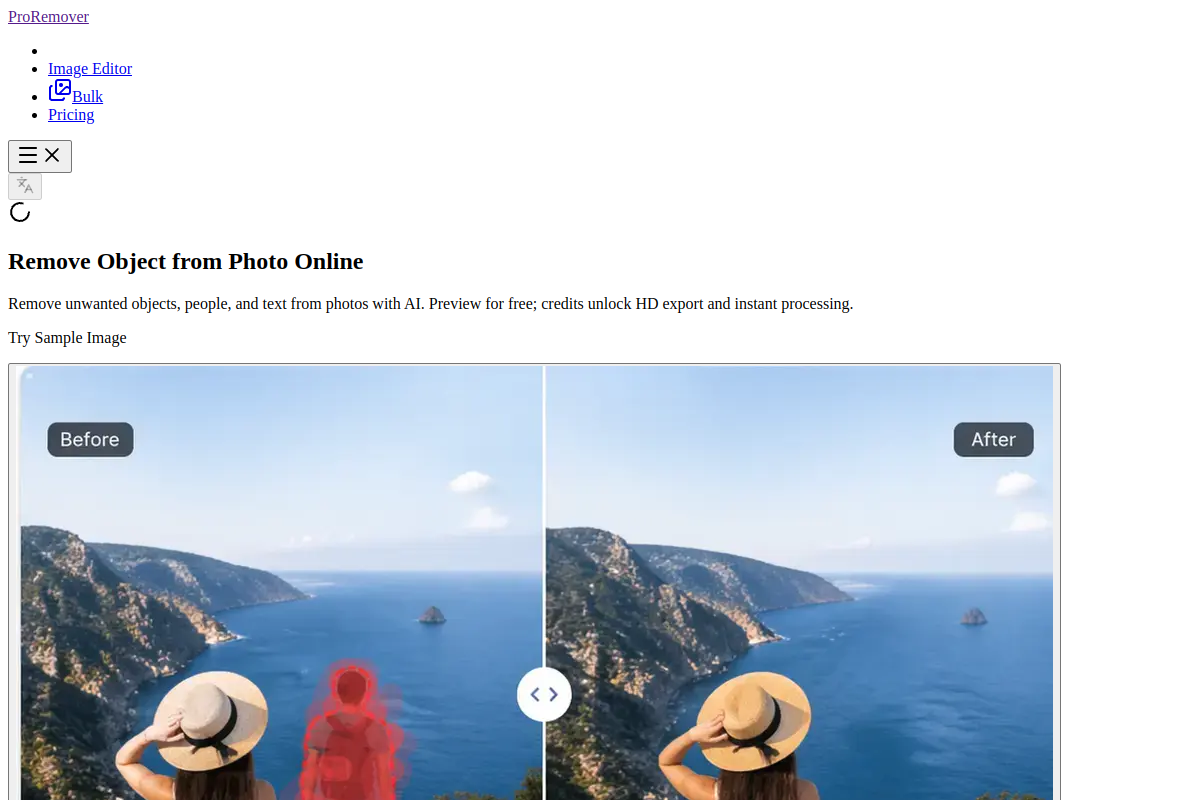
Live preview of ProRemover's website.
Frequently asked questions
Community Reviews & Discussion
0 reviews · replies are moderated before they appear.
- No reviews yet — be the first to review ProRemover.