
PageColor AI
VerifiedPageColor AI is a web app for creating and coloring coloring pages. Users can start with a ready-made sample, generate line art from a text description or a name, or convert a photo into line art using AI, then color the result in an in-browser editor with fill, brush, undo, redo, and zoom tools. It suits parents, kids, and hobbyists who want quick, custom coloring pages without needing separate design software. Coloring the sample works without an account, text generation requires Google sign-in, and photo-to-line-art conversion is a paid feature. Free downloads are watermarked PNGs, while a paid Plus plan adds higher-resolution, watermark-free exports and more cloud storage for saved artwork.
PageColor AI at a glance
- What it is
- PageColor AI is a web app for creating and coloring coloring pages.
- Who it's for
- A good fit for users working with Generators who want to cut the manual steps.
- Primary use case
- PageColor AI creates coloring pages from text or photos and lets you color them online.
- CategoryAI Image & Art
- PricingFree Tier
- Starting price$4.99/month
- Credit cardNo credit card required
- Bring your own keyNot supported
- RatingNo reviews yet. Be the first to rate.
Video Spot
Overview
PageColor AI is a web app for creating and coloring coloring pages. Users can start with a ready-made sample, generate line art from a text description or a name, or convert a photo into line art using AI, then color the result in an in-browser editor with fill, brush, undo, redo, and zoom tools. It suits parents, kids, and hobbyists who want quick, custom coloring pages without needing separate design software. Coloring the sample works without an account, text generation requires Google sign-in, and photo-to-line-art conversion is a paid feature. Free downloads are watermarked PNGs, while a paid Plus plan adds higher-resolution, watermark-free exports and more cloud storage for saved artwork.
PageColor AI creates coloring pages from text or photos and lets you color them online. Freemium: text-to-coloring needs Google sign-in; photo-to-line-art is paid Pro/Studio; sample coloring works without sign-in. Plans from $4.99/mo.
In detail
PageColor AI is an online tool for making and coloring coloring pages. It offers several ways to get line art: a built-in sample you can color immediately, a text-to-coloring-page generator, a name-based page generator, and a photo-to-line-art converter powered by an AI image model. Once line art exists, it opens in an in-browser Online Coloring editor with fill, brush, undo, redo, and zoom controls, plus Classic and Colorblind Safe palettes.
The tool is aimed at anyone who wants a quick, personalized coloring page, including parents making pages for kids, and people who want to convert their own photos or ideas into something colorable. You don't need to sign in to try the sample or use the name-page tool, but text generation requires Google sign-in and is limited to 5 successful generations per day on the free plan, while photo conversion is a paid Pro/Studio feature using credits (32 credits per conversion).
How it works: users either keep the provided sample, upload a supported SVG line-art file, or generate new line art through the text, name, or photo tools, then move into the Online Coloring editor to fill in colors by tapping regions. Exports from Online Coloring are PNG files; free exports include a small watermark and a footer credit, while paid plans remove the watermark and allow higher resolution.
What differentiates PageColor AI is the combination of multiple input methods (text, name, photo, and manual SVG upload) feeding into one consistent coloring editor, and a clear separation between the free coloring experience and paid generation or export upgrades. The Plus plan, at $4.99 per month or $29.99 per year, focuses specifically on export quality (300 DPI, watermark-free PNG/PDF), unlocking cleared theme palettes, and cross-device cloud saves up to a 5,000-artwork fair use cap, rather than adding more generation credits. Higher-tier Pro and Studio plans, intended for generation capacity and publishing workflows, are mentioned but not yet available.
Overall, PageColor AI is a focused coloring-page creation and coloring tool rather than a general art generator, with free and low-cost paid tiers distinguishing basic use from higher-quality exports and storage.
Common uses
- Coloring a pre-made sample page without signing in
- Creating a custom coloring page from a text description for a child
- Turning a personal photo into a line art coloring page
- Making a name-based coloring page for a preschooler
- Uploading existing SVG line art to color it online
- Printing watermark-free, high-resolution coloring pages with a Plus subscription
Pros
- Free sample coloring works without any sign-in
- Multiple ways to generate line art: text, name, and photo
- Low-cost Plus plan for watermark-free, print-ready exports
- Name coloring pages have no sign-in requirement or usage limit
- Supports uploading your own SVG line art
Cons
- Photo-to-line-art conversion requires a paid Pro/Studio plan not currently available, limiting photo conversion access
- Free text generation is capped at 5 successful generations per day
- Free PNG downloads include a watermark and footer credit
- No free trial is offered for the Plus plan
Generated from the listing's details and not yet checked by a Zoipi editor.
Key Features
- Text-to-coloring page: generate line art from a written description using Google sign-in
- Photo-to-line-art AI conversion: turn a photo into line art using an image model, a paid Pro/Studio feature using credits
- Name coloring pages: create pages from a name with no sign-in required
- Online coloring editor: fill, brush, undo, redo, and zoom tools in the browser
- SVG upload support: color your own line art by uploading a supported SVG file
- Cloud saves: save artworks to your account, with limits depending on plan
- Multiple palettes: Classic and Colorblind Safe palettes included, with cleared theme palettes added on Plus
Best For
- People who want to spend less time on repetitive steps
- Teams focused on Generators
- Anyone testing the space without an upfront budget
Pricing Model
Free Tier. Generous ongoing free tier you can start with, no credit card needed. Paid plans unlock higher limits.
Pricing Breakdown
Screenshots
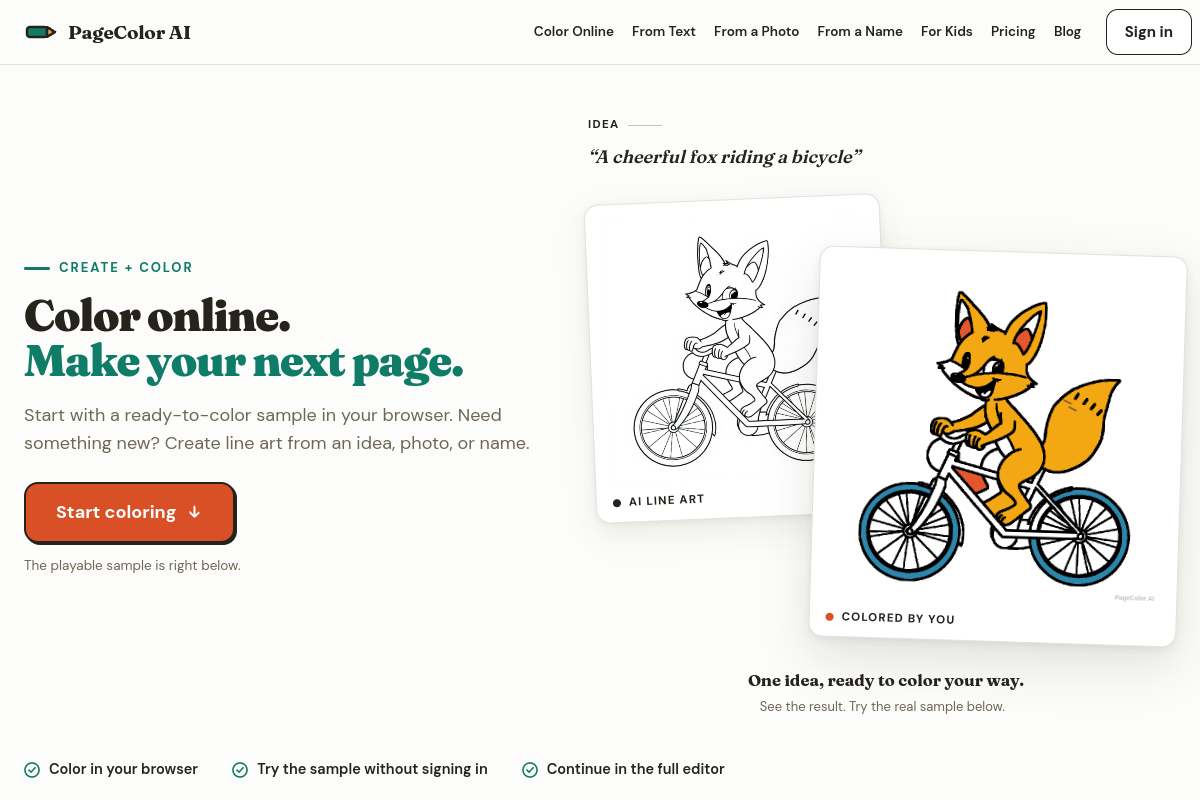
Live preview of PageColor AI's website.
Frequently asked questions
Community Reviews & Discussion
0 reviews · replies are moderated before they appear.
- No reviews yet — be the first to review PageColor AI.