Otter.ai
VerifiedLive meeting transcription with action items.
Otter.ai at a glance
- What it is
- Live meeting transcription with action items.
- Who it's for
- A good fit for users working with Meeting Summarizers who want to cut the manual steps.
- Primary use case
- Otter joins your calls, transcribes in real time, and produces summaries with assigned action items synced to your calendar.
- CategorySpeech Recognition & Transcription, Mobile Apps
- PricingFree Tier
- Starting priceFree
- Credit cardNo credit card required
- Foundation modelWhisper
- Bring your own keyNot supported
- RatingNo reviews yet. Be the first to rate.
Video Spot
Overview
Live meeting transcription with action items.
Otter joins your calls, transcribes in real time, and produces summaries with assigned action items synced to your calendar.
In detail
Otter.ai is a speech recognition and transcription tool that joins or records meetings and converts spoken conversation into live text, summaries, and action items. It captures conversations from Zoom, Microsoft Teams, Google Meet, desktop apps, mobile devices, or a browser, and organizes them into searchable transcripts.
The tool is aimed at a range of users: sales teams who want automatic follow-ups, notes, and CRM syncing; students and educators who need lecture transcripts and study summaries; and media professionals who want interview transcripts and draft-ready notes. Both individuals trying it out for free and larger teams or enterprises needing administration and security controls are supported through different plans.
Otter works by using live transcription with speaker identification and multi-language support, then applying AI to generate summaries, outlines, and automatically assigned action items. An AI Chat feature lets users ask questions within and across their meetings, and pre-call briefings can be delivered before a meeting based on prior discussions. A Live-Assist coaching feature offers real-time prompts during calls based on conversation history and company playbooks.
What differentiates Otter is its range of capture methods, including a bot-free desktop app that doesn't need to join calls as a participant, plus integrations with tools like Slack, Zoom, Salesforce, and an MCP server that lets AI chat tools such as ChatGPT and Claude access meeting knowledge. Higher-tier plans add features like Salesforce and HubSpot syncing, custom AI workflows, concurrent meeting support, and enterprise security controls such as SSO, SCIM, and HIPAA compliance as an add-on.
Otter offers a free Basic plan with limited transcription minutes and file imports, paid Pro and Business plans with more minutes, templates, and integrations, and a custom-priced Enterprise plan for large organizations with advanced security and API access.
Common uses
- Capturing and transcribing sales calls with automatic CRM follow-ups
- Recording lectures and turning them into searchable notes and summaries for students
- Transcribing interviews and production meetings into draft-ready content for media work
- Getting automated meeting summaries and action items for team meetings
- Using pre-call briefings to review prior discussions before a meeting
- Asking an AI chat questions across past meetings to generate reports or follow-ups
Pros
- Free Basic plan available to try core transcription features
- Multiple ways to capture meetings, including bot-free desktop recording
- Integrates with common tools like Zoom, Slack, Salesforce, and HubSpot
- AI Chat and Live-Assist add functionality beyond plain transcription
- Enterprise plan offers security controls like SSO, SCIM, and HIPAA add-on
Cons
- Free plan is limited to 300 monthly transcription minutes and only 3 lifetime file imports
- Salesforce and HubSpot integrations are subject to user limits and only available on paid plans
- API and webhooks access is only available on the Enterprise plan
- Advanced features like custom AI workflows and higher query limits require upgrading to Business or Enterprise
Generated from the listing's details and not yet checked by a Zoipi editor.
Key Features
- Live transcription: Real-time transcription with speaker identification and multi-language support
- Automated summaries and action items: Meetings are turned into summaries with decisions and next steps assigned automatically
- AI Chat: Search across meetings and connected apps to answer questions and draft follow-ups or reports
- Bot-free desktop recording: Record directly from Mac or Windows without a bot joining the call
- Live-Assist coaching: Real-time prompts during calls based on conversation history and playbooks
- CRM sync: Key deal details and notes automatically extracted and synced to CRM tools
- MCP server integration: Lets AI assistants like ChatGPT and Claude access meeting knowledge
- Channels: Group meetings by team, project, or topic for shared collaboration
Best For
- Solo builders and small teams looking for a focused workflow
- Creators exploring Meeting Summarizers
- Anyone testing the space without an upfront budget
Pricing Model
Free Tier. Generous ongoing free tier you can start with, no credit card needed. Paid plans unlock higher limits.
Pricing Breakdown
Screenshots
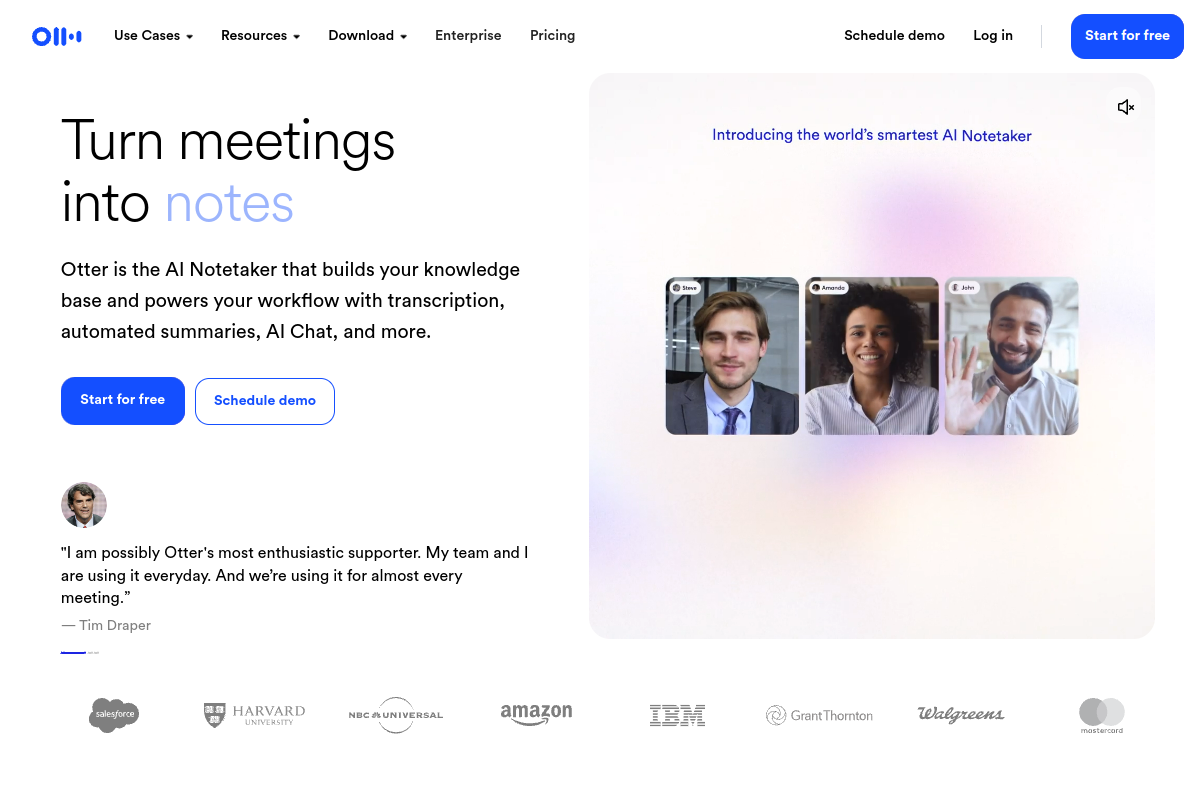
Live preview of Otter.ai's website.
Frequently asked questions
Community Reviews & Discussion
0 reviews · replies are moderated before they appear.
- No reviews yet — be the first to review Otter.ai.