
Makify AI - AI Creative Platform
VerifiedMakify AI is a browser-based AI creative platform for marketers, ecommerce sellers, designers, and small businesses that need campaign visuals without design software. Users upload a JPG, PNG, or WebP photo and describe the edit they want, such as removing a background, fixing text, changing lighting, or combining images, and the AI applies it directly to the relevant part of the image. The platform gives access to multiple image and video models, including GPT Image, FLUX, Seedream, Nano Banana, and Seedance, so users can switch models depending on the task. Outputs can reach up to 4K resolution. It works entirely in the browser with no installation required, and plans range from free sign-up credits to paid subscriptions with no-watermark exports and commercial licensing.
Makify AI - AI Creative Platform at a glance
- What it is
- Makify AI is a browser-based AI creative platform for marketers, ecommerce sellers, designers, and small businesses that need campaign visuals without design software.
- Who it's for
- A good fit for users working with Generators who want to cut the manual steps.
- Primary use case
- Makify AI is an AI creative platform for marketers, designers, creators, ecommerce teams, and small businesses producing campaign-ready visual content.
- CategoryAI Image & Art
- PricingFree Tier
- Starting price$9.9/month
- Credit cardNo credit card required
- Bring your own keyNot supported
- RatingNo reviews yet. Be the first to rate.
Video Spot
Overview
Makify AI is a browser-based AI creative platform for marketers, ecommerce sellers, designers, and small businesses that need campaign visuals without design software. Users upload a JPG, PNG, or WebP photo and describe the edit they want, such as removing a background, fixing text, changing lighting, or combining images, and the AI applies it directly to the relevant part of the image. The platform gives access to multiple image and video models, including GPT Image, FLUX, Seedream, Nano Banana, and Seedance, so users can switch models depending on the task. Outputs can reach up to 4K resolution. It works entirely in the browser with no installation required, and plans range from free sign-up credits to paid subscriptions with no-watermark exports and commercial licensing.
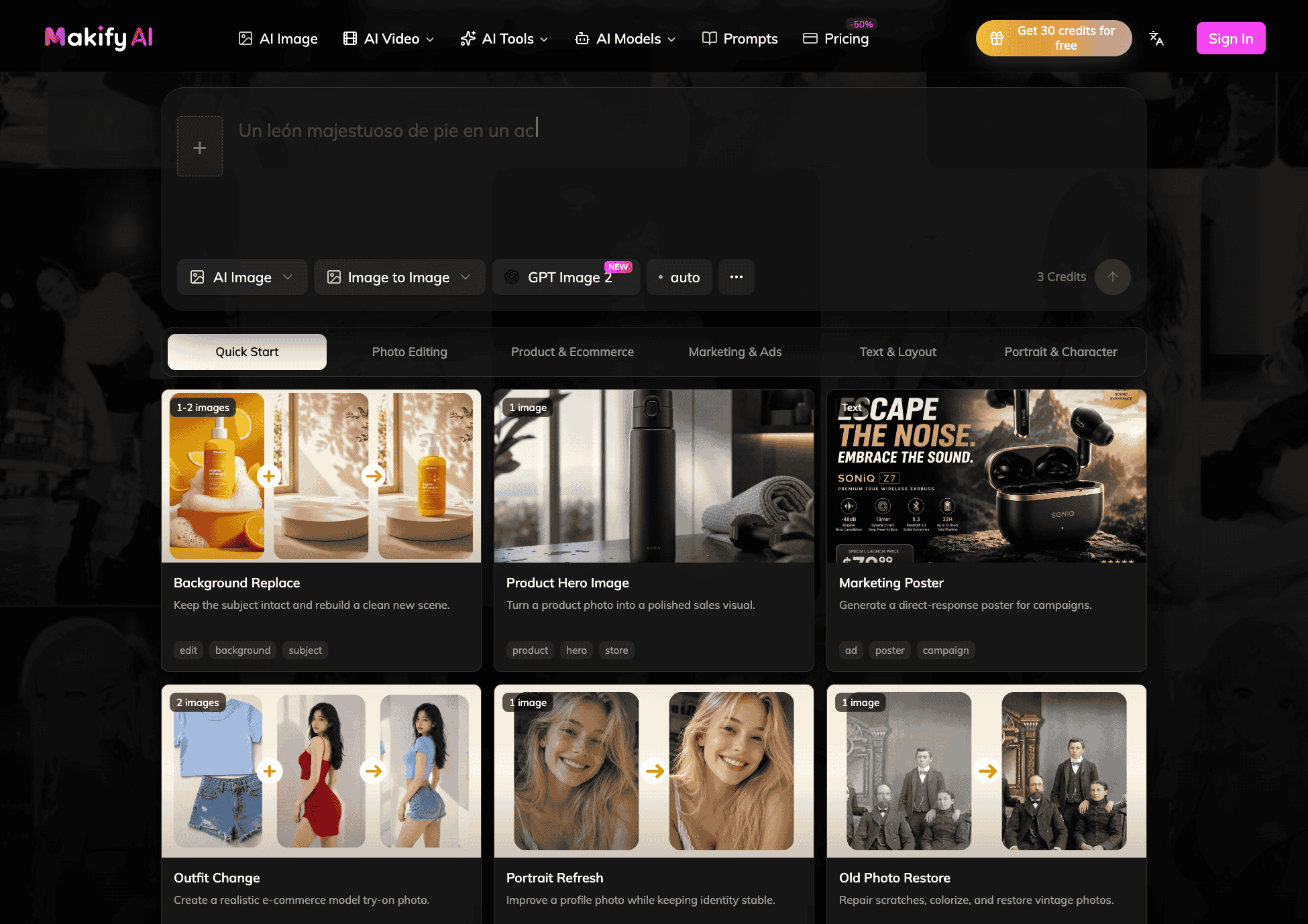
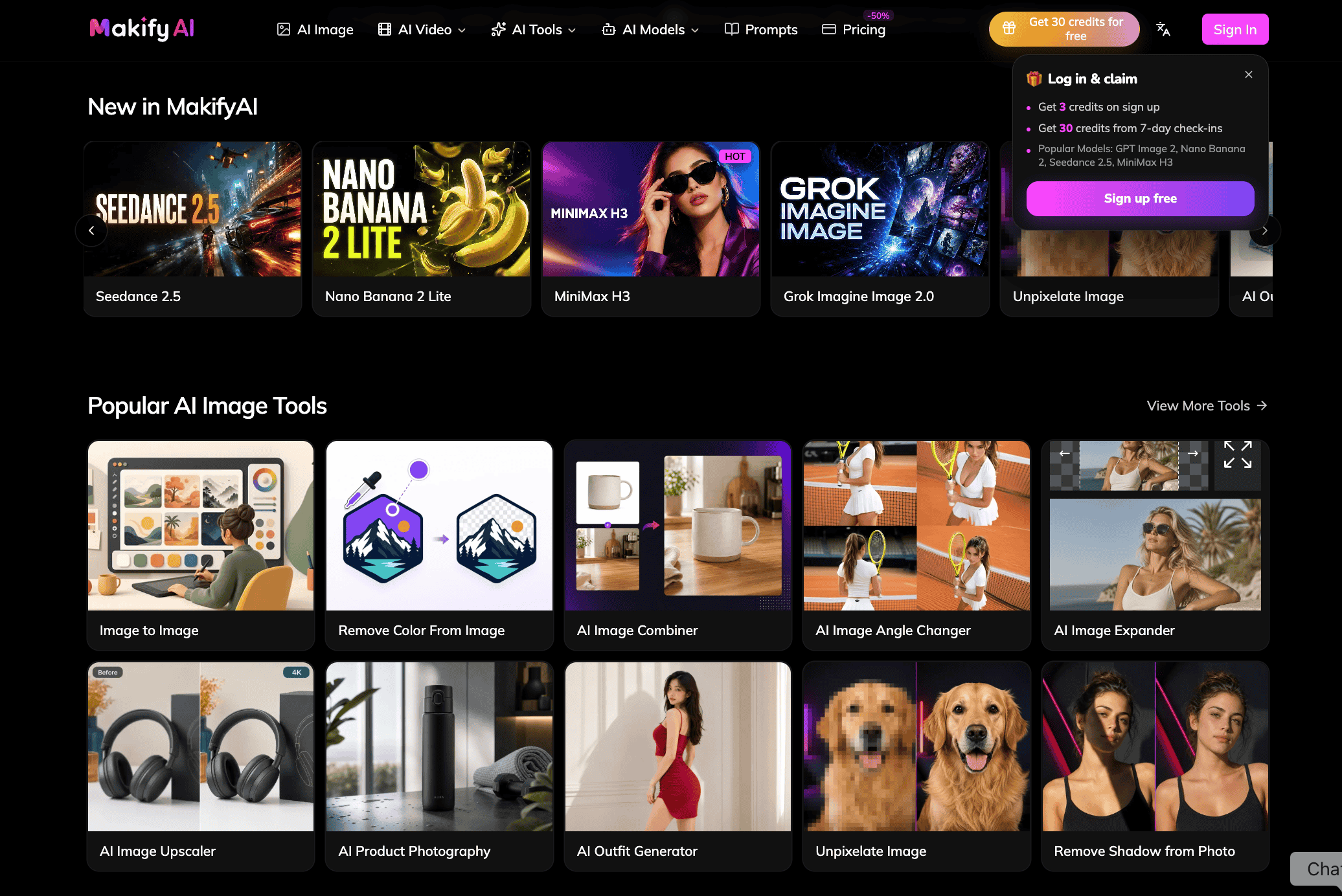
Makify AI is an AI creative platform for marketers, designers, creators, ecommerce teams, and small businesses producing campaign-ready visual content. Generate and edit images with GPT Image 2.5, GPT Image 2, FLUX 3 Image, Seedream 5.0 Pro, Nano Banana 2, and Gemini Omni Flash 1.1. Turn concepts and references into video with Seedance 2.5, MiniMax H3, Wan 3.0, and FLUX 3 Video. Practical workflows include image-to-image generation, editing text in images, expanding a canvas, combining images, changing camera angles, removing shadows, and producing branded social, ecommerce, advertising, and storyboard assets from one workspace.
In detail
Makify AI is a browser-based creative platform that lets people edit and generate images and video using plain-language prompts instead of layers, masks, or design software. Users upload an existing JPG, PNG, or WebP photo and describe what they want changed, such as removing a background, fixing text, correcting lighting, expanding the canvas, or combining multiple images, and the AI updates that part of the image while trying to leave the rest unchanged.
The platform is aimed at marketers, ecommerce sellers, designers, content creators, and small businesses who need usable campaign visuals, like product photos, listing images, ads, infographics, posters, and social graphics, without hiring a designer or learning editing software. It also supports video generation and editing from text, images, or reference frames.
Makify AI works by giving users access to several different image and video models in one workspace, including GPT Image, FLUX, Seedream, Nano Banana, Seedance, and others, so they can pick the model best suited to a given task, such as text-heavy designs versus photorealistic product edits. Users upload a file up to 30MB, write a prompt describing the edit, and download the result, which can reach up to 4K resolution depending on the model. A dedicated AI Product Photography tool lets sellers upload one product photo and generate studio, lifestyle, model, angle, beauty, or ad-style shots while keeping the product's shape, color, and label unchanged.
What differentiates Makify AI is the ability to switch between many leading models inside a single editor rather than using separate tools, plus a workflow built around prompts rather than manual selection tools. New accounts get free credits to try the editor before committing to a paid plan. Paid plans add no-watermark exports and a commercial license for using outputs in stores, ads, and client work, along with more parallel tasks and higher credit allowances for frequent use.
Common uses
- Creating product photos and listing images for ecommerce stores
- Producing ad creatives for social and search campaigns in multiple sizes
- Turning articles or reports into infographics with headings and readable text
- Removing or replacing backgrounds for clean product shots
- Designing posters, banners, and video thumbnails with readable text
- Brightening and staging real estate and interior photos
Pros
- Access to many image and video models in a single workspace without switching tools
- No design skills or software installation required
- Free sign-up credits let users try the editor before paying
- Paid plans include commercial license and no-watermark exports
- Supports both image and video generation and editing
Cons
- No-watermark exports and commercial license are limited to paid plans
- Free usage is limited to starter credits rather than ongoing free access
- Credit costs vary by model and resolution, which can make usage cost less predictable
- Focused on prompt-based editing, so it may not suit users who need precise manual control like layers and masks
Generated from the listing's details and not yet checked by a Zoipi editor.
Key Features
- Prompt-based editing: describe changes in plain language instead of using layers or masks
- Multiple AI models: switch between GPT Image, FLUX, Seedream, Nano Banana, and Seedance models per task
- Up to 4K output: export images at 1K, 2K, or up to 4K depending on the model
- Browser-based, no installation: works on desktop or phone in any modern browser
- AI Product Photography tool: generate studio, lifestyle, model, angle, beauty, and ad shots from one product photo while keeping the product unchanged
- Text editing in images: fix typos, prices, dates, or names while keeping the original style
- Commercial license and no-watermark exports on paid plans
Best For
- People who want to spend less time on repetitive steps
- Users working with Generators
- Anyone testing the space without an upfront budget
Pricing Model
Free Tier. Generous ongoing free tier you can start with, no credit card needed. Paid plans unlock higher limits.
Pricing Breakdown
Screenshots
Live preview of Makify AI - AI Creative Platform's website.
Frequently asked questions
Community Reviews & Discussion
0 reviews · replies are moderated before they appear.
- No reviews yet — be the first to review Makify AI - AI Creative Platform.