LayerGrab
VerifiedLayerGrab is an AI tool that takes a flat image, such as a poster, product banner, screenshot, or AI-generated picture, and splits it into separate, named transparent layers, filling in the background behind each extracted element. Users upload a PNG, JPG or WebP file and within roughly 45 to 120 seconds receive up to 16 layers, each labeled in plain English, plus a filled-in background layer. Results can be exported as PNG, ZIP, or a layered PSD, or a single named object can be extracted on its own. It works on the web and as plugins for Photoshop, Figma, Sketch and Chrome. It is aimed at designers and marketers who need to reuse or edit pieces of a flat image, such as changing a price, swapping a product or translating a headline, without manual masking.
LayerGrab at a glance
- What it is
- LayerGrab is an AI tool that takes a flat image, such as a poster, product banner, screenshot, or AI-generated picture, and splits it into separate, named transparent layers, filling in the background behind each extracted element.
- Who it's for
- A good fit for users working with Photo Editing & Restoration who want to cut the manual steps.
- Primary use case
- Users upload a PNG, JPG or WebP file and within roughly 45 to 120 seconds receive up to 16 layers, each labeled in plain English, plus a filled-in background layer.
- CategoryPhoto Editing & Restoration
- PricingFree Tier
- Starting price$12/month
- Credit cardNo credit card required
- Bring your own keyNot supported
- RatingNo reviews yet. Be the first to rate.
Video Spot
Overview
LayerGrab is an AI tool that takes a flat image, such as a poster, product banner, screenshot, or AI-generated picture, and splits it into separate, named transparent layers, filling in the background behind each extracted element. Users upload a PNG, JPG or WebP file and within roughly 45 to 120 seconds receive up to 16 layers, each labeled in plain English, plus a filled-in background layer. Results can be exported as PNG, ZIP, or a layered PSD, or a single named object can be extracted on its own. It works on the web and as plugins for Photoshop, Figma, Sketch and Chrome. It is aimed at designers and marketers who need to reuse or edit pieces of a flat image, such as changing a price, swapping a product or translating a headline, without manual masking.
In detail
LayerGrab is an AI tool that converts a single flat image into a stack of editable, named layers. Instead of manually masking out a product, headline or logo, users upload a PNG, JPG or WebP file (up to 20MB) and the AI identifies each distinct element, such as text blocks, products, badges or background objects, placing each on its own transparent layer while filling in the background behind it so nothing leaves a hole.
The tool is built for designers and marketers who work with flat images, posters, product banners, social posts and screenshots, especially when the original editable source file (PSD, Figma file) is unavailable. It is useful for tasks like swapping a product photo, updating a price, translating ad copy into another language, or replacing a logo, all without repainting the background by hand.
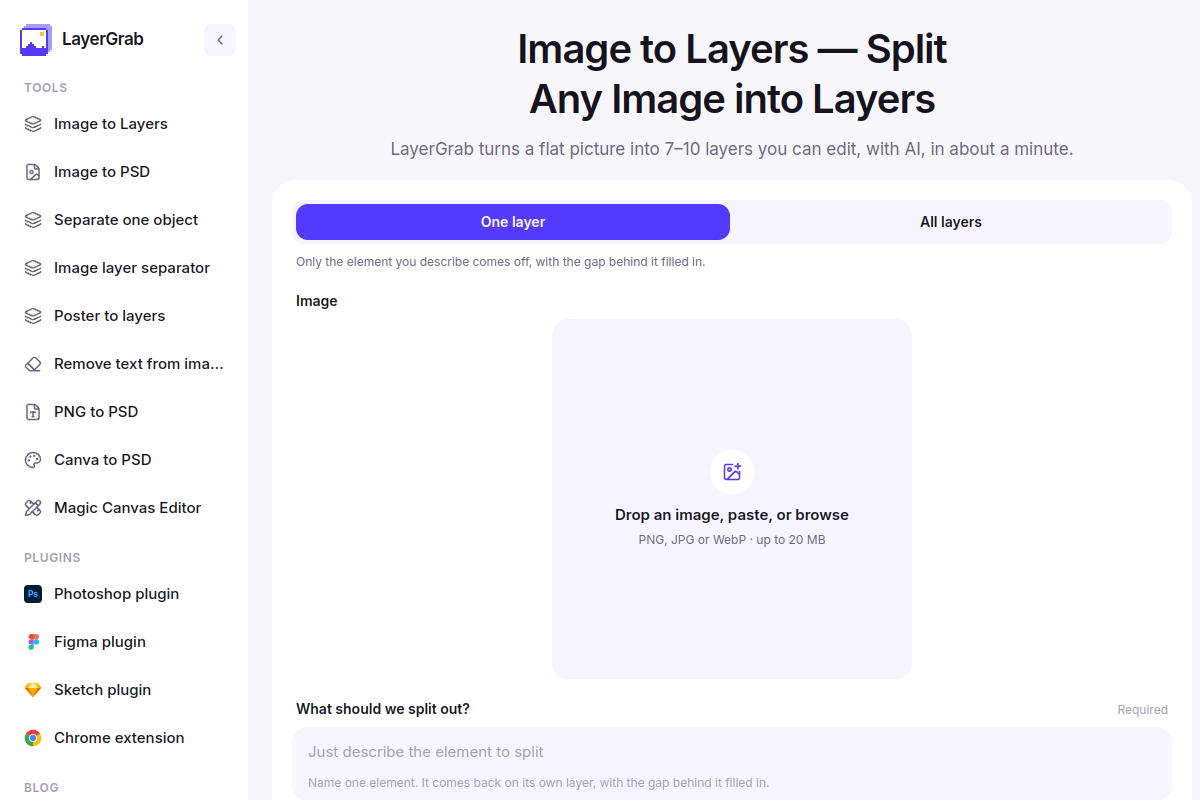
How it works: users either choose "All layers" to split the whole image into every detected element, or "One layer" to name and extract a single element (for example "only the price tag" or "the headline text"). Processing takes roughly 45 to 120 seconds. Results can be downloaded as individual PNGs, a ZIP of all layers, or a layered PSD file for use in Photoshop, Figma, Canva or Photopea. Dedicated plugins exist for Photoshop, Figma, Sketch and Chrome so layers can be placed directly into a design file.
What sets LayerGrab apart is its focus on reconstructing a usable layer stack from a flattened image rather than just removing a background: it names each layer in readable English, fills in the background behind extracted elements, and lets users target just one element instead of processing an entire image. It explicitly does not separate cast shadows as their own layers, so users need to add shadows manually when combining new elements into a scene.
Pricing is credit-based: plans start at $12/month for roughly 120 layers, with a Premium plan and one-time credit packs also available. Every account gets one free one-layer split, and plugin users get one free full split, letting people try the tool before subscribing.
Common uses
- Swap out a product photo on an existing banner while keeping the backdrop
- Update a price or offer text on a poster without rebuilding the whole design
- Translate an ad or social post into another language by isolating text layers
- Replace a logo or partner mark on a reused creative
- Turn a one-off banner into a reusable layered template
- Pull a single named element, like a headline or product, out of an image for reuse elsewhere
Pros
- Fills in the background behind extracted elements automatically, avoiding manual repair work
- Can target and extract just one named element instead of processing the whole image
- Exports to PNG, ZIP or layered PSD, and integrates directly into Photoshop, Figma, Sketch and Chrome
- Names each layer in plain English, making it easy to identify elements
- Offers a free one-layer split and a free first split in plugins to try before paying
Cons
- Does not separate cast shadows into their own layers, so new elements can need manual shadow work to blend in
- Text comes back as image layers, not live editable type, so retyping is still needed
- Paid plans are credit-based per layer, which can add cost for images with many elements
- Results are only kept for 30 days, so users must download what they want to keep
Generated from the listing's details and not yet checked by a Zoipi editor.
Key Features
- Results can be exported as PNG, ZIP, or a layered PSD, or a single named object can be extracted on its own
- Dedicated photo editing & restoration workspace
- Browser-based, nothing to install
Best For
- Specialists who want a dedicated photo editing & restoration tool rather than a general assistant
- Anyone testing the space without an upfront budget
Pricing Model
Free Tier. Generous ongoing free tier you can start with, no credit card needed. Paid plans unlock higher limits.
Pricing Breakdown
Screenshots
Live preview of LayerGrab's website.
Frequently asked questions
Community Reviews & Discussion
0 reviews · replies are moderated before they appear.
- No reviews yet — be the first to review LayerGrab.