
ISRC Finder
VerifiedISRC Finder is a free online lookup tool for musicians, labels, and catalogue managers who need to find the ISRC code for an existing sound recording. Users search by song title and artist, or paste a Spotify track link, then compare matching recordings by artist, album, version, and length before copying an available ISRC code. A 'Copy with source' option keeps the recording details and source link alongside the copied code, which is useful for building catalogues or completing music usage reports. No account is required to search or copy codes. The tool does not assign or register new ISRCs; it only looks up codes that already exist, so users needing a new code must contact their distributor or a territory's ISRC agency.
ISRC Finder at a glance
- What it is
- ISRC Finder is a free online lookup tool for musicians, labels, and catalogue managers who need to find the ISRC code for an existing sound recording.
- Who it's for
- Worth a look if projects involving Audio Enhancers come up often in your week.
- Primary use case
- ISRC Finder is a free online ISRC code finder.
- CategoryAI Music & Audio
- PricingFree Tier
- Starting priceFree, paid plans available
- Credit cardNo credit card required
- Bring your own keyNot supported
- RatingNo reviews yet. Be the first to rate.
Video Spot
Overview
ISRC Finder is a free online lookup tool for musicians, labels, and catalogue managers who need to find the ISRC code for an existing sound recording. Users search by song title and artist, or paste a Spotify track link, then compare matching recordings by artist, album, version, and length before copying an available ISRC code. A 'Copy with source' option keeps the recording details and source link alongside the copied code, which is useful for building catalogues or completing music usage reports. No account is required to search or copy codes. The tool does not assign or register new ISRCs; it only looks up codes that already exist, so users needing a new code must contact their distributor or a territory's ISRC agency.
ISRC Finder is a free online ISRC code finder. Search by song title and artist, compare recordings by artist, album, version and length, then copy an available ISRC. Copy with source keeps the recording details and source link alongside the code. No account is required.
In detail
ISRC Finder is a free web tool for looking up International Standard Recording Codes (ISRCs) attached to existing sound recordings. Users can search by typing a song title and, optionally, an artist name, or by pasting a Spotify track link. The tool then returns matching recordings so the user can compare details like artist, album, version, and length before selecting the correct one and copying its code.
The tool is aimed at musicians, labels, catalogue managers, and anyone who needs to confirm or recover an ISRC for a released track, such as when completing a track list, checking release details, or reporting music usage. It is not meant for assigning brand-new ISRCs to unreleased music; for that, users are directed to their distributor or their territory's ISRC agency.
The search works by matching the entered title and artist (or the title pulled from a Spotify link's public preview) against ISRC Finder's sources, then presenting possible recordings for the user to compare. Because a song title can correspond to multiple distinct recordings (studio, live, remix, acoustic), the interface emphasizes checking version and length before copying a code, since different recordings of the same title generally require different ISRCs, while a reused recording on a new release or format does not need a new code.
A distinguishing feature is the 'Copy with source' option, which copies the ISRC together with the recording's details and a source link, making it easier to verify the match later or document provenance in a catalogue. The tool does not require account creation to search or copy, though it does apply request limits to keep access free for all users. It also includes an FAQ section clarifying common ISRC questions, such as the difference between an ISRC and a UPC/EAN code, whether a single and album track can share an ISRC, and the fact that finding an ISRC does not prove ownership or grant usage rights.
Overall, ISRC Finder positions itself narrowly as a free, no-signup lookup utility rather than a registration or rights-management service, focusing on helping users find and document codes that already exist for released recordings.
Common uses
- Finding the ISRC for a released track when only the title and artist are known
- Checking whether a single and an album version of a track share the same ISRC
- Distinguishing between studio, live, acoustic, and remix versions of a song before copying a code
- Completing a music catalogue or usage report with verified ISRCs and source links
- Recovering a missing ISRC for your own release before contacting a distributor or label
Pros
- Free to use with no account required to search or copy codes
- Supports both text search and Spotify link search
- Lets users compare multiple recordings before selecting the right ISRC
- 'Copy with source' feature helps retain context for later verification
- Includes clear FAQ content addressing common ISRC misunderstandings
Cons
- Does not assign or register new ISRCs for unreleased recordings
- Cannot look up release-level UPC/EAN barcodes, only recording-level ISRCs
- Only supports individual Spotify track links, not albums, playlists, artist pages, or short links
- Request limits may restrict usage if a limit is reached
Generated from the listing's details and not yet checked by a Zoipi editor.
Key Features
- Search by title and artist: Look up ISRC codes using a song title and optional artist name
- Spotify link search: Paste a Spotify track link to search using the title pulled from its public preview
- Recording comparison: Compare matching recordings by artist, album, version, and length before copying a code
- Copy with source: Copy the ISRC along with recording details and a source link for later verification
- No account required: Search and copy codes without creating an account
- Built-in FAQ: Explanations of ISRC concepts, including differences from UPC/EAN codes and version rules
Best For
- Specialists looking for a dedicated tool rather than a general assistant
- Teams focused on Audio Enhancers
- Anyone testing the space without an upfront budget
Pricing Model
Free Tier. Generous ongoing free tier you can start with, no credit card needed. Paid plans unlock higher limits.
Pricing Breakdown
Screenshots
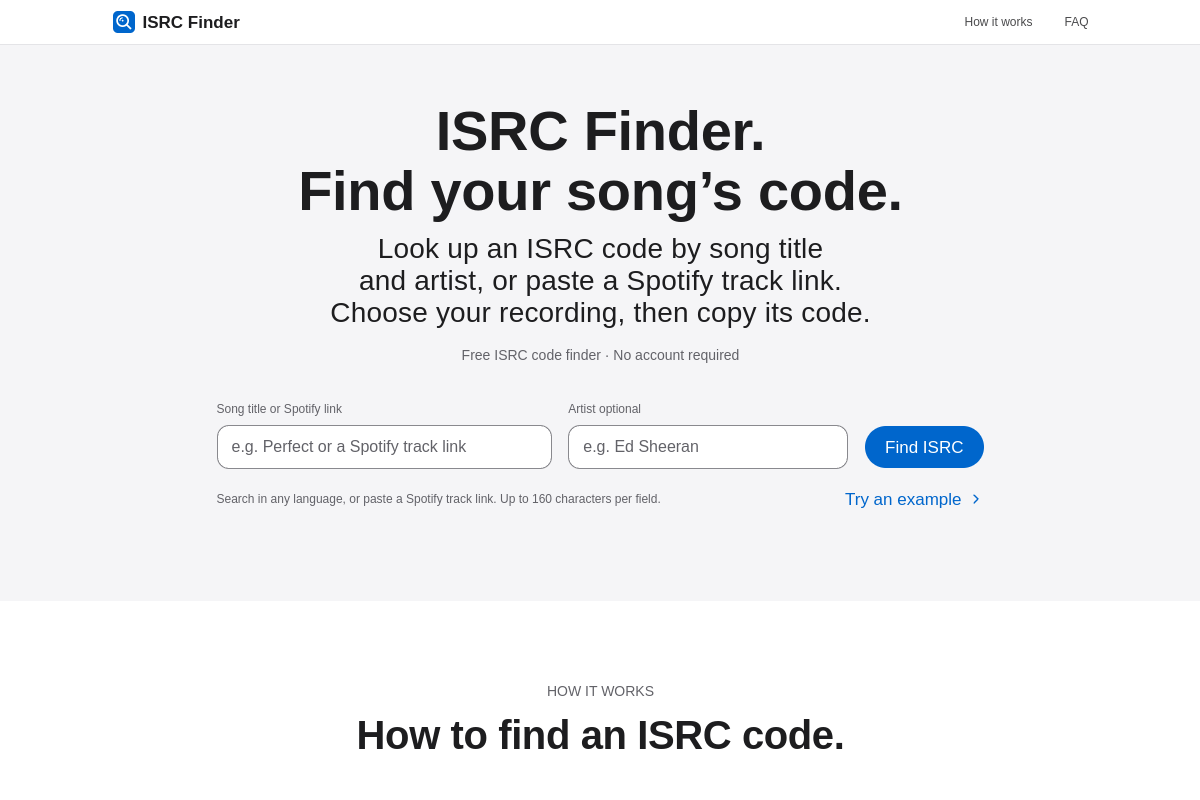
Live preview of ISRC Finder's website.
Frequently asked questions
Community Reviews & Discussion
0 reviews · replies are moderated before they appear.
- No reviews yet — be the first to review ISRC Finder.