Hy3D
Hy3D is a free, browser-based tool that converts a single 2D image into an untextured 3D model. Users upload a product photo, character sketch, or object image, choose a face count between 5K and 40K, and receive a downloadable GLB file in under 60 seconds. Built on Tencent's open-source Hunyuan3D model, it requires no signup, no payment, and no software installation, and runs on desktop, tablet, or mobile. Uploaded images are processed and deleted immediately. The service allows up to three free generations per day per network address, resetting at 00:00 UTC. It's aimed at creators, game developers, and e-commerce sellers who need quick 3D assets for game engines, AR/VR apps, or 3D printing without manual modeling work.
Zoipi note
Hy3D is an independent website. It uses the Hunyuan3D name but is not made by or affiliated with Tencent.
Hy3D at a glance
- What it is
- Hy3D is a free, browser-based tool that converts a single 2D image into an untextured 3D model.
- Who it's for
- Most useful for anyone who needs results in the Text-to-3D area without a specialist on staff.
- Primary use case
- Hunyuan 3D (Hy3D) is a 100% free, open-source-powered Image-to-3D AI model generator.
- Category3D Model & Scene Generators
- PricingFree Tier
- Starting priceFree, paid plans available
- Credit cardNo credit card required
- Bring your own keyNot supported
- RatingNo reviews yet. Be the first to rate.
Video Spot
Overview
Hy3D is a free, browser-based tool that converts a single 2D image into an untextured 3D model. Users upload a product photo, character sketch, or object image, choose a face count between 5K and 40K, and receive a downloadable GLB file in under 60 seconds. Built on Tencent's open-source Hunyuan3D model, it requires no signup, no payment, and no software installation, and runs on desktop, tablet, or mobile. Uploaded images are processed and deleted immediately. The service allows up to three free generations per day per network address, resetting at 00:00 UTC. It's aimed at creators, game developers, and e-commerce sellers who need quick 3D assets for game engines, AR/VR apps, or 3D printing without manual modeling work.
Hunyuan 3D (Hy3D) is a 100% free, open-source-powered Image-to-3D AI model generator. Upload any 2D photo, product image, or character sketch to generate a fully textured 3D mesh in under 60 seconds with adjustable face counts (5K–40K) and instant GLB export—no signup, no credits, and no watermarks.
In detail
Hy3D is a free, open-source-powered Image-to-3D AI generator built on Tencent's Hunyuan3D model. It lets anyone upload a 2D photo, product image, or sketch and receive an untextured 3D mesh in under 60 seconds, exported as a universal GLB file that works across game engines, AR/VR apps, and 3D printers.
The tool is designed for creators, game developers, and e-commerce users who need quick 3D assets without expensive software or manual modeling work. It runs entirely in the browser on desktop, tablet, or mobile, so no installation is required, and there is no account or signup needed to start generating models.
The process works in three steps: upload an image, let the AI analyze it and construct a 3D mesh with geometry and surface detail (without textures), then download the resulting GLB file. Users can adjust the face count between 5K and 40K to control mesh detail. Only one model generates at a time, with room for three waiting tasks in the queue, and generation speed depends on the queue and service startup time.
What sets Hy3D apart is its no-barriers approach: no signup, no watermarks, no payment, and no credit packs. Instead, usage is capped at three free generations per day per network address, with the allowance resetting at 00:00 UTC. Uploaded images are processed and deleted immediately, which addresses privacy concerns for users uploading proprietary product photos or artwork. Because it's built on an open-source model, the underlying technology is transparent rather than a closed black box.
Overall, Hy3D positions itself as a fast, accessible way to turn flat images into usable 3D geometry for prototyping, game asset creation, or 3D printing, without the cost or learning curve of traditional 3D modeling software.
Common uses
- Turning a product photo into an untextured 3D model for e-commerce listings
- Converting concept art or reference photos into game-ready 3D assets
- Creating a printable 3D file from a photo of any object for 3D printing
- Generating quick 3D geometry for AR/VR app prototyping
- Producing base meshes that can later be textured in a 3D editor
Pros
- Completely free with no signup or account required
- No watermarks or hidden payment requirements
- Fast generation time, under 60 seconds per model
- Exports in GLB, a widely supported universal 3D format
- Images are deleted immediately after processing, supporting privacy
Cons
- Output is untextured, so texturing must be done separately in another tool
- Limited to 3 free generations per day per network address
- Only one model generates at a time with limited queue capacity, which can slow results during high demand
- Narrow focus on image-to-3D conversion without broader scene or texture generation features
Generated from the listing's details and not yet checked by a Zoipi editor.
Key Features
- Image-to-3D conversion: upload a 2D photo, product image, or sketch to generate a 3D mesh
- Adjustable face count: choose between 5K and 40K faces for mesh detail
- GLB export: universal 3D file format supported by game engines, AR/VR frameworks, and 3D tools
- No signup required: use the tool immediately without creating an account
- No watermarks or payment: fully free with no hidden costs or credit packs
- Fast generation: untextured 3D models produced in under 60 seconds
- Privacy-focused processing: uploaded images are processed and deleted immediately
- Cross-device support: works on desktop, tablet, and mobile browsers
Best For
- People who want to spend less time on repetitive steps
- Users working with Text-to-3D
- Anyone testing the space without an upfront budget
Pricing Model
Free Tier. Generous ongoing free tier you can start with, no credit card needed. Paid plans unlock higher limits.
Pricing Breakdown
Screenshots
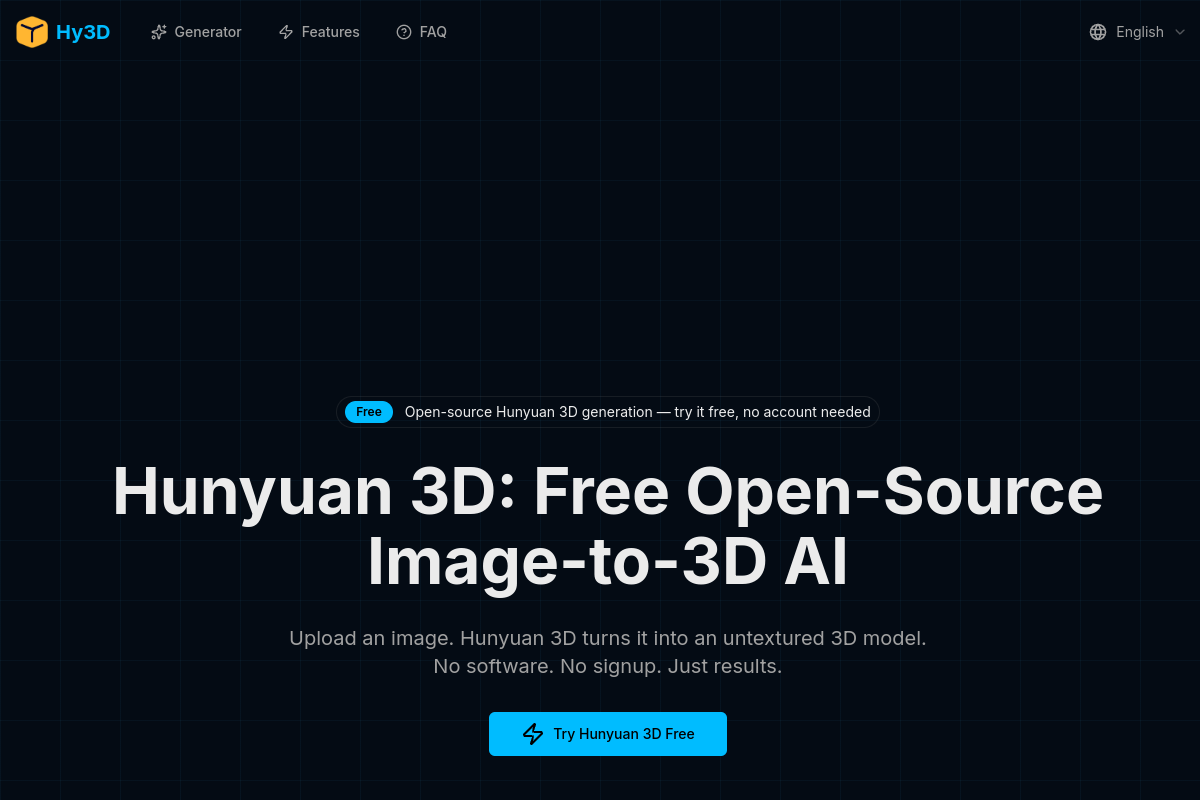
Live preview of Hy3D's website.
Frequently asked questions
Community Reviews & Discussion
0 reviews · replies are moderated before they appear.
- No reviews yet — be the first to review Hy3D.