FlutterFlow
VerifiedFlutterFlow is a platform for building iPhone and Android apps either by describing them in plain language to an AI agent or designing them visually. It generates a working first version of an app in minutes, including a built-in backend, sign-in, and analytics, then lets users refine it by asking for changes. Finished apps can be published directly to the App Store and Google Play. A separate visual builder, FlutterFlow Studio, gives teams pixel-level control, custom code, and exportable Flutter code. It suits founders, indie builders and teams who want to go from idea to a published mobile app without writing code from scratch, as well as developers who want more hands-on control through Studio.
FlutterFlow at a glance
- What it is
- FlutterFlow is a platform for building iPhone and Android apps either by describing them in plain language to an AI agent or designing them visually.
- Who it's for
- Most useful for anyone who needs results in the Mobile App AI Generators area without a specialist on staff.
- Primary use case
- FlutterFlow started as a visual builder for Flutter apps and now leads with AI: you describe the app you want, get a first working version in minutes, and then change it by asking the agent.
- CategoryMobile App AI Generators
- PricingFree Tier
- Starting priceFree plan; $29/month on the Basic plan billed yearly
- Credit cardNo credit card required
- Foundation modelClaude 3.5 Sonnet
- Bring your own keySupported
- RatingNo reviews yet. Be the first to rate.
Video Spot
Overview
FlutterFlow is a platform for building iPhone and Android apps either by describing them in plain language to an AI agent or designing them visually. It generates a working first version of an app in minutes, including a built-in backend, sign-in, and analytics, then lets users refine it by asking for changes. Finished apps can be published directly to the App Store and Google Play. A separate visual builder, FlutterFlow Studio, gives teams pixel-level control, custom code, and exportable Flutter code. It suits founders, indie builders and teams who want to go from idea to a published mobile app without writing code from scratch, as well as developers who want more hands-on control through Studio.
FlutterFlow started as a visual builder for Flutter apps and now leads with AI: you describe the app you want, get a first working version in minutes, and then change it by asking the agent. The newer FlutterFlow Studio adds a desktop app, more AI tools and shared AI usage for teams. The classic visual FlutterFlow editor is still available for people who prefer to design screens themselves.
In detail
FlutterFlow lets people build mobile apps by describing them to an AI agent, which plans, builds and checks a working first version, typically in about five minutes. From there, users ask for changes in natural language, such as adding a chart to a screen, and the agent updates a copy of the app that can be pushed live once approved. Finished apps include a built-in backend with a database, sign-in, and file storage, plus app analytics showing active users and usage trends.
The tool is aimed at people who want to turn an app idea into a real, published product without managing code directly, including founders, small teams, and students. It also serves development teams through FlutterFlow Studio, a separate visual builder with drag-and-drop screen design, custom Dart code, shared component libraries, branching, and an exportable Flutter codebase, aimed at users who want full technical control rather than an AI-first workflow.
Under the hood, FlutterFlow connects to Firebase or Supabase for data and authentication, and integrates with services like Stripe for payments, Resend for email, OpenAI, Anthropic and Google Gemini for AI features, AdMob for ads, and Airtable, Notion, Discord and Telegram. Publishing connects directly to a user's own Apple Developer and Google Play accounts, pushing builds through TestFlight and Google Play's closed testing, then tracking each version through store review until it goes live.
What differentiates FlutterFlow is the combination of an AI-driven describe-and-refine workflow with a mature, longstanding visual builder underneath it, so users can start by describing an app and later drop into Studio for pixel-level editing, custom code, or code export if needed. As of the current stated facts, apps built through the AI-first FlutterFlow flow cannot export code (only compiled .apk, .aab and .ipa files), sign-in is limited to email/password and guest accounts, and there is no custom domain support for web apps; these capabilities are only available through FlutterFlow Studio.
FlutterFlow states it has been used by 3.3 million people to ship more than 50,000 apps over six years.
Common uses
- Turning an app idea into a working first version without writing code
- Adding features to an existing app by describing the change in natural language
- Launching an app with built-in sign-in, a backend database and analytics
- Publishing and tracking a mobile app through TestFlight, Google Play testing and store review
- Building one-off payments or subscriptions into an app through Stripe
- Giving a development team pixel-level design control and exportable code through FlutterFlow Studio
Pros
- Produces a working app with backend, sign-in and analytics from a plain description
- Handles store submission and review tracking for both the App Store and Google Play
- Offers a free plan to try the AI workflow before paying
- FlutterFlow Studio provides deeper visual and code-level control for teams that need it
- Includes integrations for payments, email, AI models and common productivity tools
Cons
- AI-built apps cannot export source code, only compiled app files
- Sign-in is limited to email/password and guest accounts; Google and Apple sign-in are not available
- No custom domain support for web apps shared via link
- In-app purchases through the App Store or Google Play are not supported, only Stripe payments
Generated from the listing's details and not yet checked by a Zoipi editor.
Key Features
- Describe-to-build AI agent: generates a first working app version from a plain language description in minutes
- Conversational refinement: ask the agent for specific changes, which are built on a copy before being pushed live
- Built-in backend: includes a database, file storage and user records without separate setup
- Sign-in included: email/password and guest account sign-in built into generated apps
- App Store and Google Play publishing: connects to your developer accounts and tracks each version through review
- Built-in analytics: shows daily active users and usage trends for published apps
- Service integrations: connects to Stripe, Resend, OpenAI, Anthropic, Google Gemini, AdMob, Airtable, Notion, Discord and Telegram
- FlutterFlow Studio: a separate visual builder with custom code, shared libraries, branching and Flutter code export
Best For
- Anyone replacing a manual mobile app ai generators process with something faster
- Anyone testing the space without an upfront budget
- Buyers who want a highly rated, well-established option
Pricing Model
Free Tier. Generous ongoing free tier you can start with, no credit card needed. Paid plans unlock higher limits.
Pricing Breakdown
Screenshots
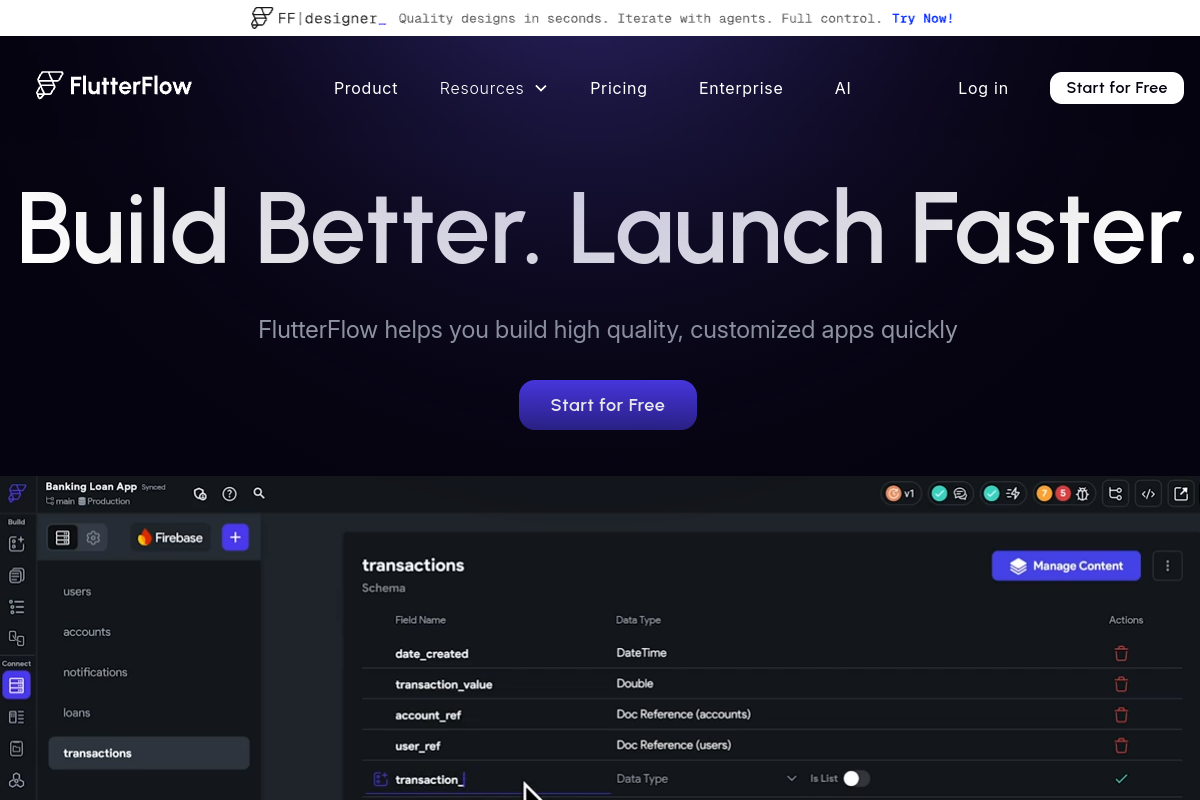
Live preview of FlutterFlow's website.
Frequently asked questions
Community Reviews & Discussion
0 reviews · replies are moderated before they appear.
- No reviews yet — be the first to review FlutterFlow.