
Edit Image Text Online
VerifiedEdit Image Text Online is an AI-powered tool designed to modify text directly within finished image files, including JPG, PNG, and WebP formats. It allows users to fix typos, update dates and prices, or translate phrases without needing access to the original source or design files. The tool is built for marketers, e-commerce sellers, and designers who need to make minor wording adjustments to posters, product photos, screenshots, or menus. It attempts to match the original font, color, and background during the replacement process. Additionally, it offers features for removing text entirely or translating it into languages such as Chinese, Japanese, and Korean. Users can verify their modifications using a before-and-after comparison slider.
Edit Image Text Online at a glance
- What it is
- Edit Image Text Online is an AI-powered tool designed to modify text directly within finished image files, including JPG, PNG, and WebP formats.
- Who it's for
- Worth a look if projects involving Photo Editing & Restoration come up often in your week.
- Primary use case
- Edit image text online with AI.
- CategoryPhoto Editing & Restoration
- PricingFree Tier
- Starting price$3.90
- Credit cardNo credit card required
- Bring your own keyNot supported
- RatingNo reviews yet. Be the first to rate.
Video Spot
Overview
Edit Image Text Online is an AI-powered tool designed to modify text directly within finished image files, including JPG, PNG, and WebP formats. It allows users to fix typos, update dates and prices, or translate phrases without needing access to the original source or design files. The tool is built for marketers, e-commerce sellers, and designers who need to make minor wording adjustments to posters, product photos, screenshots, or menus. It attempts to match the original font, color, and background during the replacement process. Additionally, it offers features for removing text entirely or translating it into languages such as Chinese, Japanese, and Korean. Users can verify their modifications using a before-and-after comparison slider.
Edit image text online with AI. Fix typos, dates or prices in JPG, PNG and WebP while matching the original font and background. Includes 1 free edit; additional use is available through one-time credits, with no subscription.
In detail
Edit Image Text Online is a dedicated AI tool for altering text within flattened image files such as JPG, PNG, and WebP. Rather than requiring users to recreate designs from scratch or locate original source files with editable text layers, the software directly modifies the existing pixels. It enables users to replace specific words, update numerical figures like prices or dates, and fix typographical errors in finalized graphics. It can also completely remove text and reconstruct the background, or translate existing phrases into other languages, including Chinese, Japanese, and Korean.
The platform is primarily targeted at e-commerce sellers, marketers, and designers who frequently need to update promotional materials, product photos, or UI screenshots. E-commerce merchants can use it to update sale badges or packaging text without booking new product photoshoots. Marketers can adapt existing campaign posters or flyers with new dates and headlines, while software developers can test new button labels in interface mockups.
Users upload an image file up to 10 MB in size and input both the original text appearing in the image and the desired replacement text. The AI then processes the request by attempting to match the existing lettering style, font weight, spacing, and background elements. Once the generation is complete, users can review the result using a before-and-after comparison slider or highlight tool to ensure that only the intended areas were modified. The tool processes one image at a time and operates on a pay-per-edit credit system.
Unlike traditional graphic design software, Edit Image Text Online does not require manual retouching or text box overlays. It is strictly focused on modifying existing text rather than generating entirely new whole-image compositions. However, it operates with strict usage policies; it prohibits the modification of sensitive documents such as IDs, bank records, and chat screenshots. Additionally, it requires users to input complete words rather than partial text, and it struggles with very small text that lacks sufficient pixel detail for a clean redraw.
Common uses
- Updating prices, quantities, or sale badges on existing e-commerce product photos.
- Fixing typos or changing event dates on finalized promotional posters and flyers.
- Renaming buttons, headings, or labels in software interface screenshots.
- Translating product packaging text into different languages for international markets.
- Correcting misspelled words generated by other AI image creation tools.
Pros
- Operates without requiring the original layered source file.
- Offers a pay-as-you-go credit system with no recurring subscription required.
- Automatically refunds credits for failed generations.
- Provides a free initial edit for new accounts to test the service.
Cons
- Does not support batch editing, processing only one image at a time.
- Struggles to accurately redraw very small text or partial words.
- Strictly prohibits editing sensitive documents like IDs, receipts, and bank records.
- Cannot directly process PDFs or multi-page files without exporting them as images first.
Generated from the listing's details and not yet checked by a Zoipi editor.
Key Features
- Font Matching: Attempts to replicate the original letter shapes, weight, and spacing when substituting text.
- Background Preservation: Reconstructs the surrounding background area after text is removed or replaced.
- Text Removal: Allows users to completely erase specific phrases from an image without adding new text.
- Text Translation: Translates image text into other languages, including specific support for Chinese, Japanese, and Korean.
- Before/After Verification: Provides a drag slider and highlight tool to compare the edited image against the original.
- Format Support: Processes standard flat image formats including JPG, PNG, and WebP files up to 10 MB.
- Credit Refund System: Automatically returns the user's credit if an AI edit fails to generate an image.
Best For
- Anyone replacing a manual photo editing & restoration process with something faster
- Anyone testing the space without an upfront budget
Pricing Model
Free Tier. Generous ongoing free tier you can start with, no credit card needed. Paid plans unlock higher limits.
Pricing Breakdown
Screenshots
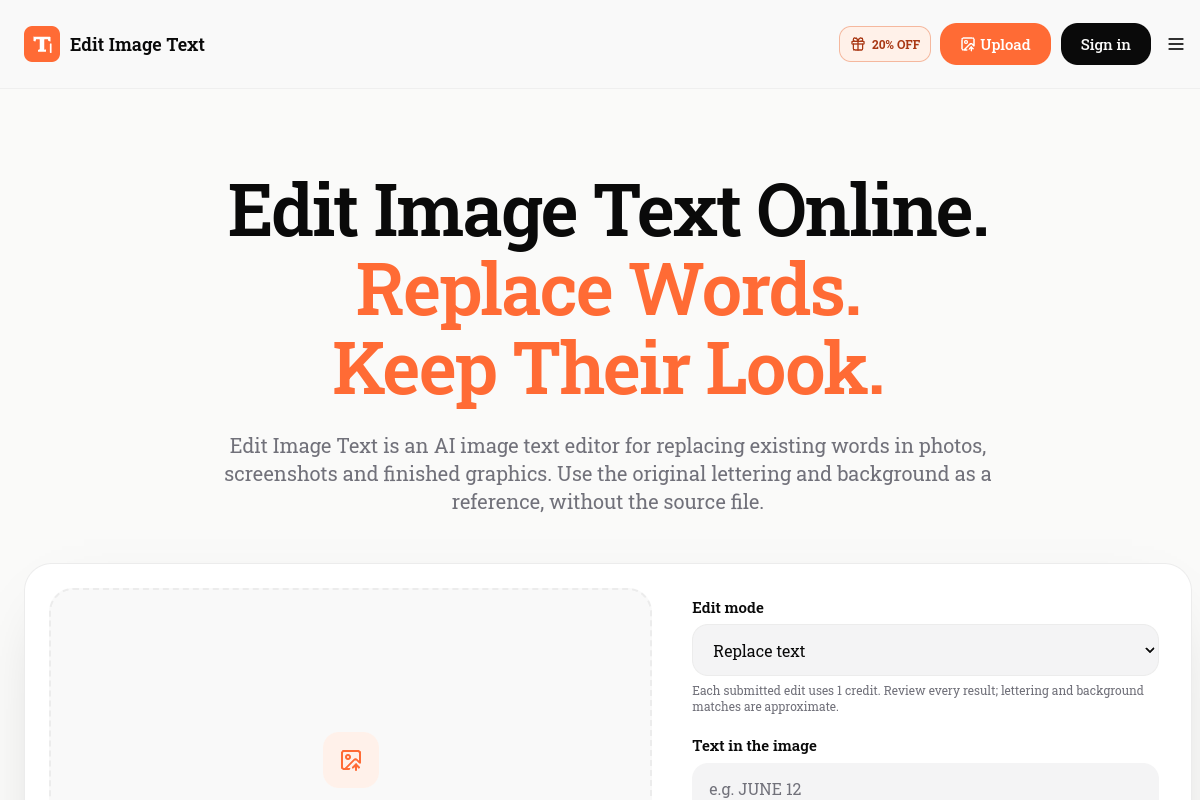
Live preview of Edit Image Text Online's website.
Frequently asked questions
Community Reviews & Discussion
0 reviews · replies are moderated before they appear.
- No reviews yet — be the first to review Edit Image Text Online.