Builder.io
VerifiedBuilder.io is a visual development platform that lets engineers, designers, product managers and marketers work together on a real codebase with AI agents. It combines a visual editor connected to a team's actual components and design tokens with an agentic CMS for content and campaigns. Engineers can code in Builder or their own AI tool and hand off branches for others to polish, while designers and marketers edit layouts and content directly in the product, with changes staying on-brand and coming back as code close to merge. It suits teams who want to reduce handoffs between roles on websites, landing pages, apps, and product features, keeping design, content and code in sync through one shared workflow and review process.
Builder.io at a glance
- What it is
- Builder.io is a visual development platform that lets engineers, designers, product managers and marketers work together on a real codebase with AI agents. It combines a visual editor connected to a team's actual components and design token.
- Who it's for
- Aimed at makers and small teams exploring the Website & Landing Page Builders category.
- Primary use case
- Builder.io connects design, content and code in one place.
- CategoryWebsite & Landing Page Builders
- PricingFree Tier
- Starting priceFree plan; Pro $24/user/month
- Credit cardNo credit card required
- Foundation modelProprietary
- Bring your own keyNot supported
- RatingNo reviews yet. Be the first to rate.
Video Spot
Overview
Builder.io is a visual development platform that lets engineers, designers, product managers and marketers work together on a real codebase with AI agents. It combines a visual editor connected to a team's actual components and design tokens with an agentic CMS for content and campaigns. Engineers can code in Builder or their own AI tool and hand off branches for others to polish, while designers and marketers edit layouts and content directly in the product, with changes staying on-brand and coming back as code close to merge. It suits teams who want to reduce handoffs between roles on websites, landing pages, apps, and product features, keeping design, content and code in sync through one shared workflow and review process.
Builder.io connects design, content and code in one place. Its visual editor works directly on a team's real components and design tokens. Designers and marketers can change layouts and content in the actual product, and every change stays on-brand and production-ready, coming back as code that is close to merge. Engineers can code in Builder or their own AI tool, then hand off a branch for others to polish and test.
In detail
Builder.io is a collaborative platform where product teams build software together with AI agents. Rather than separating design, content and engineering into isolated tools, Builder gives everyone a visual canvas wired directly into a team's real components, design tokens and codebase, so changes made by non-engineers still come back as production-ready code.
The platform is built for engineers, designers, product managers, marketers and content teams. Engineers can code in Builder or their own AI tool, then push a branch so others can refine copy, adjust layouts, or run tests in the real app. Designers can try new directions and ship polished UI without losing details on the way to production. PMs can turn feedback from Slack or Jira into working prototypes and branches for engineering review. Marketers can create and update campaign pages and content on their own timeline.
Builder works through two main products: Code, a visual IDE for building apps and UIs from scratch, from Figma designs, or an existing repo, and Content, an agentic CMS for creating, optimizing and publishing content, including A/B tests and personalization. Both connect to a team's existing stack, including Git workflows (GitHub, GitLab, Bitbucket), Figma, and MCP connectors to other tools and data sources.
What differentiates Builder is that changes made visually by non-engineers still go through the same review process as engineering changes, via branches, pull requests, previews and approvals, so nothing has to be reworked or cleaned up afterward. It also offers enterprise features such as SOC 2 Type II compliance, role-based permissions, and the option to opt out of AI training on a team's data.
Use cases include prototyping, app and feature development, marketing site and landing page creation and updates, and responding quickly to stakeholder or customer feedback without waiting for a full sprint cycle.
Common uses
- Turning prompts, ideas, and designs into working prototypes for stakeholder review before committing to full development
- Building new apps, product features, and internal tools with shared context between engineers and non-engineers
- Creating and updating marketing and campaign landing pages with brand and approval workflows intact
- Converting Slack threads, Jira tickets, or PRDs into working feature versions for engineering review
- Publishing and optimizing on-brand content, including A/B tests and personalization, across sites and apps
Pros
- Lets non-engineers make real changes that return as production-ready code instead of throwaway mockups
- Keeps engineering in control through branches, pull requests, and approvals
- Connects to existing tools like GitHub, GitLab, Bitbucket, Figma, Slack, and Jira via MCP connectors
- Supports both code generation and content/CMS workflows in one platform
- Enterprise features like SOC 2 Type II compliance and AI training opt-out
Cons
- Free plan is limited to one user (up to 5) and only 60 credits per month with a 15/day cap
- Advanced features like custom MCP servers, peer reviews, and priority support require Team or Enterprise plans
- Pricing is per user, which can add up for larger teams
- Some enterprise capabilities such as SSO, RBAC, and privacy mode are only available on the Enterprise plan
Generated from the listing's details and not yet checked by a Zoipi editor.
Key Features
- Visual Editor: a canvas wired directly into a team's real components and design tokens for on-brand, production-ready edits
- Agentic CMS: prompt-based content creation, A/B testing, personalization, and scheduled updates with approval workflows
- Git workflow integration: changes move through the same branch, pull request, and review process engineering already uses
- Design-to-code: converts Figma designs into production-ready code using existing components and design systems
- MCP connectors: extend Builder to other tools, data sources, and team workflows
- Roles and permissions: control who can create, edit, review, and publish
- Enterprise security: SOC 2 Type II compliance and an option to opt out of AI training on your data
Best For
- Specialists who want a dedicated website & landing page builders tool rather than a general assistant
- Anyone testing the space without an upfront budget
- Buyers who want a highly rated, well-established option
Pricing Model
Free Tier. Generous ongoing free tier you can start with, no credit card needed. Paid plans unlock higher limits.
Pricing Breakdown
Screenshots
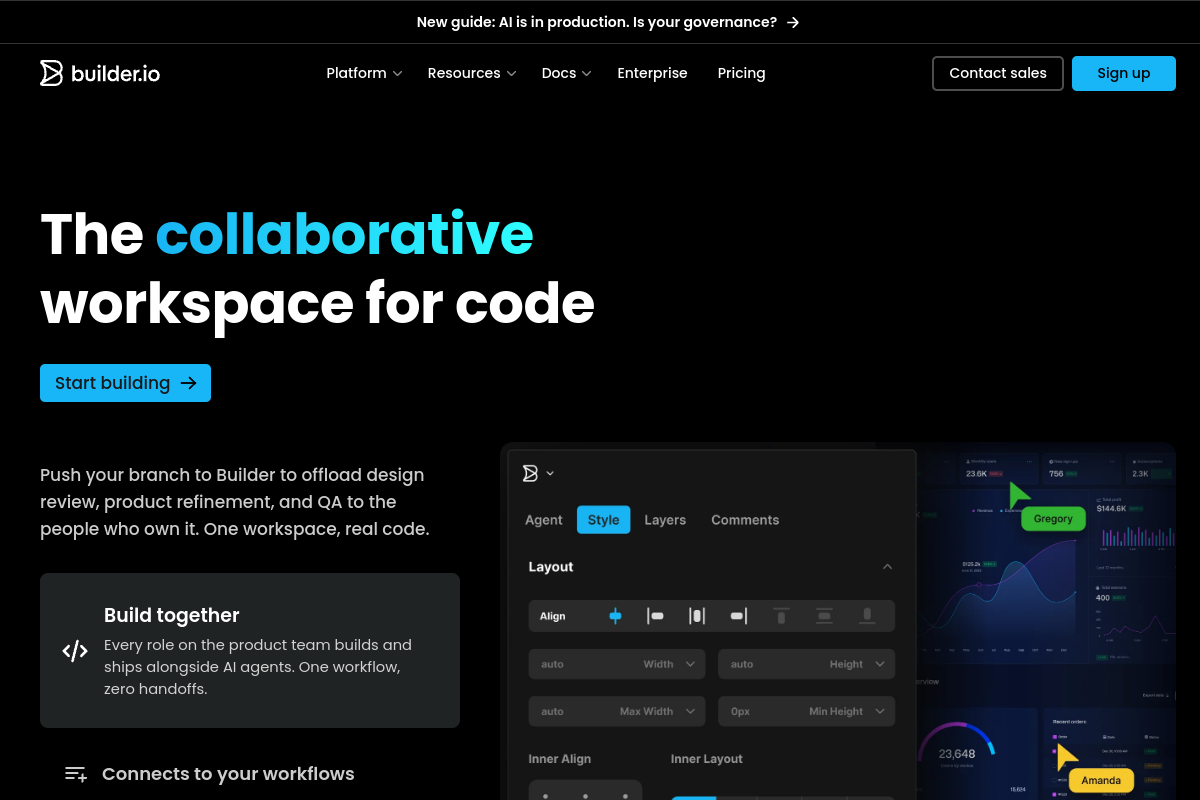
Live preview of Builder.io's website.
Frequently asked questions
Community Reviews & Discussion
0 reviews · replies are moderated before they appear.
- No reviews yet — be the first to review Builder.io.