Airbrush AI
VerifiedAirbrush is an AI-powered photo and video editing tool available online and as mobile apps for iOS and Android. It offers tools for retouching portraits, enhancing images and videos, removing objects and backgrounds, and changing hairstyles. It's designed for everyday users who want quick touch-ups, content creators building a visual brand, and professionals who need polished headshots or document photos without a studio. Editing can be done directly in the browser with no installation, or through the mobile app. The tool uses AI to smooth skin, adjust facial features, relight photos, and remove unwanted elements while aiming to keep results looking natural.
Airbrush AI at a glance
- What it is
- Airbrush is an AI-powered photo and video editing tool available online and as mobile apps for iOS and Android.
- Who it's for
- Worth a look if projects involving Mobile Apps come up often in your week.
- Primary use case
- Fast AI retouching and photo enhancement tool built for mobile creators and social media influencers.
- CategoryMobile Apps, Photo Editing & Restoration
- PricingFree Tier
- Starting price$8/month (billed annually)
- Credit cardNo credit card required
- Bring your own keyNot supported
- RatingNo reviews yet. Be the first to rate.
Video Spot
Overview
Airbrush is an AI-powered photo and video editing tool available online and as mobile apps for iOS and Android. It offers tools for retouching portraits, enhancing images and videos, removing objects and backgrounds, and changing hairstyles. It's designed for everyday users who want quick touch-ups, content creators building a visual brand, and professionals who need polished headshots or document photos without a studio. Editing can be done directly in the browser with no installation, or through the mobile app. The tool uses AI to smooth skin, adjust facial features, relight photos, and remove unwanted elements while aiming to keep results looking natural.
Fast AI retouching and photo enhancement tool built for mobile creators and social media influencers.
In detail
Airbrush is a smart photo and video editing platform that uses AI to make retouching and enhancement fast and accessible. It covers tasks like skin smoothing, object removal, background removal, relighting, reshaping, and hairstyle changes, working on both photos and videos. The tool is available as a web-based editor that requires no download, as well as native apps for iOS and Android.
The tool targets three main groups: everyday users who want simple, fast touch-ups to their photos; content creators and influencers who need to craft a consistent, polished visual identity for social media; and professionals who need pro-level portrait retouching, headshots, or document photos without needing a studio setup.
Airbrush works by analyzing uploaded photos or videos with AI to apply edits such as Magic Retouch, Face Shape Detector, Body Editor, Image Enhancer, and Relight. Users can also try new hairstyles or outfits, restore old photos, or remove distracting video backgrounds. Edits are designed to keep the final result looking natural rather than overly processed.
What differentiates Airbrush is its breadth of tools spanning both image and video editing, combined with availability across web, iOS, and Android, so users can edit anywhere. It also offers a free tier with limited features alongside paid plans for unlimited access, higher resolution exports, and more credits for AI processing.
Pricing is based on a credit system: photos cost 1 credit and videos cost 2 or more credits depending on length. The Free plan gives a limited number of credits and capped upload storage, while the Plus plan unlocks unlimited access to enhancement and creator tools, more upload storage, watermark-free exports, and monthly AI credits. Additional credits can be purchased separately as needed.
Common uses
- Quick everyday photo touch-ups for casual users
- Creating polished, scroll-stopping social media content
- Professional-looking headshots and LinkedIn photos without a studio
- Restoring and refreshing old photos
- Removing distracting backgrounds or objects from videos
- Experimenting with new hairstyles or looks before committing
Pros
- Works both online in-browser and via mobile apps
- Covers both photo and video editing in one tool
- Free plan available with no credit card required
- Wide range of specific retouching tools for portraits
- Credit top-ups available for extra flexibility without a subscription
Cons
- Free plan has limited access to most features and only 512MB of upload storage
- Many tools (Magic Retouch, Skin, Hair, Makeup, etc.) are only partially available on the free tier
- Credit-based system may require careful usage tracking for video edits
- Watermark-free export requires a paid Plus plan
Generated from the listing's details and not yet checked by a Zoipi editor.
Key Features
- Magic Retouch: AI-based skin smoothing, face, and body adjustments
- Image and Video Enhancer: improves photo and video clarity and quality
- Object and Background Remover: removes unwanted objects or backgrounds from images and video
- AI Hairstyle: try new hairstyles, hair color, texture, and volume
- Relight: adjust lighting in portraits and photos
- Photo Restoration: refresh and repair old photos
- Cross-platform access: available online in-browser and via iOS and Android apps
Best For
- People who spend real hours each week on mobile apps
- Anyone testing the space without an upfront budget
- Buyers who want a highly rated, well-established option
Pricing Model
Free Tier. Generous ongoing free tier you can start with, no credit card needed. Paid plans unlock higher limits.
Pricing Breakdown
Screenshots
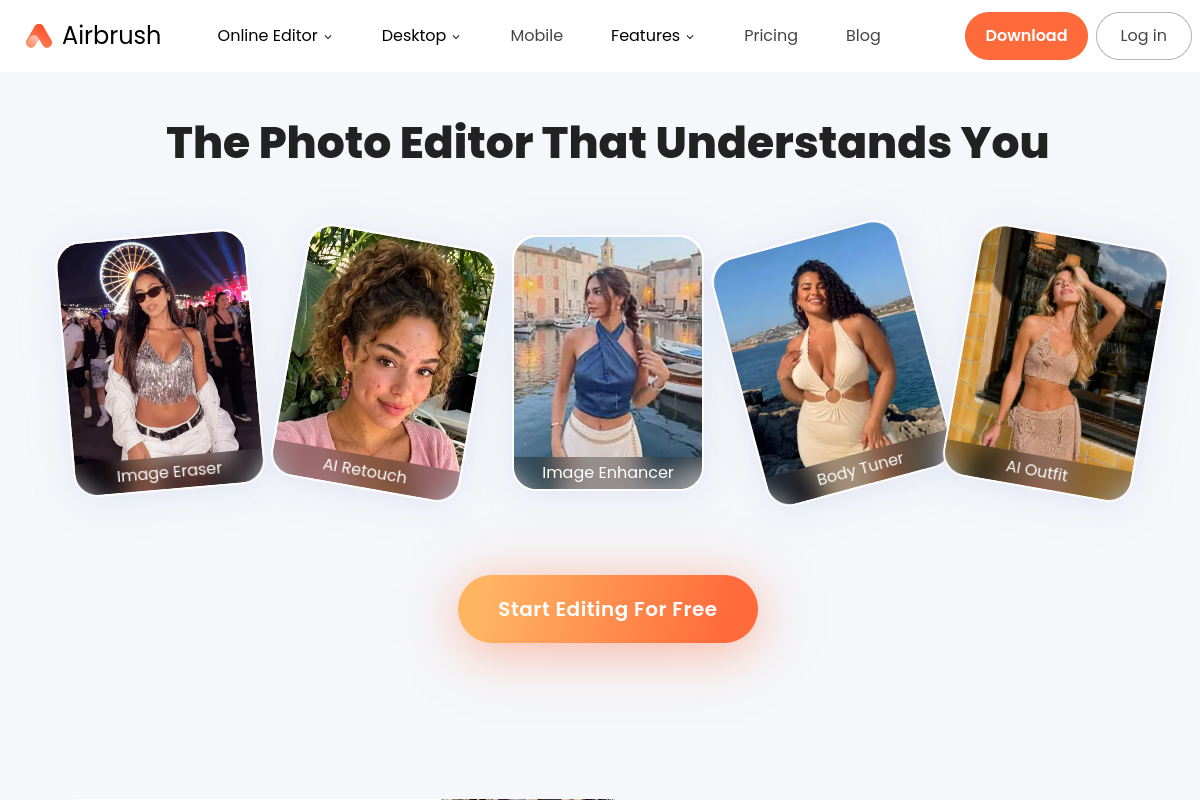
Live preview of Airbrush AI's website.
Frequently asked questions
Community Reviews & Discussion
0 reviews · replies are moderated before they appear.
- No reviews yet — be the first to review Airbrush AI.