AI Photo Editor
VerifiedTransform low-quality images into stunning professional-grade visuals with just one click.
AI Photo Editor at a glance
- What it is
- Transform low-quality images into stunning professional-grade visuals with just one click.
- Who it's for
- A good fit for users working with Photo Editing & Restoration who want to cut the manual steps.
- Primary use case
- AI Photo Editor is designed for professionals and casual users alike, offering high-quality image enhancement without the need for technical skills.
- CategoryPhoto Editing & Restoration
- PricingFree Tier
- Starting priceFree, paid plans available
- Credit cardNo credit card required
- Bring your own keyNot supported
- RatingNo reviews yet. Be the first to rate.
Video Spot
Overview
Transform low-quality images into stunning professional-grade visuals with just one click.
AI Photo Editor is designed for professionals and casual users alike, offering high-quality image enhancement without the need for technical skills. It automates complex tasks like background removal, object erasure, and image upscaling, ensuring crisp 4K results. Whether you're editing for e-commerce or personal use, it delivers polished, ready-to-use visuals effortlessly.
Pros
- No design skills required
- Batch processing for multiple images
- Fast and accurate AI algorithms
- Clean, professional output every time
Cons
- Watermark on free exports
- Limited features in free version
- Premium plans required for full resolution
- No offline mode available
In detail
AI Photo Editor is a photo enhancement tool designed to turn low-quality images into more polished visuals with a single click. Its focus is on simplifying the improvement process, helping users refresh photos without working through a detailed manual editing workflow.
It is suited to people who want better-looking images for personal sharing, online content, or professional presentation. The description emphasizes professional-grade results and ease of use, but does not specify supported formats, editing controls, or dedicated restoration features.
Common uses
- Enhance low-quality photos before sharing online
- Refresh images for blog posts or social content
- Improve the presentation of photos in slides
- Polish personal photos with minimal editing effort
Pros
- Simple, one-click enhancement approach
- Focuses on improving low-quality images
- Designed to reduce manual editing effort
Cons
- Manual adjustment options are not specified
- Dedicated restoration capabilities are unclear
- Professional-grade results are claimed but not demonstrated in the description
Generated from the listing's details and not yet checked by a Zoipi editor.
Key Features
- Automatically enhances images to 4K resolution
- Removes backgrounds with precision
- Erases unwanted objects seamlessly
- Applies professional-grade filters
Best For
- Specialists who want a dedicated photo editing & restoration tool rather than a general assistant
- Anyone testing the space without an upfront budget
Pricing Model
Free Tier. Generous ongoing free tier you can start with, no credit card needed. Paid plans unlock higher limits.
Pricing Breakdown
Screenshots
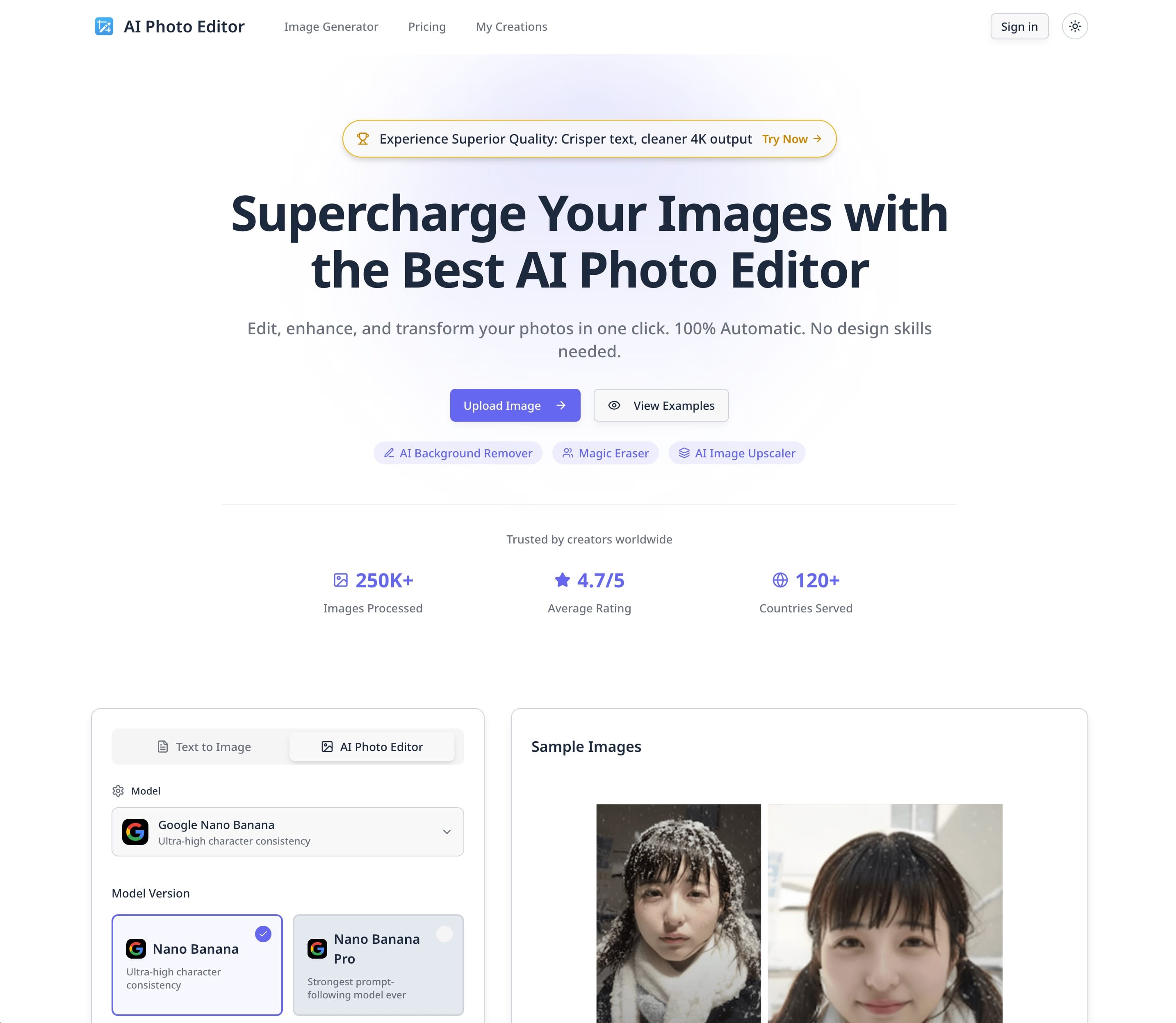
Live preview of AI Photo Editor's website.
Frequently asked questions
Community Reviews & Discussion
0 reviews · replies are moderated before they appear.
- No reviews yet — be the first to review AI Photo Editor.